Troubleshooting: Why Your Campaign Isn't Getting Results
Last updated: April 24, 2026
Not seeing replies or meetings from your campaign? In most cases, performance issues come down to targeting, messaging, or setup. This guide will help you quickly spot what might be limiting results and suggest what you can adjust to improve them.
Campaign performance usually depends on three things:
Targeting (who you reach) + Offer (what you say) + Channel (how you reach them)
If something isn’t working, it often helps to review them in this order, starting with targeting.
👍 What good performance looks like
When your campaign has been running for around 4 weeks (a helpful baseline for cold outreach to evaluate performance), you can start looking at early signals to understand if you're moving in the right direction.
Some positive indicators to look for:
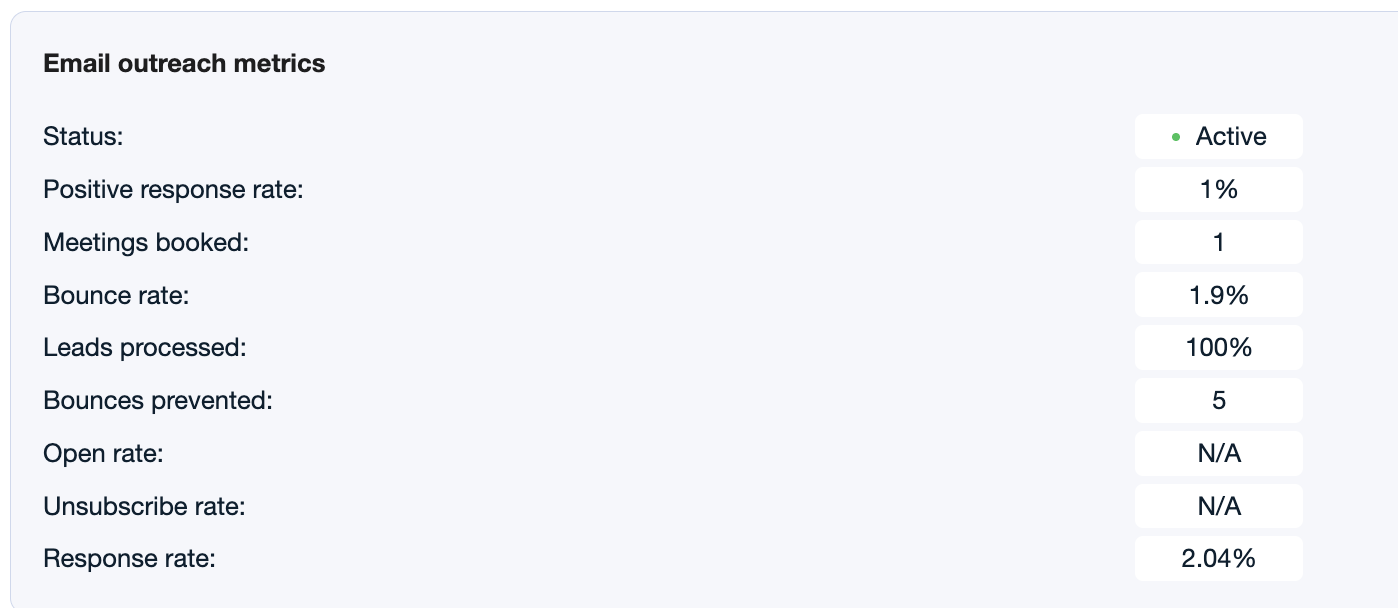
Around 1%+ positive reply rate
At least one booked meeting
Ongoing replies, even if not all of them are positive
These signals usually suggest that your targeting and messaging are starting to resonate, even if there’s still room to improve.
🚦 Where is your campaign stuck?
No replies at all: review campaign setup
What might be happening:
Your emails may not be reaching inboxes, or the audience may not be a strong fit.
What you can review and adjust:
Lower number of leads
→ It may help to increase volume (ideally 100+ leads) to get clearer performance signalsLinks in the first email
→ You might consider removing them, as they can sometimes impact deliverabilityOpen tracking enabled
→ Keeping this turned off is usually better, as it may affect inbox placementUnsubscribe link enabled
→ In cold outreach, disabling it can sometimes improve resultsTargeting is broad or generic
→ It may help to narrow the audience using stronger signals (e.g. hiring, expansion, recent changes)AI-powered campaign analysis
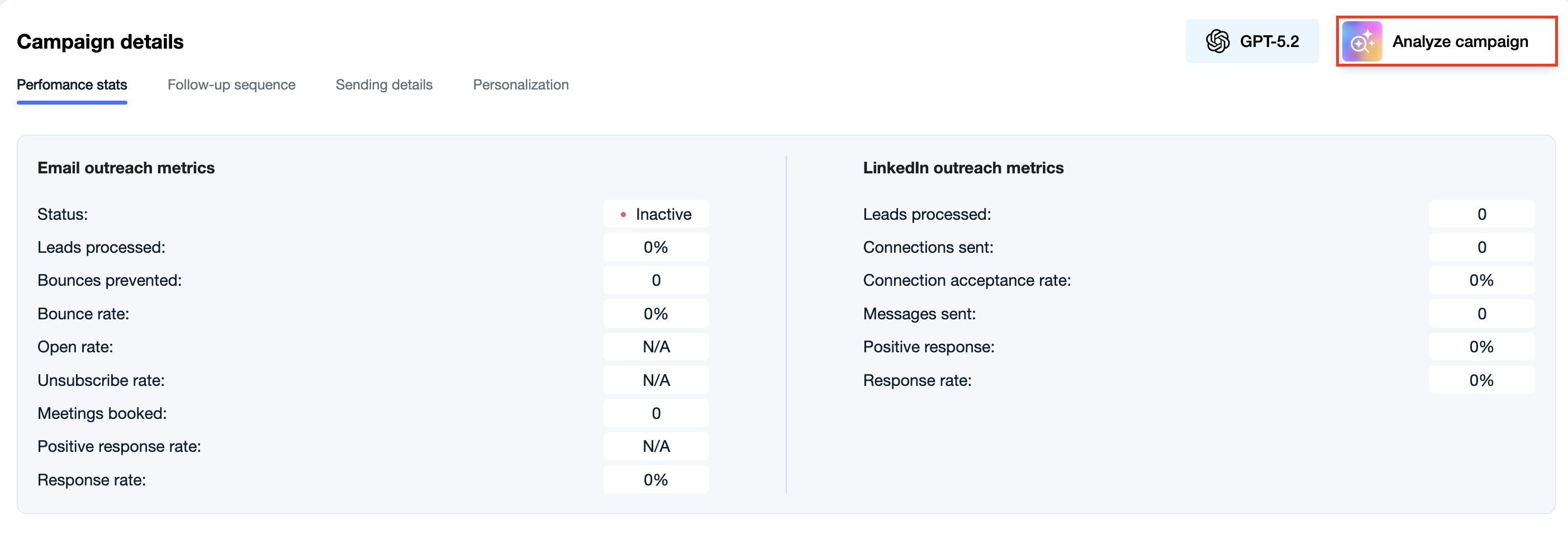
You can now get instant AI insights on any campaign's performance. Open a campaign, go to Campaign details, and click the Analyze campaign button in the top-right corner. The AI Strategist will review your metrics and return recommendations you can act on right away.
No replies at all: review messaging and value
What might be happening:
Your campaign is running, but the messaging isn’t giving enough reason to reply.
What you can review and adjust:
Message asks for a meeting too early
→ You could try leading with value first (insight, audit, recommendation)Value isn’t immediately clear
→ It may help to make the benefit more specific and easy to understandNo proof or credibility
→ Adding case studies, results, or examples can help build trustLanguage patterns may be triggering spam filters
→ Review your email copy for spam trigger words before making other changes. → How to Write Emails That Reach the Inbox
👉 Focusing on the value you provide often improves reply rates.
Replies but no meetings
What might be happening:
There is interest, but something in the next step is not converting into meetings.
What you can review and adjust:
Tone may feel too pushy or sales-heavy
→ You could try softening the tone so it feels more conversational and less directCTA might not feel compelling
→ Consider testing a different call-to-action (e.g. lower commitment or more value-driven)Objections are not addressed
→ It can be helpful to review replies and identify patterns (e.g. timing, relevance, priorities), then adjust messaging accordinglyYou may be reaching non-decision makers
→ If you see replies like “I’m not the right person,” it may be worth refining job titles or seniorityChannel setup may be limiting results
→ If you’re using email-only, you could try adding LinkedIn
→ If LinkedIn is slowing things down (limits), you might test a separate LinkedIn-only campaign running in parallel
👉 Small adjustments based on real replies often make the biggest difference at this stage.
Results are inconsistent
What might be happening:
There may not be enough data yet, or too many variables are changing at once.
What you can review and adjust:
Low campaign volume
→ Increasing to 100+ leads can make results more reliableMultiple changes at once
→ It can help to adjust one variable at a time and observe the impact
👉 A more stable setup usually makes it easier to identify what works.
If performance doesn’t improve
What might be happening:
The overall setup (targeting or messaging) may need a bigger shift.
What you can consider doing:
Pausing the current campaign
Revisiting the targeting angle
Refreshing the messaging approach
Relaunching as a new campaign
👉 In some cases, a fresh setup can perform better than continuing to adjust the same one.
Once you see something working, it may be worth building on it.
Add more similar leads
Reuse the structure with small variations
Gradually increase volume
👉 Scaling what works is often more effective than starting from scratch each time.