Step-by-step guide: How to Set Up a Campaign with Live AI
Last updated: June 17, 2026
With Live AI, you’re not stuck with static lists, you’re tapping into real-time data to find leads the moment they show buying intent. No filters or complex setups needed: just describe your ideal customer in plain English, and AiSDR translates it into structured searches. From broad roles to hyper-specific signals like “companies hiring after funding”, Live AI surfaces and enriches the right contacts. The result? Fresher leads, smarter targeting, and better timing 😎
Start with the Campaign Builder
Head over to AiSDR's Campaign Builder.
Choose Live AI database.
Open People Search
In Cold Outreach → Live AI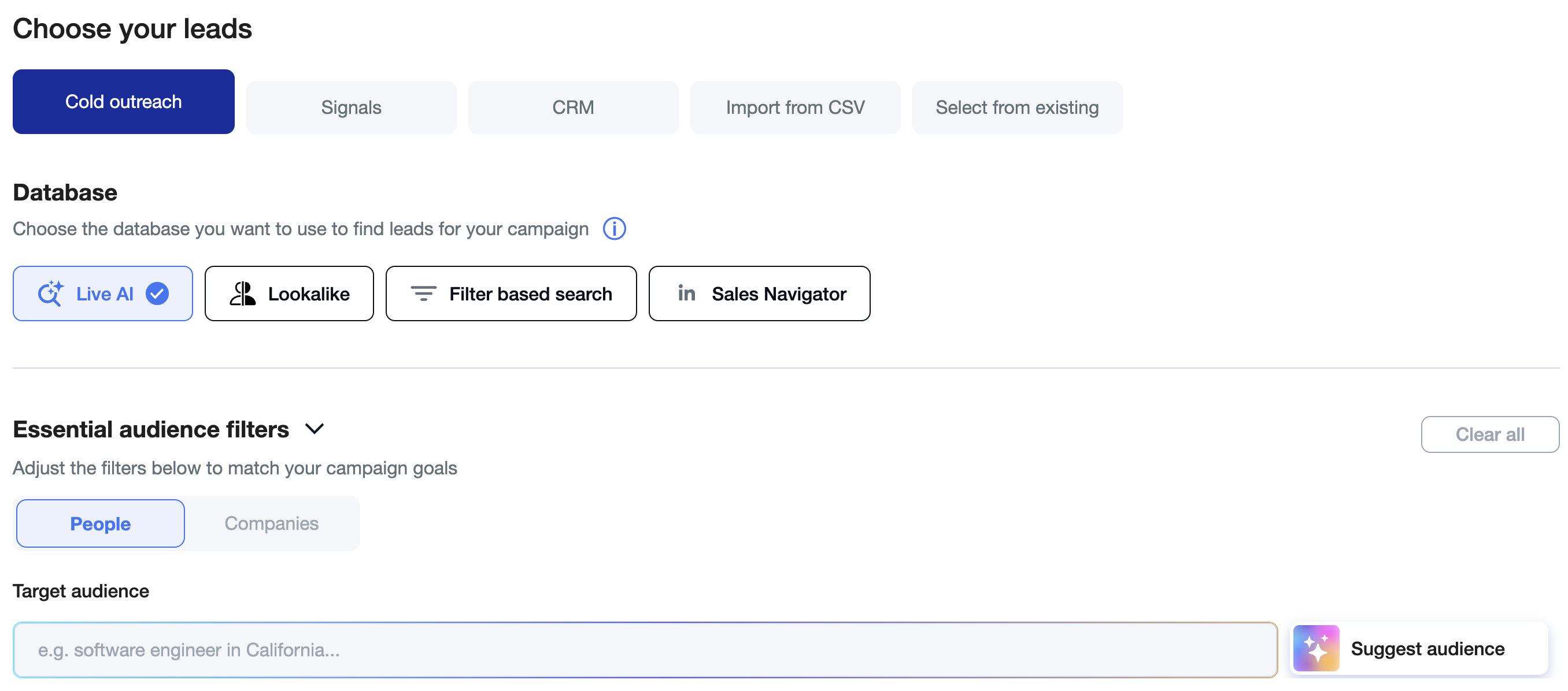
Write the Audience clause
Start with a plain-language description such as “decision makers in marketing”. No Boolean needed—Live AI understands synonyms and related titles.Add Firmographics
Layer on company qualifiers: sector (“B2B SaaS”), headcount (“under 200 employees”), geography (“United States” or drill down to states/cities), revenue, funding stage, etc.Inject a Signal
Add one or more buying triggers, e.g.
• hiring for SDR roles
• recently raised Series A
• new Head of Sales in the last 90 days
• using HubSpot CRM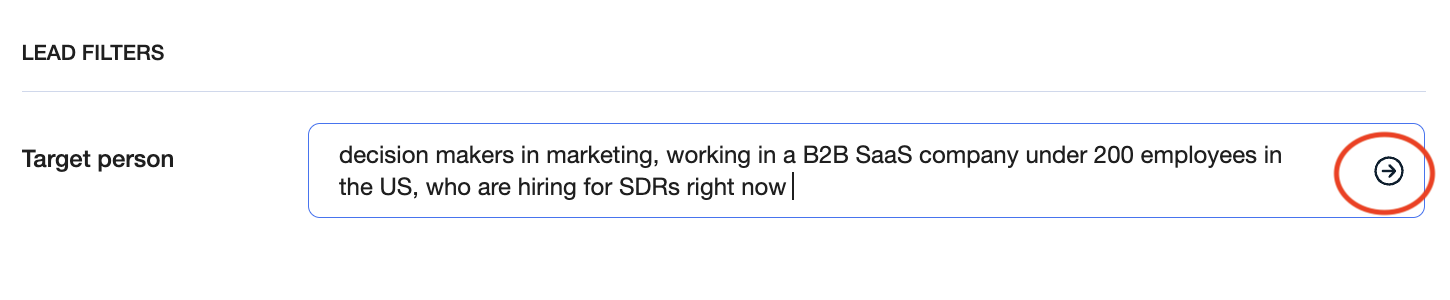
Click Search
Live AI breaks your prompt into structured criteria and searches all connected data sources and the public web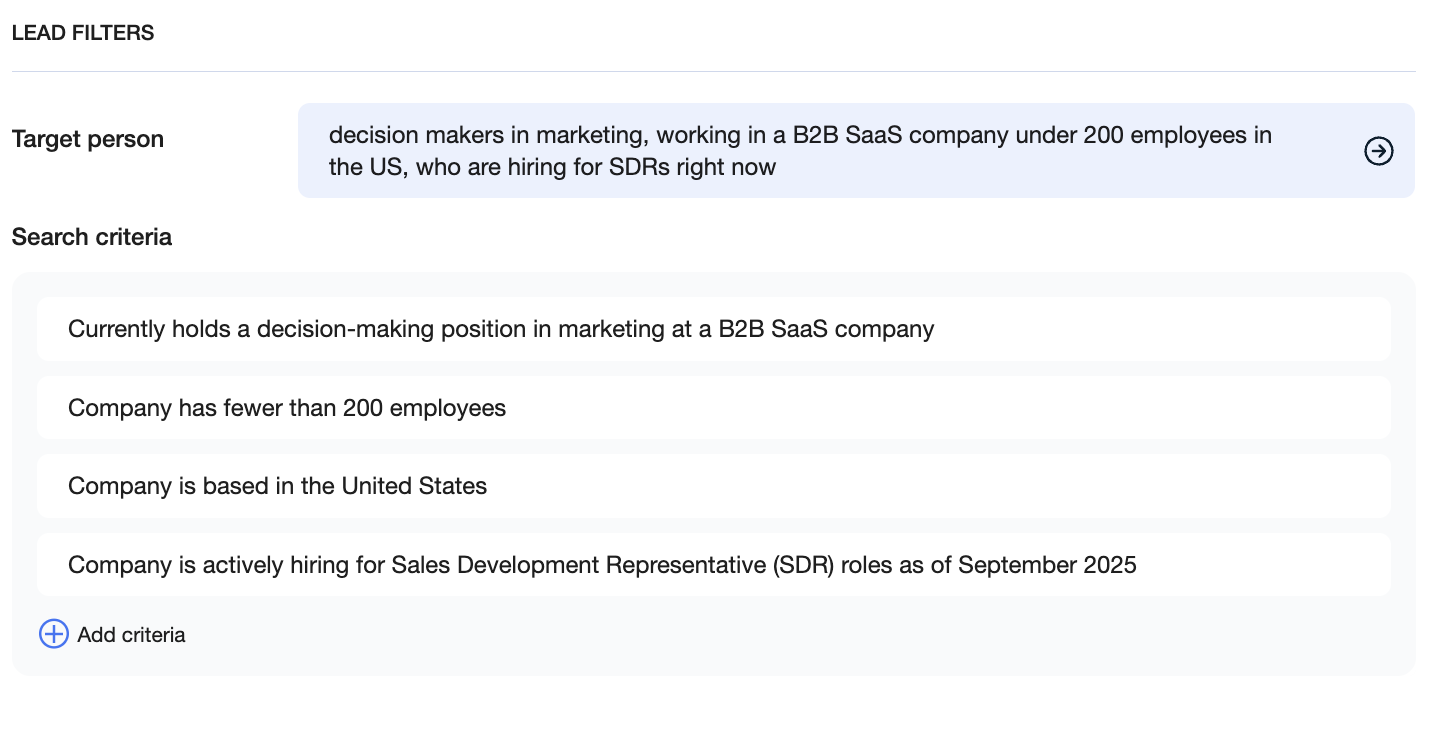
Review & Refine
For each prospect you’ll see an explanation card showing exactly which part of the prompt matched.
– Edit Criteria to tighten or broaden results.
– Add Additional Filters if needed.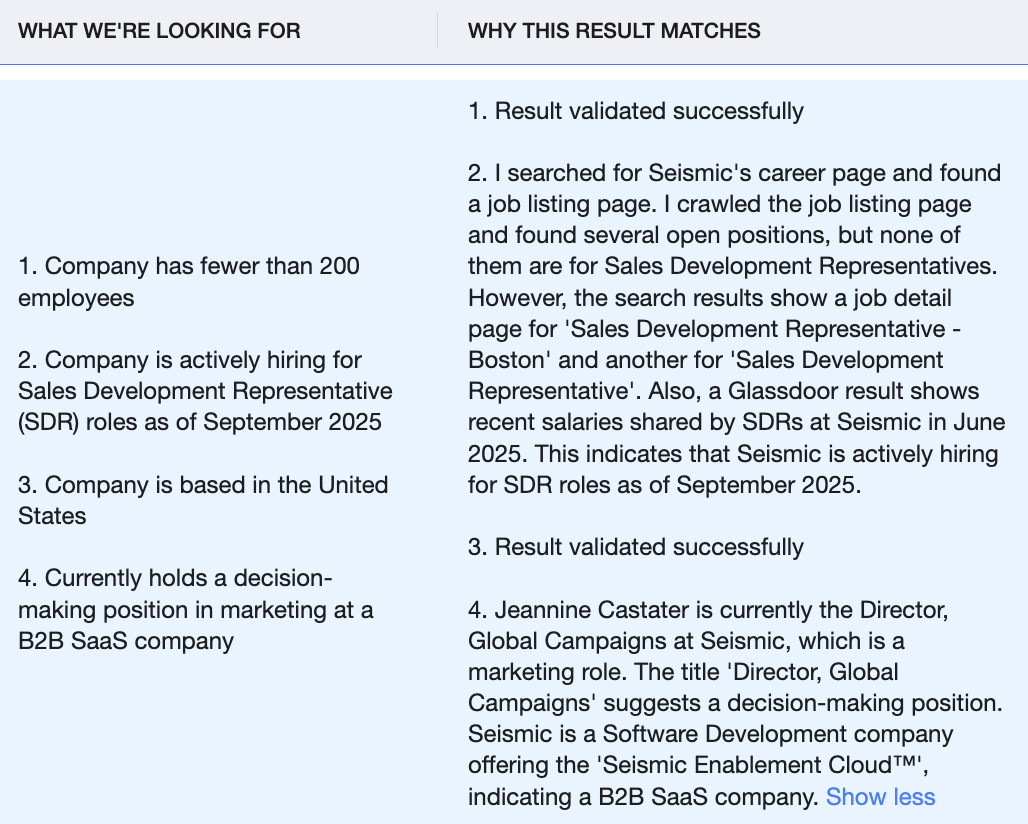
Enable Continuous Sourcing
Select “Continuously add new” and click Next to let AiSDR automatically enrich email addresses and funnel future matches into your campaign.
Best Practice Tips
Be precise, not verbose – clarity beats length.
Use numbers (“<200 employees”, “>$5 M ARR”) where possible.
Stack multiple signals to boost relevance.
Refresh prompts quarterly to reflect shifts in ICP or product positioning.
Leverage negative signals (“exclude companies using Salesforce”) by adding “not using …”.