How to create a good prompt with Live AI feature?
Last updated: February 6, 2026
Live AI can search both leads and companies by any signal, since it scrapes data across the web. That’s why writing your criteria clearly and precisely is so important-vague prompts lead to vague results.
Unlike traditional filter-based tools, Live AI understands natural-language prompts, scans multiple sources online, and returns prospects that match the intent of your request, not just the exact keywords. It’s the recommended starting point in AiSDR for finding fresh, high-quality leads.
Anatomy of a High-Performing Prompt
A great Live AI prompt has three building blocks. Think of them as WHO, WHERE, and WHY.
Block | What to include | Why it matters |
Audience (WHO) | Role, seniority, department. e.g. “senior decision makers in marketing” | Live AI matches on semantic meaning, so it finds “Head of Marketing & Demand Gen” even if you only wrote “decision makers in marketing”. |
Firmographics (WHERE) | Company attributes such as industry, size, revenue, location. e.g. “in B2B SaaS companies with <200 employees in the United States” | Narrows the search to companies that look like your best customers. |
Signals (WHY) | Triggers or pain points that make the prospect timely/relevant. e.g. “hiring for SDR roles and mentions HubSpot in the job description” | Prioritises prospects with a reason to buy now. |
Putting it together: template
[Audience] at [Firmographics] that [Signal]Example
Senior decision makers in marketing at B2B SaaS companies with under 200 employees in the United States that are hiring for SDR roles and mention HubSpot in the job description
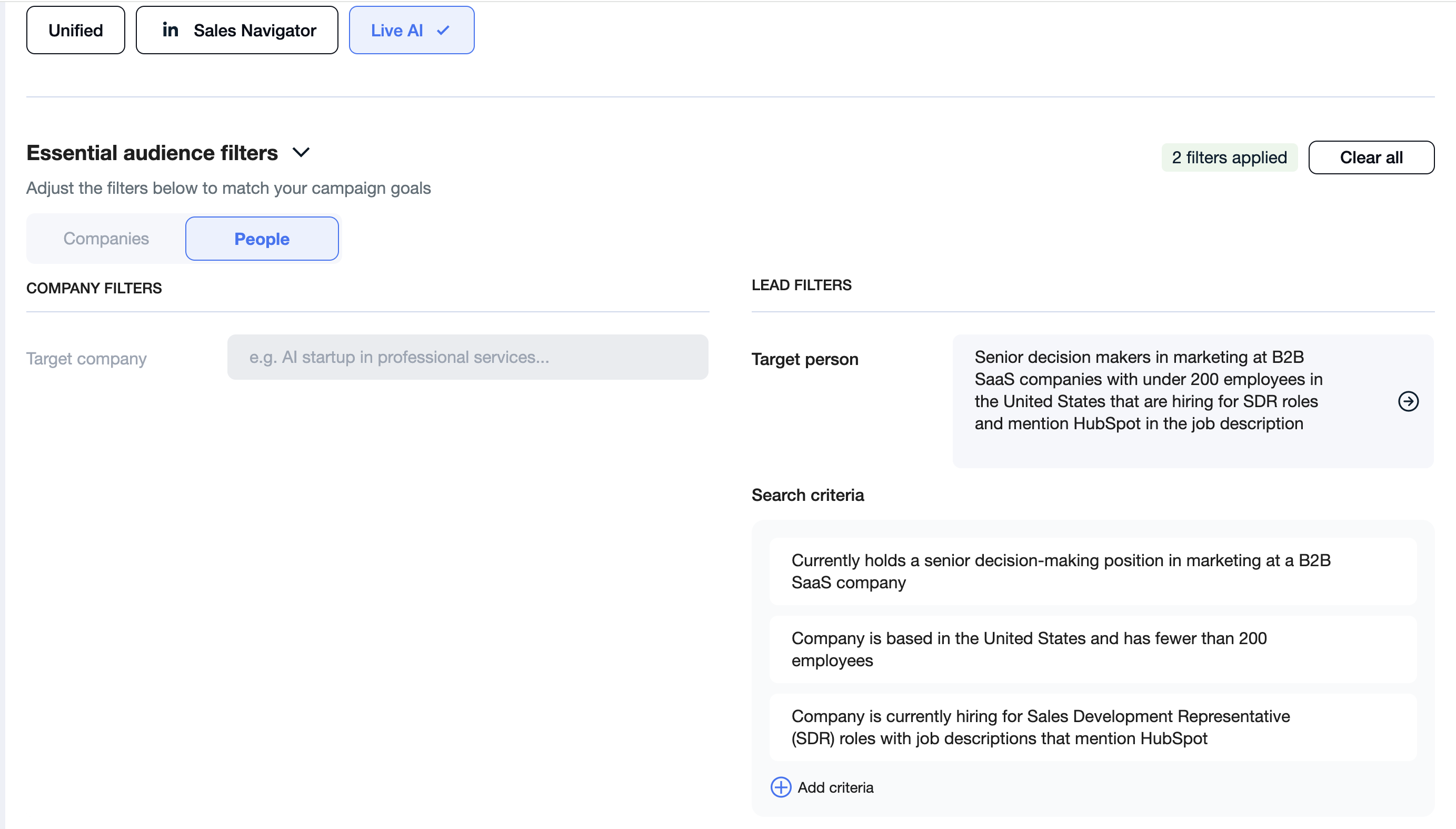
How to Analyze Live AI Search Criteria
When a search runs, AiSDR shows percentages for each criterion. These percentages indicate how many analyzed leads matched each specific condition.
When you run a search:
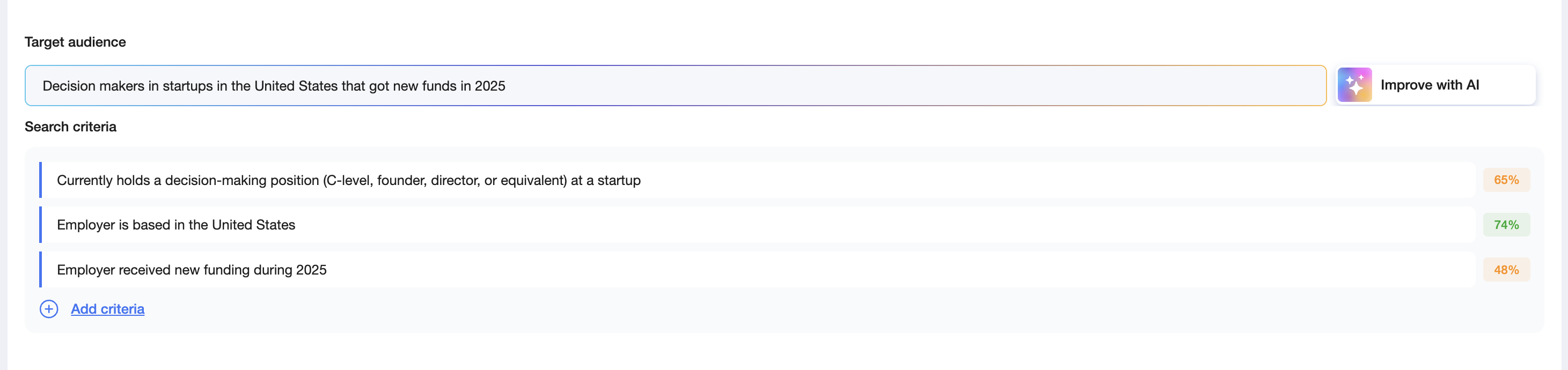
When you created a campaign:

How to Read the Percentages
Example:
The system analyzes 100 leads and shows:
Criterion 1 → 20%
Criterion 2 → 50%
Criterion 3 → 70%
What this means:
Only 20 leads matched Criterion 1
50 leads matched Criterion 2
70 leads matched Criterion 3
👉 Criterion 1 is filtering out the most leads.
How to Use This Insight
If results are limited, you can adjust the criterion with the lowest percentage.
Ask yourself:
Is this criterion too strict?
Is it truly required for my ICP?
Can it be simplified or broadened?
If needed, adjust that criterion and rerun the search to see how the percentages change.
Why This Is Useful
Quickly identify which criteria limit lead volume
Avoid over-filtering good prospects
Improve lead volume without sacrificing quality
Live AI Search percentages help you optimize your search based on data, not guesswork.