How to Find the Right Audience for Cold Outreach (Without Guessing at Databases)
Last updated: October 19, 2026
Lead search used to start with a question that had nothing to do with your ICP: which database do I search? Live AI, Sales Navigator, filters, lookalikes. Choose wrong and you get a thin list, with no sign that the choice was the reason.
Unified search removes that step. You describe your audience in plain language and the engine decides where to look.
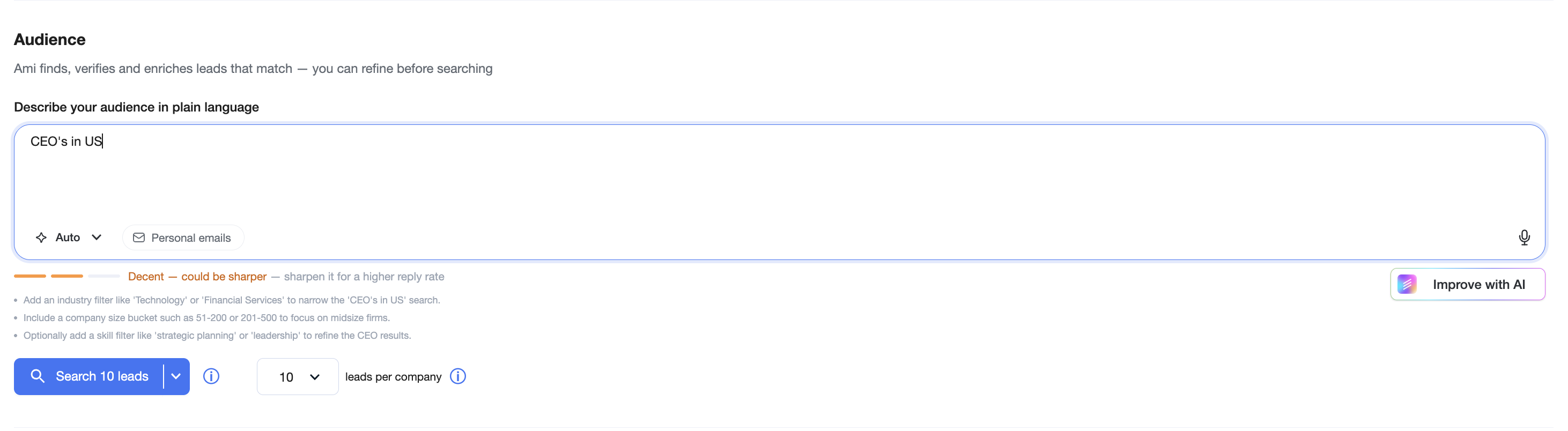
This isn't options behind one screen. The routing is new: your description gets parsed for what it actually asks for, matched against what each source does well, and sent there.
How the routing works
When you type a description, the engine reads three things:
How specific the roles are. "VP Marketing" is a title thousands of profiles carry, and filter-based sources handle it well. "Person who owns vendor security reviews" is not a title at all, and needs a source that can interpret meaning rather than match a field.
How findable the companies are. A well-known segment with clean firmographic data behaves differently from a niche of small companies that show up mainly on their own websites.
What the request implies beyond the words. Signals like industry, headcount, geography and technology mentions all narrow which source will return the highest match rate.
From that, the engine picks the source. You do not need to know which one it chose to get a good list, but the choice is visible so you can learn the pattern over time.
The sources it routes between:
Source | What it does | Best for |
|---|---|---|
Auto (default) | Picks the best source from your description | Most searches. Start here. |
Live AI | Always runs a deep Live AI search | Nuanced or non-standard audiences where titles are unreliable |
Sales Navigator | Returns filter-based leads faster | Clear, conventional titles and firmographics, when speed matters |
Agent search | Researches the web with an agent, slower but deeper | Hard-to-find niches where the people are not in any standard database |
Auto is on by default. If you want a specific source, open the dropdown next to the search box, select it, and it stays selected for that search.
Targeting strength: feedback while you type
The second change is that the search now tells you when your ICP is too weak to work with, before you run it.
As you type, a targeting strength indicator updates under the search box. When something important is missing, it says what: no location, no job titles, no company criteria, or a description so broad that no source can return a useful list.



The point is timing. Previously you found out your criteria were weak by looking at the results and guessing why. Now you find out while the fix is free.
Practically, a strong description usually names three things: who (roles or responsibilities), where (geography), and what kind of company (industry, size, or a specific signal). Add those and the indicator moves.
If your search is too broad:
You don't have to apply those suggestions by hand. Improve with AI appears next to the feedback and rewrites your description for you, folding in the suggested criteria. You see the result in the box before you search, and you can edit or undo it.

Other things in the search box
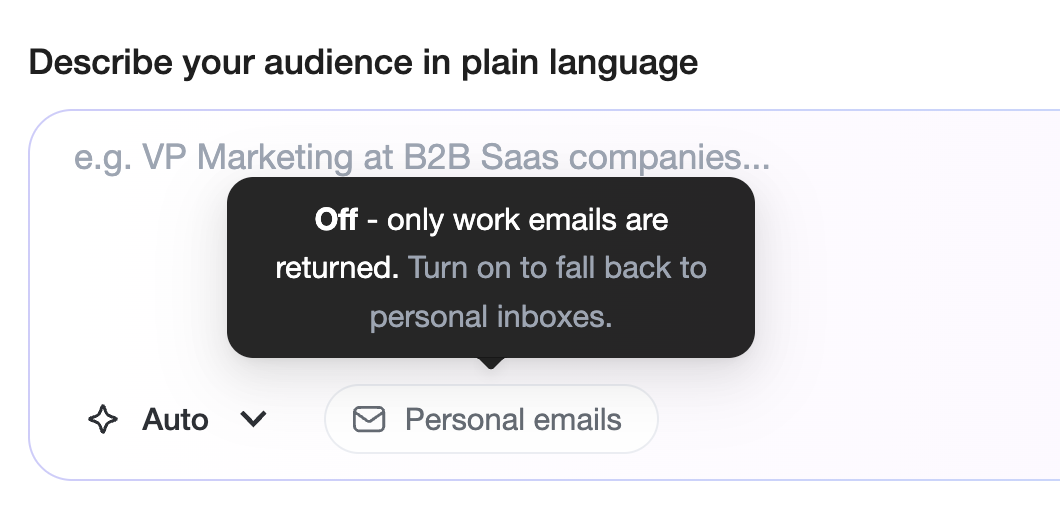
Personal emails toggle
Off by default, which means only work emails are returned. Turn it on and we fall back to a personal inbox when no work email exists for that person. Use it when coverage matters more than strictly business-address outreach.
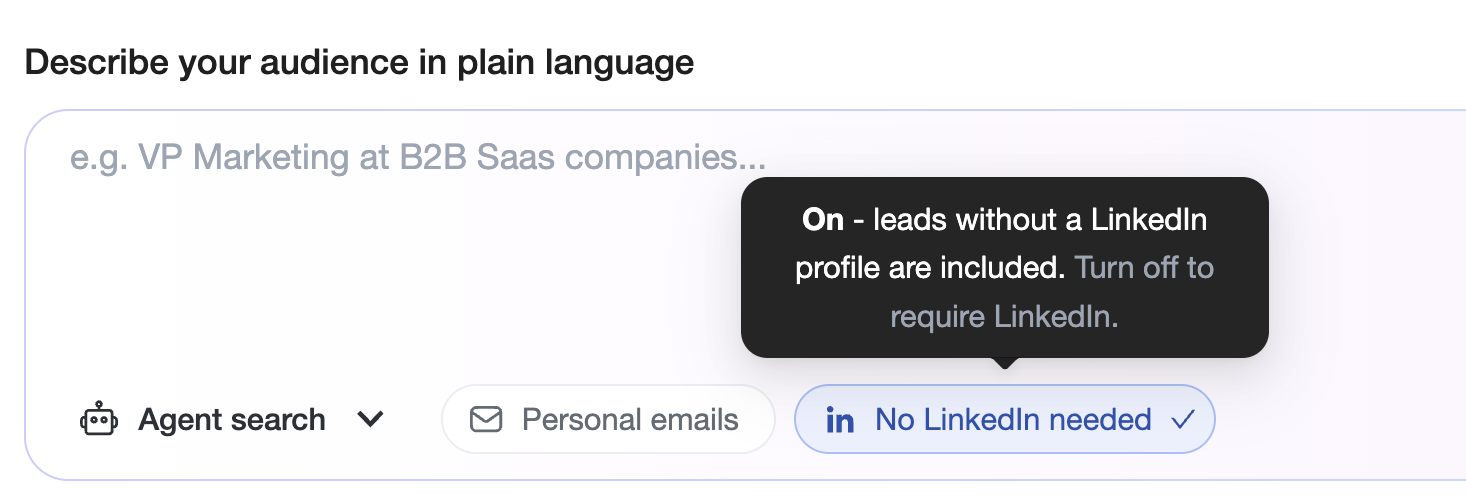
No LinkedIn needed
Available with Agent search. Every LinkedIn-derived source can only return people who keep a LinkedIn profile, which quietly excludes a lot of real buyers: owner-operators, trades, local services, manufacturing, and plenty of executives who just don't post. Agent search researches the open web, so it can find and verify those people from company sites, directories and public records instead. Turn it on when your ICP lives outside the LinkedIn-active population.
Voice input
The mic on the right of the search box lets you dictate your ICP instead of typing it. Useful for long descriptions where typing is the slow part.
Suggest audience
If you are starting from a blank box, this proposes an audience to edit rather than making you invent one.
Leads per company
Caps how many people come from a single company, so one large employer does not consume your whole list.
What has not changed
The workflow around search is the same. Ami still finds, verifies and enriches the leads that match, and you can still refine the audience before you run the search. Existing campaigns are unaffected.
FAQ
Do I have to pick a source now?
No. Auto handles it. The dropdown exists for when you have a specific reason to override it.
Is Auto worse than choosing the source myself?
For most searches it is better, because it matches the source to each individual request rather than applying one habit to everything. If you know a specific source performs better for a specific audience of yours, pin it.
Why is Agent search slower?
It researches the web rather than reading a prepared index. It is the right choice when the people you want are not in a standard database, and the wrong choice when they are.
Does turning on personal emails change deliverability?
It changes coverage. Personal inboxes fill gaps where no work email exists. Consider your own outreach policy and applicable rules for the regions you are targeting before turning it on.
What happened to my old saved searches?
Everything stays the same - so you don't have to worry about your current searches