Creating Campaigns with Profile Views
Last updated: October 8, 2025
The LinkedIn Profile Views feature helps you discover and reach out to people who have recently viewed your or your teammates’ LinkedIn profiles. This signal gives you highly relevant leads since those visitors have already shown interest in you or your company.
Steps to Create a Campaign
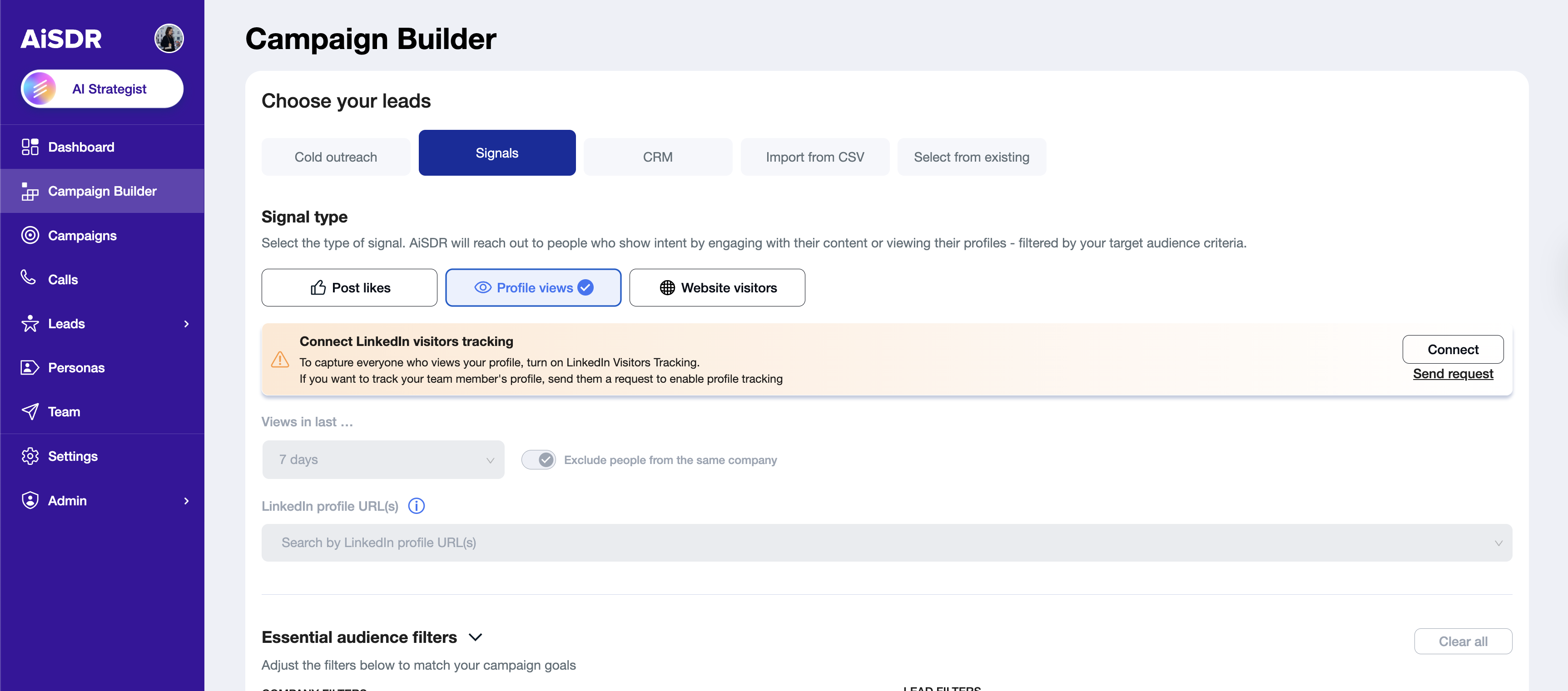
Go to Campaign Builder → Signals → Profile Views.
Select a profile URL from your connected accounts.
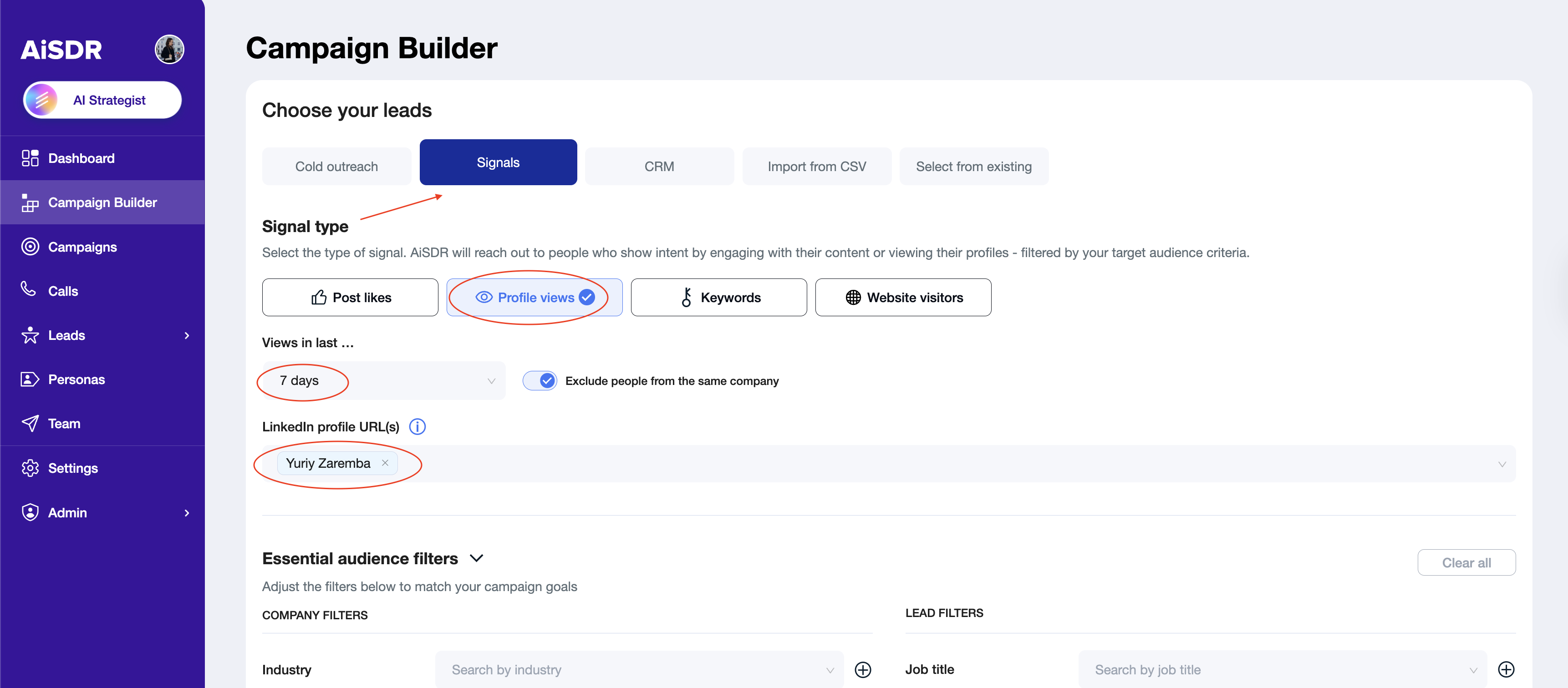
Apply optional filters (company size, industry, job title, location, etc.).
Click Search to see if your database already contains matching leads.
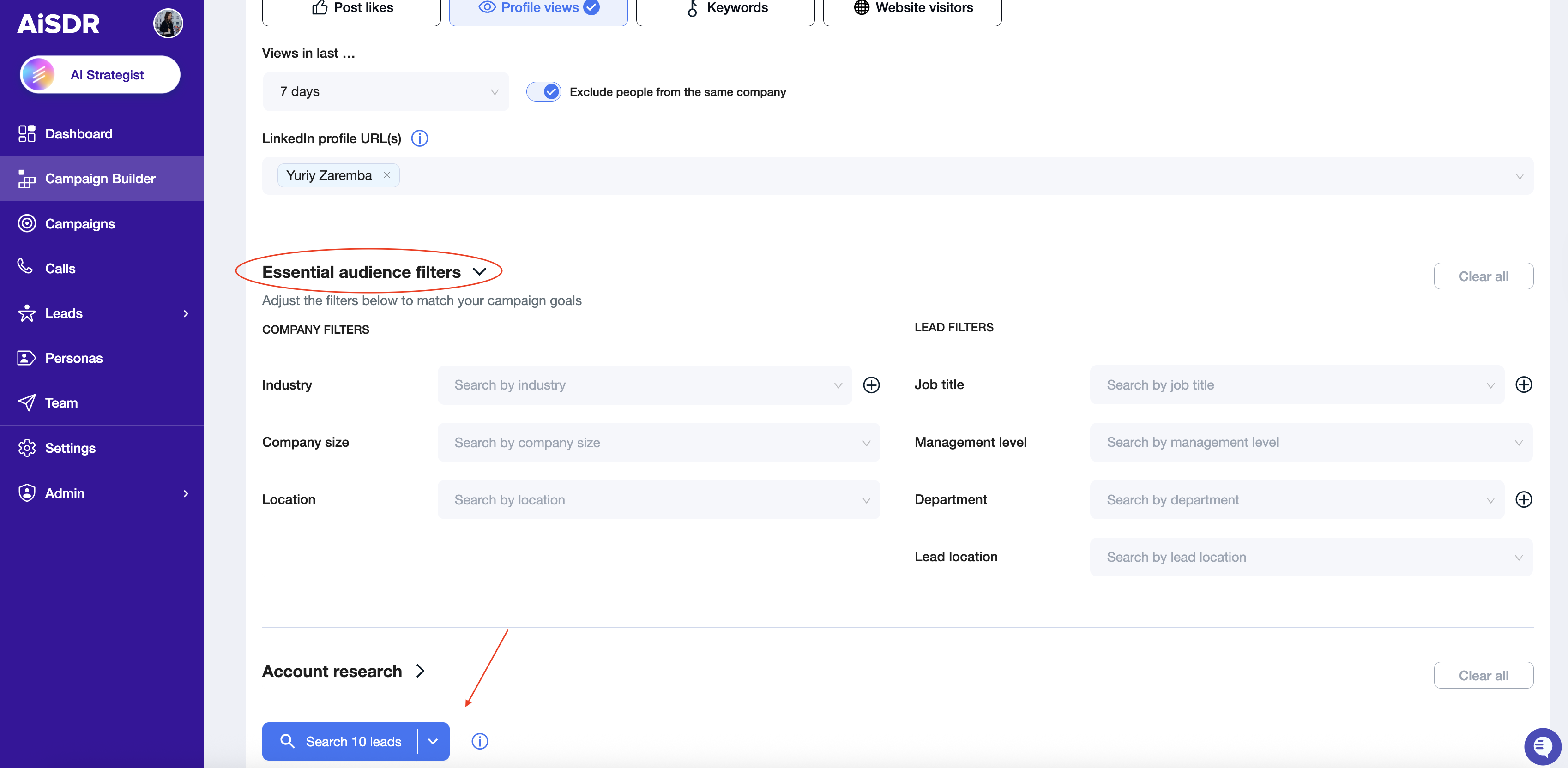
Continue building and launching your campaign.
Even if no leads are available right now, you can activate the campaign. AiSDR will start adding new leads daily as they appear.
After a campaign is created, you can always review or edit the filters.
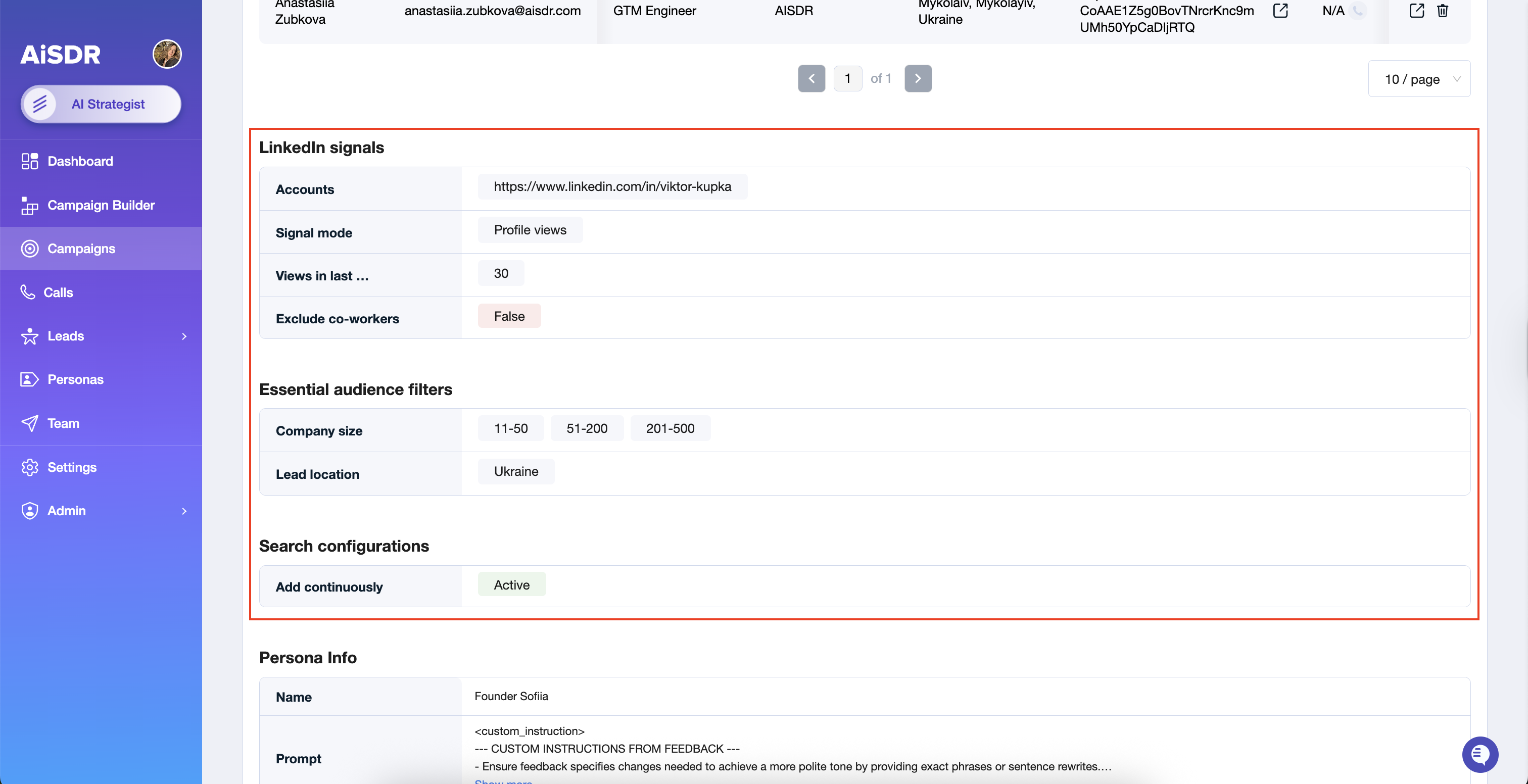
Enable Continuous Lead Addition
New leads will be added daily only if you have an active campaign with continuous search enabled.
If you want leads to be added daily to your LinkedIn profile views campaign, make sure the option Continuously add new is selected in the campaign builder (or when editing the campaign).
Also, don't forget to activate your campaign – AiSDR searches and adds new leads only to the active campaigns.
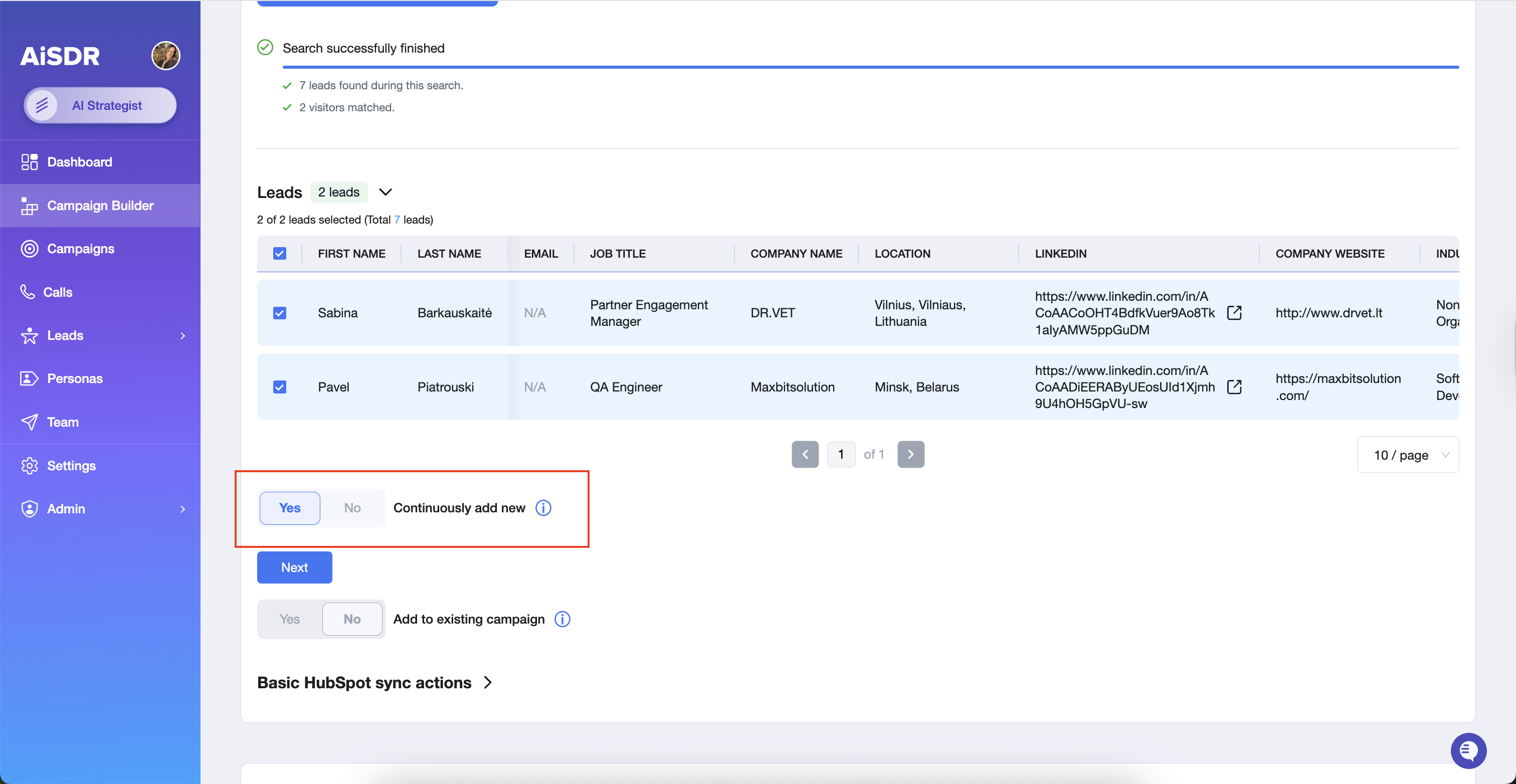
Daily Sync:
Leads are added once a day, at varying times. The exact time changes daily to keep the process looking more natural.
What can go wrong
❌ No profile connected → you cannot search for leads or create a campaign
❌ No active campaign with continuous search -> leads are not added daily
❌ Few or no LinkedIn visitors → Very few or no leads are added