Can I Approve the Sequence Messages Before They Get Sent?
Last updated: July 8, 2026
While AiSDR generates each email uniquely per lead, you can review sample emails before launching your campaign to validate tone, structure, and messaging.
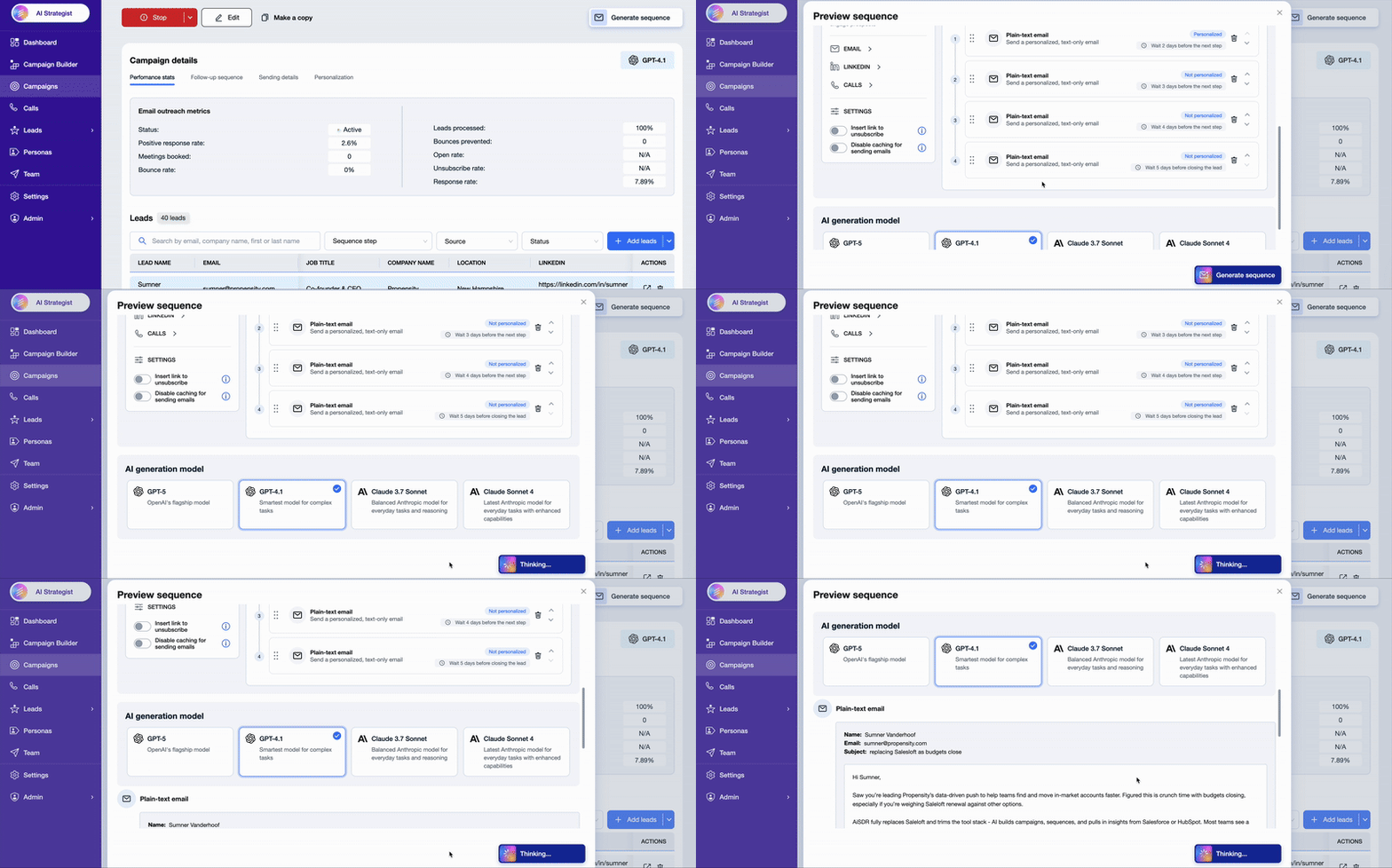
How to Preview and Approve Message Samples
Go to your campaign or messaging page.
Click the Preview Sequence button.
AiSDR will create sample emails and LinkedIn messages based on your settings, persona, and selected leads or models.
Note: These samples show you the structure, tone, and wording your prospects will receive. Live emails will be similar but not identical — AiSDR personalizes each message individually per lead at send time.
What you can control
Test with different leads to see variations in style and content.
Approve the sequence structure and tone before you launch.
No manual approval is needed for each outgoing message, which keeps your outreach efficient and scalable.