How to Change Your Billing Information
Last updated: February 2, 2026
Need to update your payment details or billing address? You can do that directly from your AiSDR account in just a few steps.
Step-by-step:
Go to Settings
Click on Plans&Billing
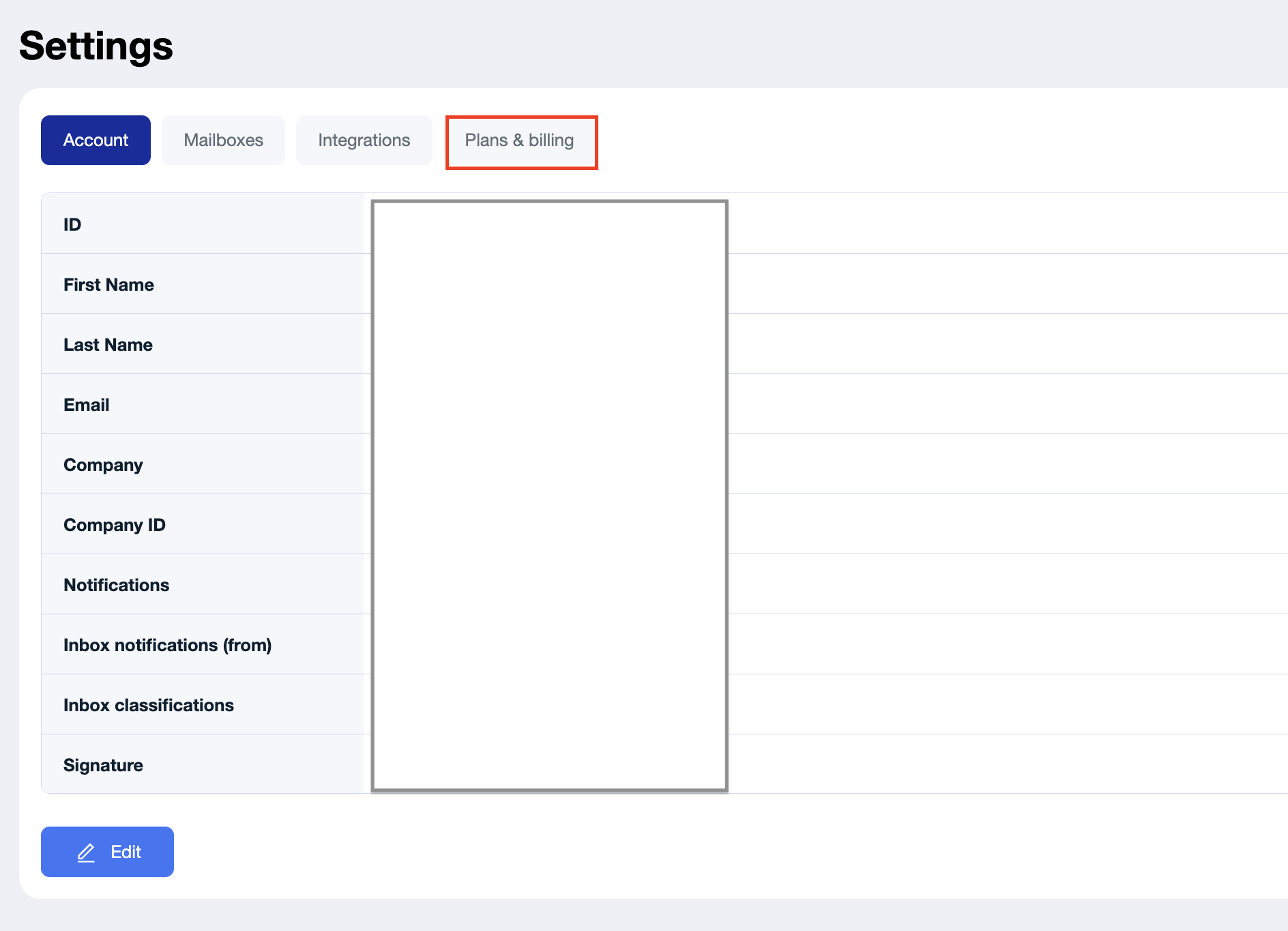
Then click Manage Billing in the Current Plan section

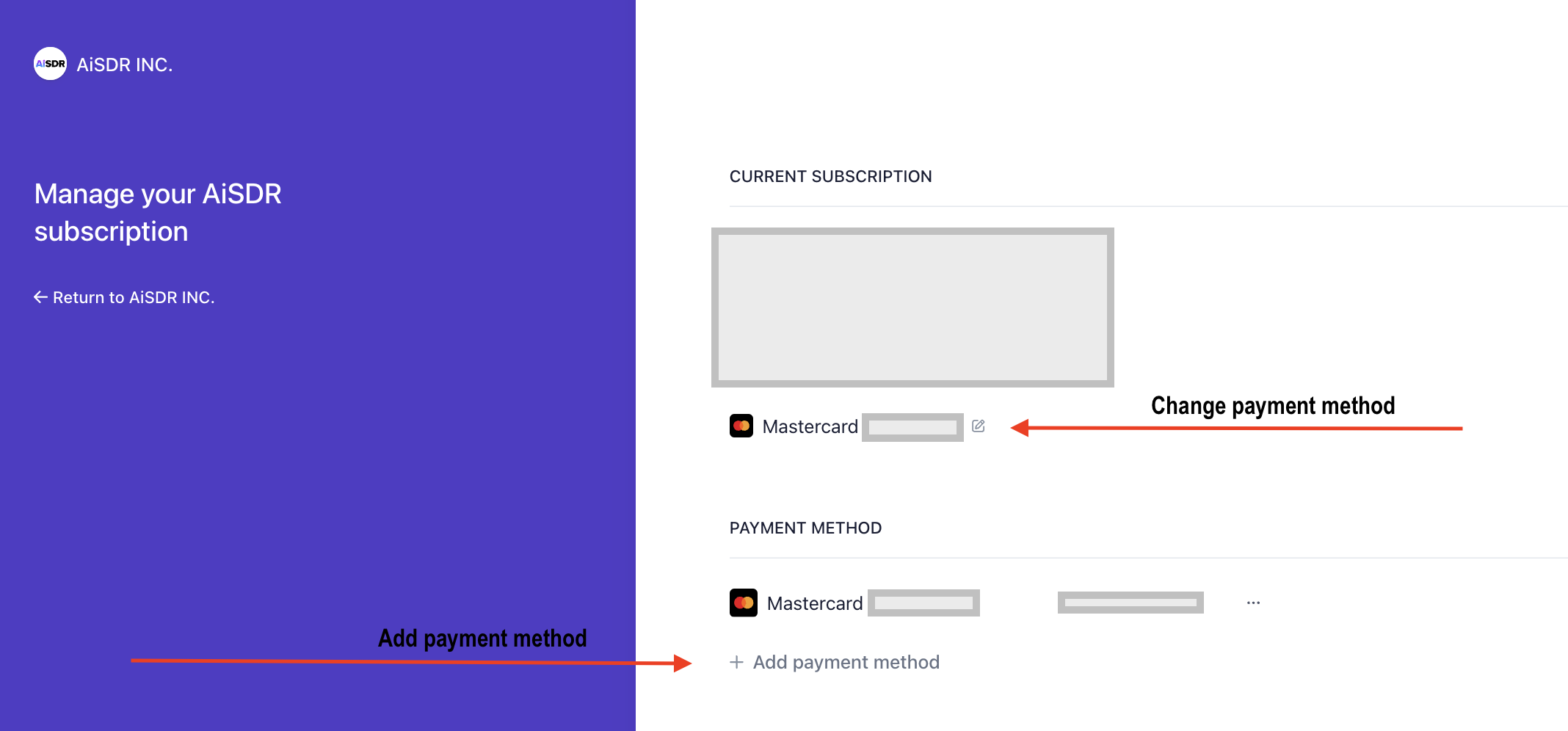
From there, you’ll see two options:
Change payment method — select an existing method and update details
Add payment method — add a new credit card or payment option
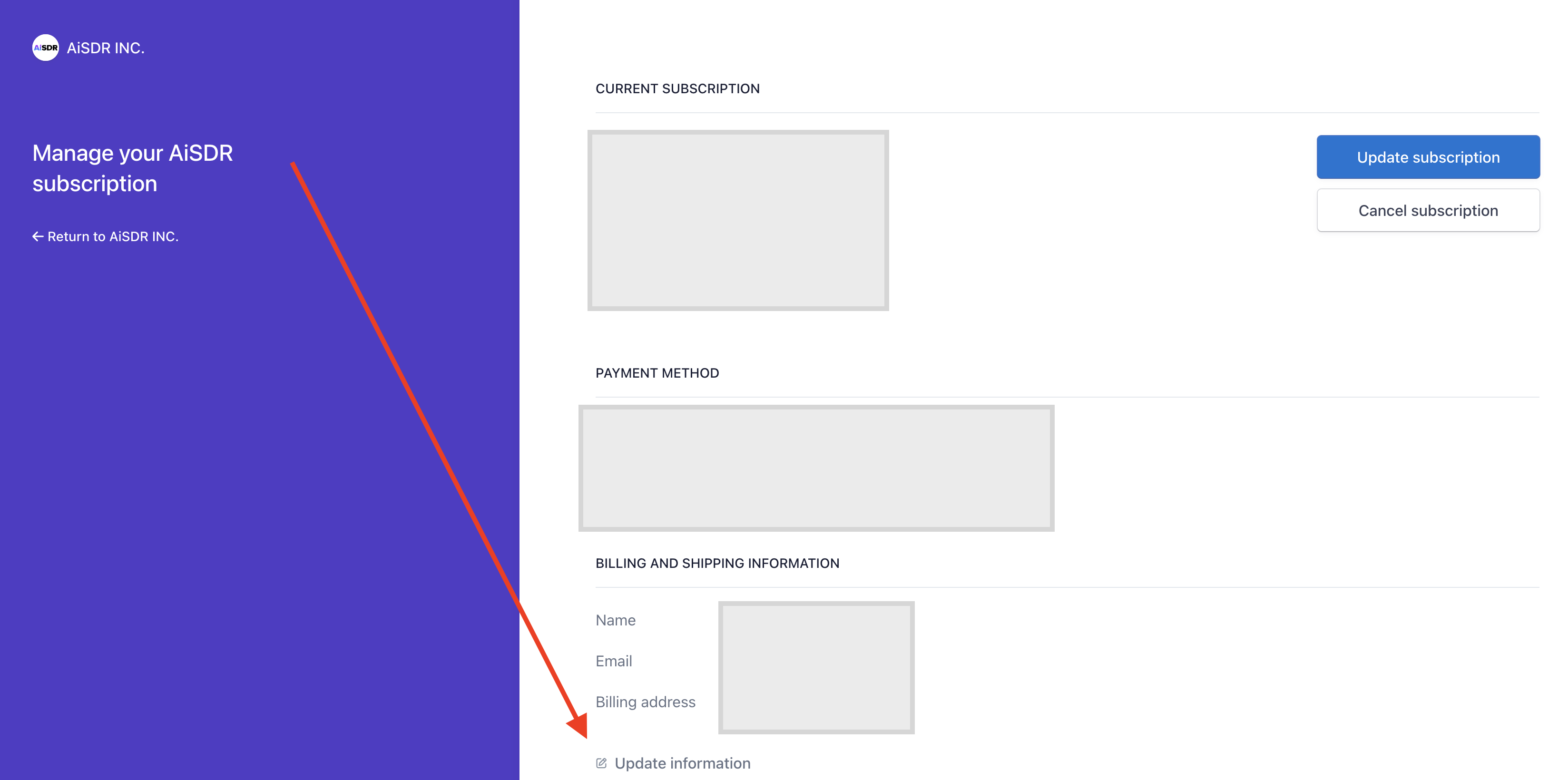
Or Update billing information — edit your billing name, address etc
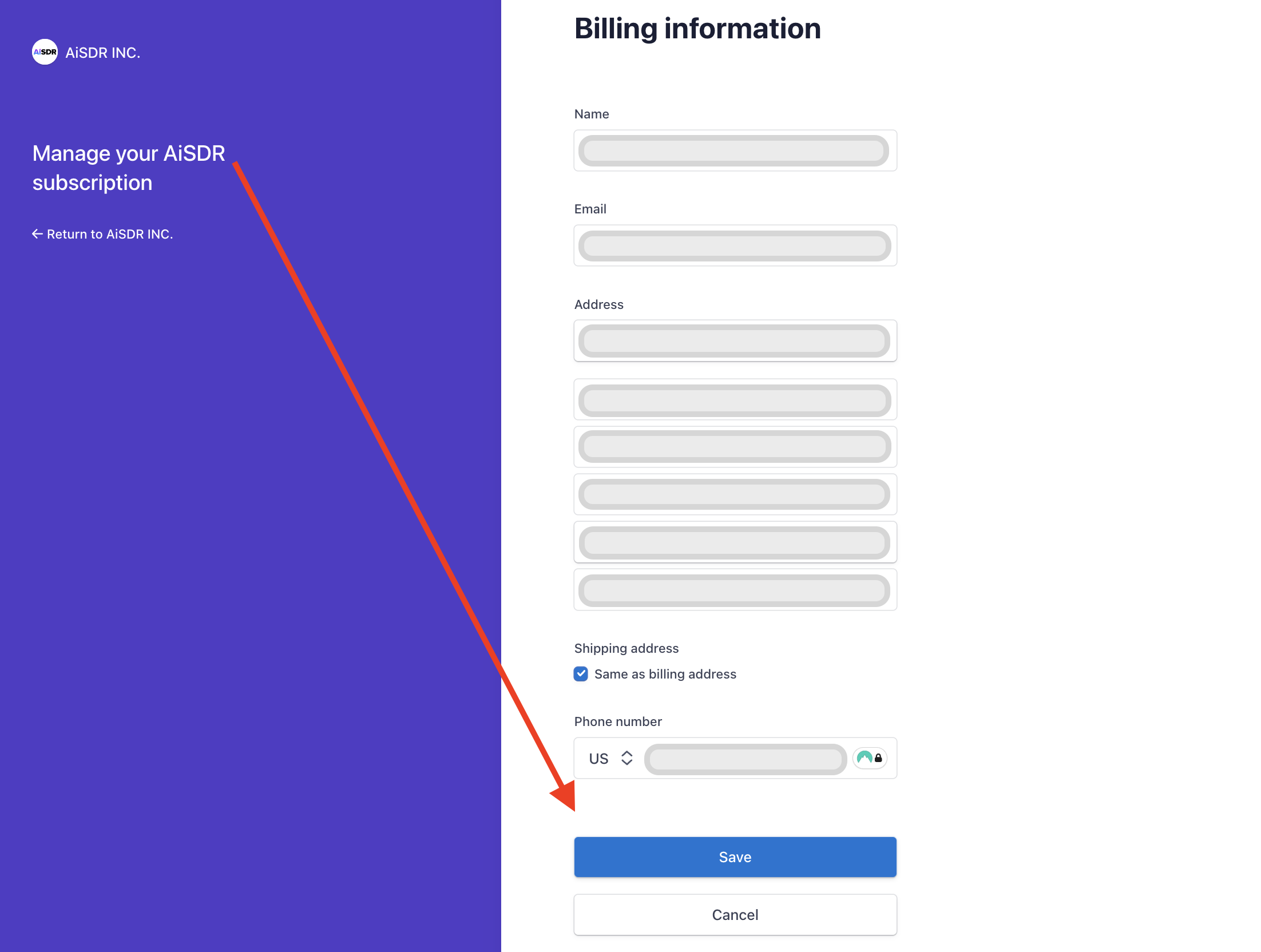
Note: If you're unable to update your billing information or encounter errors, please reach support and we’ll help resolve it quickly.