Why Am I Not Seeing All Website Visitors in My Leads Tracking?
Last updated: June 30, 2025
Context
When tracking website visitors using our visitor identification pixel, you may notice that not all visitors are being captured in the leads list. This can be concerning, especially when running campaigns targeting specific regions or audiences.
Answer
It's important to understand that visitor identification technology has natural limitations:
Not all website visitors can be identified - the system only captures visitors for whom it can find valid email addresses and professional information
The system primarily performs well with leads from the United States
Previously identified leads or those already added to campaigns won't appear as new visitors
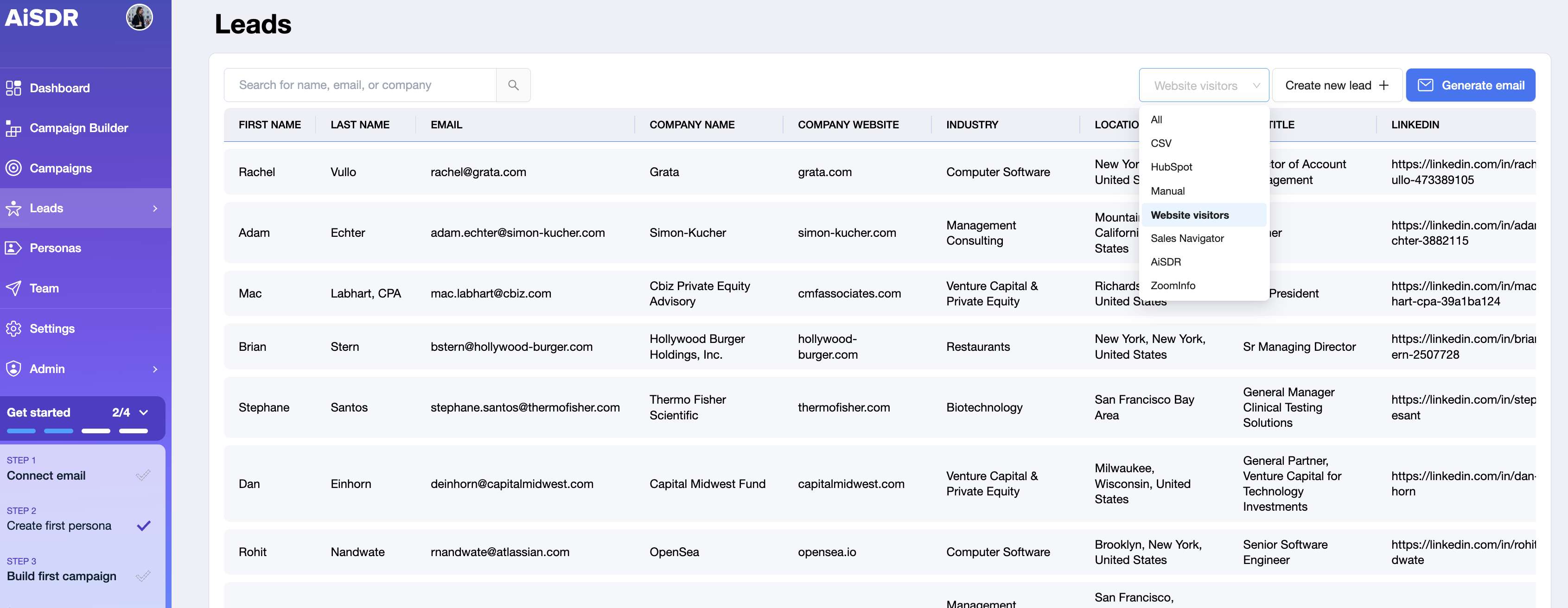
To check your current website visitors:
Navigate to the Leads tab
Select "Website visitors" from the dropdown menu
Even if your tracking pixel is correctly installed and functioning, it's normal that:
You may only see a small percentage of your total website visitors identified as leads
There might be delays between visits and when leads appear in the system
Some visitors may not be captured at all if their information cannot be verified
If you need to verify that your tracking pixel is installed correctly, contact our support team who can confirm the installation status for your domain.