Limiting the Number of Credits Used for Website Visitor Identification and Pausing Tracking
Last updated: February 4, 2026
Absolutely! You have full control over how many credits are used to identify website visitors each week. This new update helps you manage your credit usage efficiently and ensures your tracking stays within your desired limits.
📄 AiSDR Subscription Credits: What's Included?
🧭 Where to Find It
To check or adjust your weekly limit:
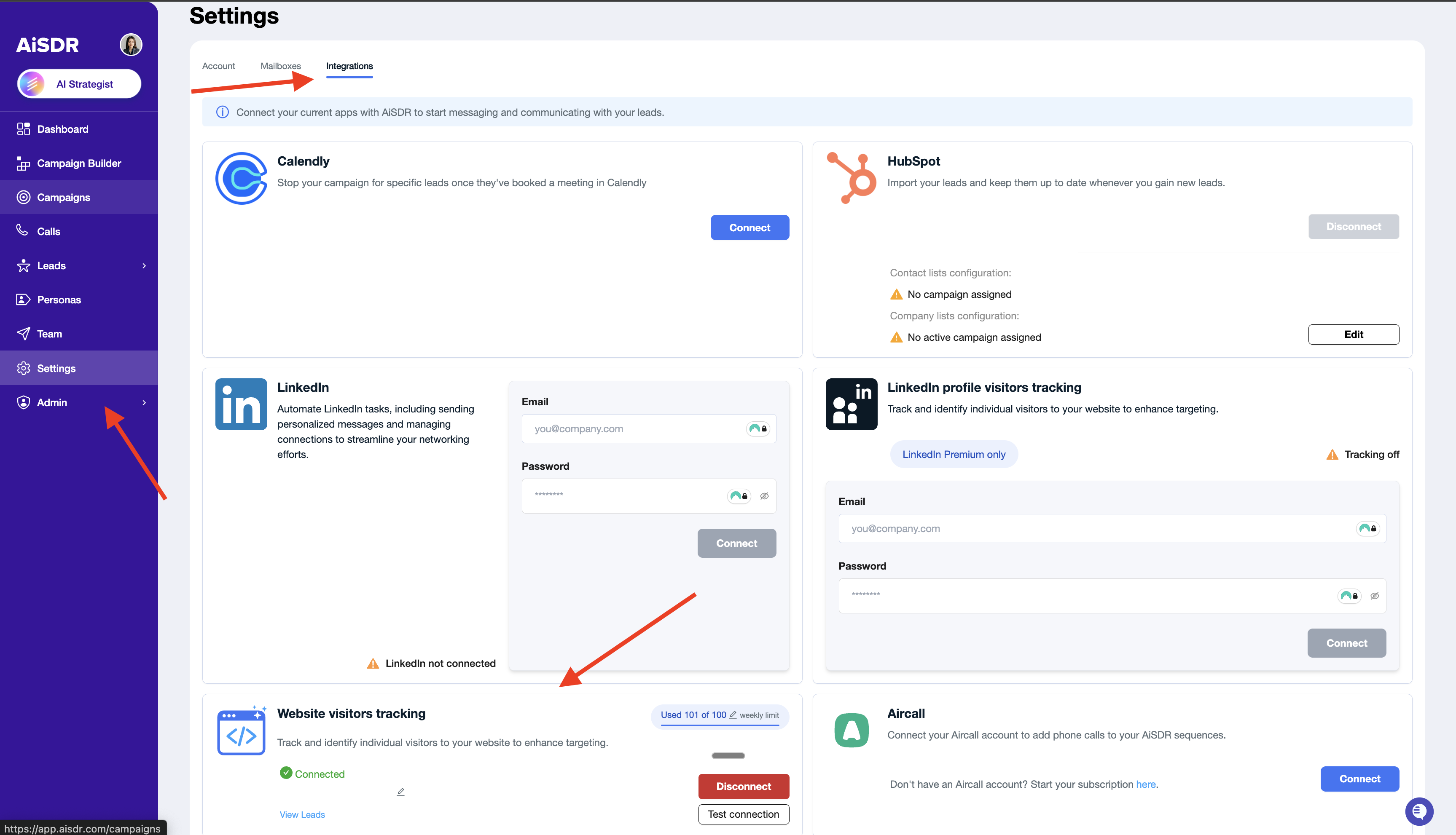
Go to the Settings tab in your AiSDR account.
Open the Integrations section.
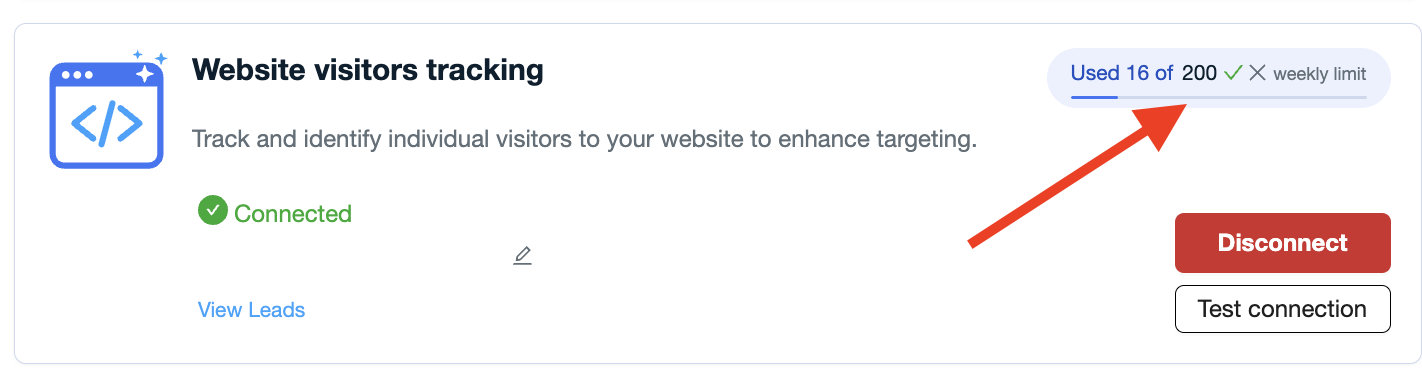
Find the Website Visitors Tracking area — there you’ll see your weekly usage, limits, and control options.
This view gives you a clear picture of how many leads have been identified this week and how close you are to your set limit.
🕹 Pause Tracking Anytime
Need to take a break from tracking?
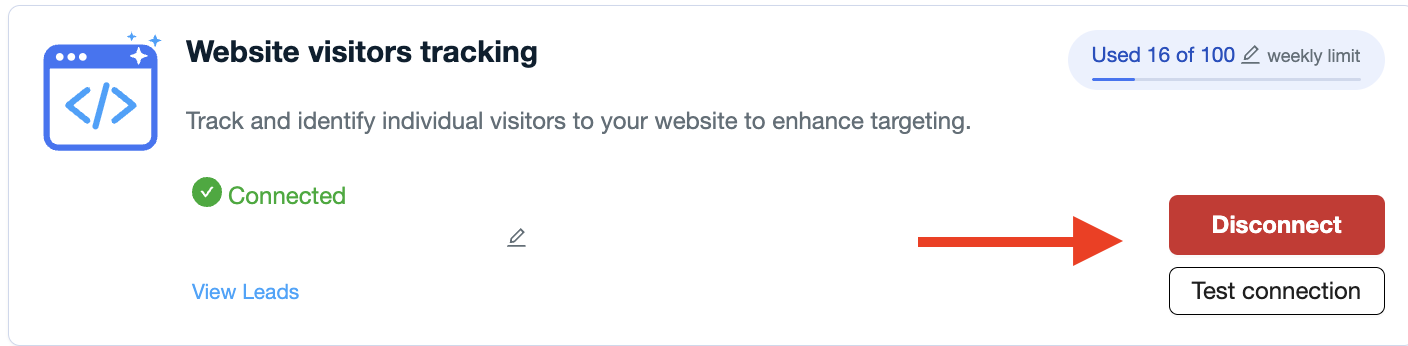
You can pause Website Visitor identification anytime — just disconnect it from your website, and no new visitors will be tracked until you reconnect.
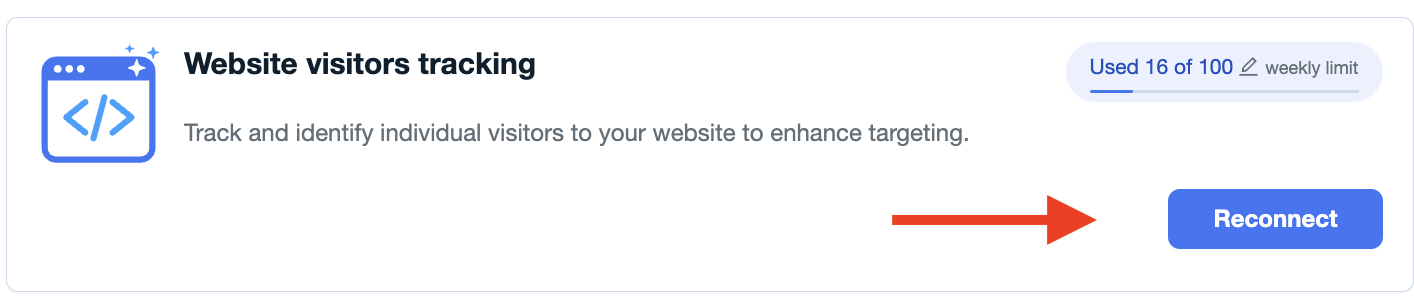
When you’re ready to resume, simply reconnect, and tracking will continue as usual.
🔒 Your Tracking Token Stays Active
Once connected, your website’s unique tracking token remains securely assigned to your company, even if you disconnect temporarily.
That means you won’t lose your setup or have to recreate anything — just reconnect when you’re ready.
📈 Set Your Weekly Limit
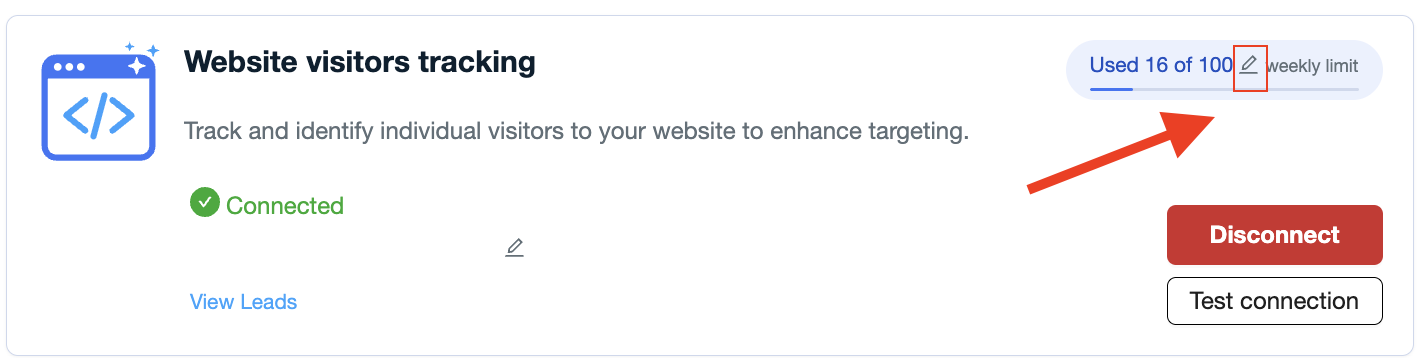
You can now define a weekly limit for how many new website visitor leads you want to identify.
Once that limit is reached, visitor tracking will automatically pause until the next week begins.
Here’s how it works:
Only new website visitor leads are counted each week.
You’ll always see how many leads have been identified compared to your set limit.
Each account starts with a default limit, but you can increase it at any time.
This ensures your credit usage stays predictable and easy to manage.
⚡ When Tracking Pauses
Your website visitor tracking will automatically pause if:
You disconnect the integration.
Your credits run out.
Your weekly lead limit is reached.
In any of these cases, your website will simply stop tracking new visitors until the condition is resolved — no data is lost.
💬 Why You Might See a Few Extra Leads
In rare cases, you may notice a few more leads than your exact weekly limit.
This happens when a few visitors are already being processed as the limit is reached — ensuring no valuable visitor data is missed.
✅ In Summary
You can pause or resume tracking anytime.
Tokens stay active even when disconnected.
Weekly limits keep your credit use under control.
Tracking stops automatically when the limit is reached.
This gives you full flexibility and transparency over how your Website Visitor Identification credits are used — helping you stay in control every week.