How to Upgrade Your AiSDR Subscription
Last updated: April 23, 2026
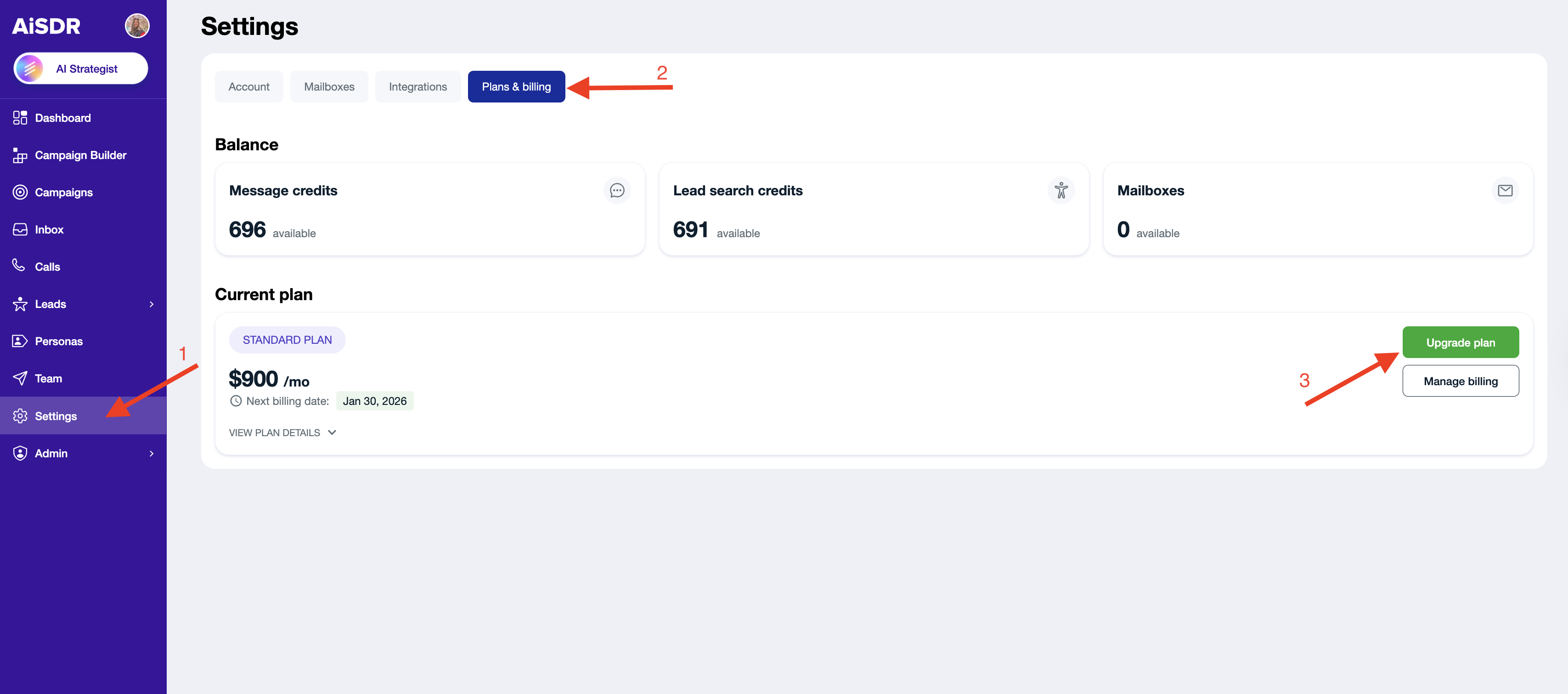
Once you feel like you're ready to send out more messages with AiSDR, navigate to Settings → Plans & billing → Upgrade plan
You will be redirected to Stripe. Click "Upgrade subscription":

Browse the available plans, compare pricing, pick the one that suits your messaging appetite, and click "Continue". Enter your billing details, and hit "Pay". Once the payment comes through, your new sending credits will instantly land in your account.
How Proration Works
Upgrading mid-cycle does not mean paying full price for both plans. It calculates a prorated charge automatically:
You receive a credit for the unused days remaining on your current plan
You pay only the difference for those same days on the new, higher plan
For example, if you upgrade halfway through your billing cycle, you are charged roughly half the price difference between the two plans, not the full amount of the new plan.