How to Pause Your AiSDR Subscription
Last updated: June 23, 2026
If you don’t need to send emails and run the campaigns for a while, you can pause your AiSDR subscription.
Here’s how the pause works:
Pause Fee: $99/month.
Maximum Duration: up to 2 months. After that, your previous plan and billing resume automatically.
What You Get:
a. Keep access to AiSDR
b. Mailboxes continue warming to help maintain deliverability
c. Test and edit emails/templates
d. View statistics and adjust existing campaign settings
What's Paused (not available): Searching for new leads and sending new outreach as well as responses.
How to pause:
Go to Settings → Plans & billing → Manage subscription
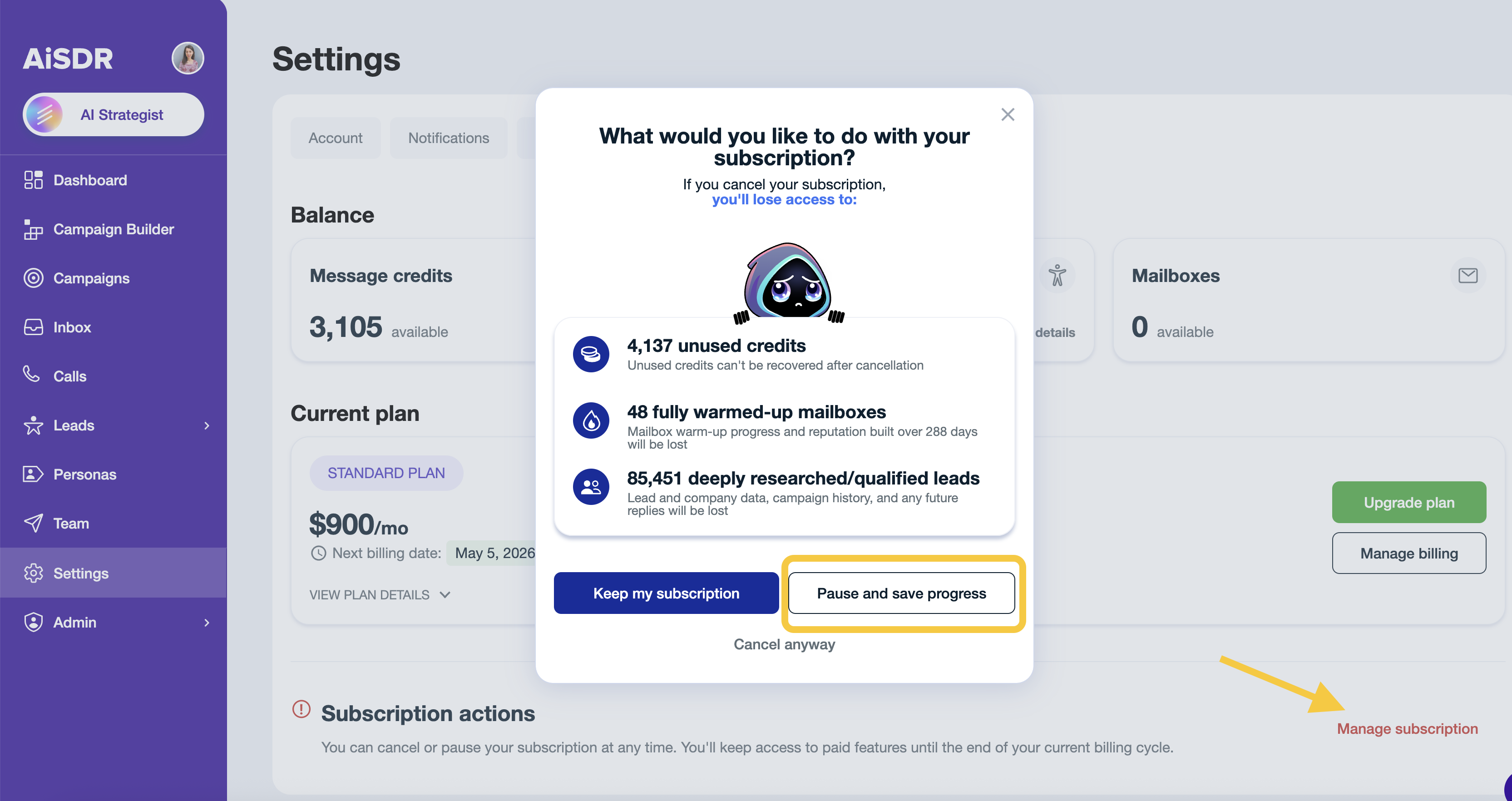
Click Pause and save progress.
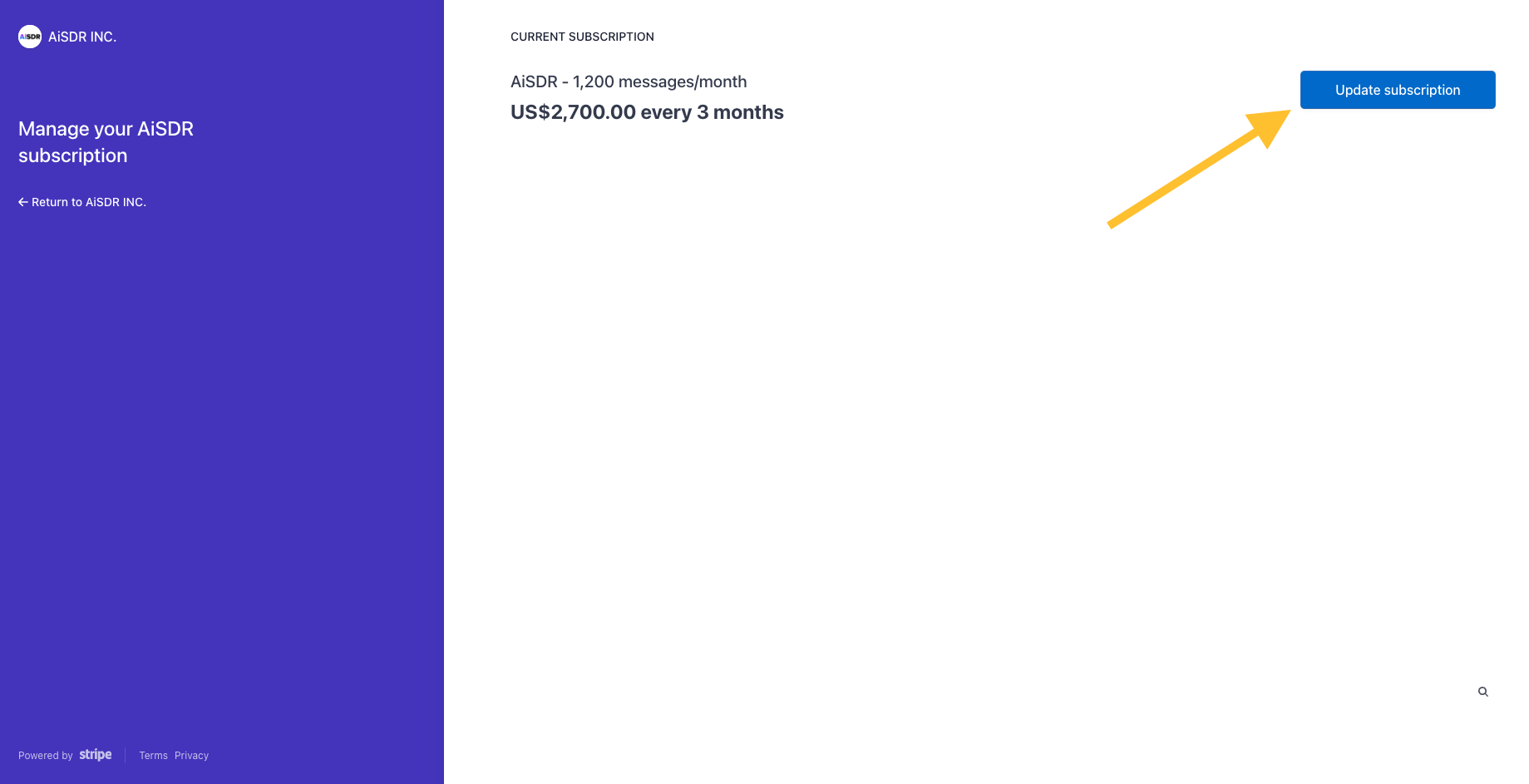
You will be redirected to Stripe.
In Stripe, click Update subscription
Switch to Monthly → find AiSDR - paused subscription (up to 60 days) → Select
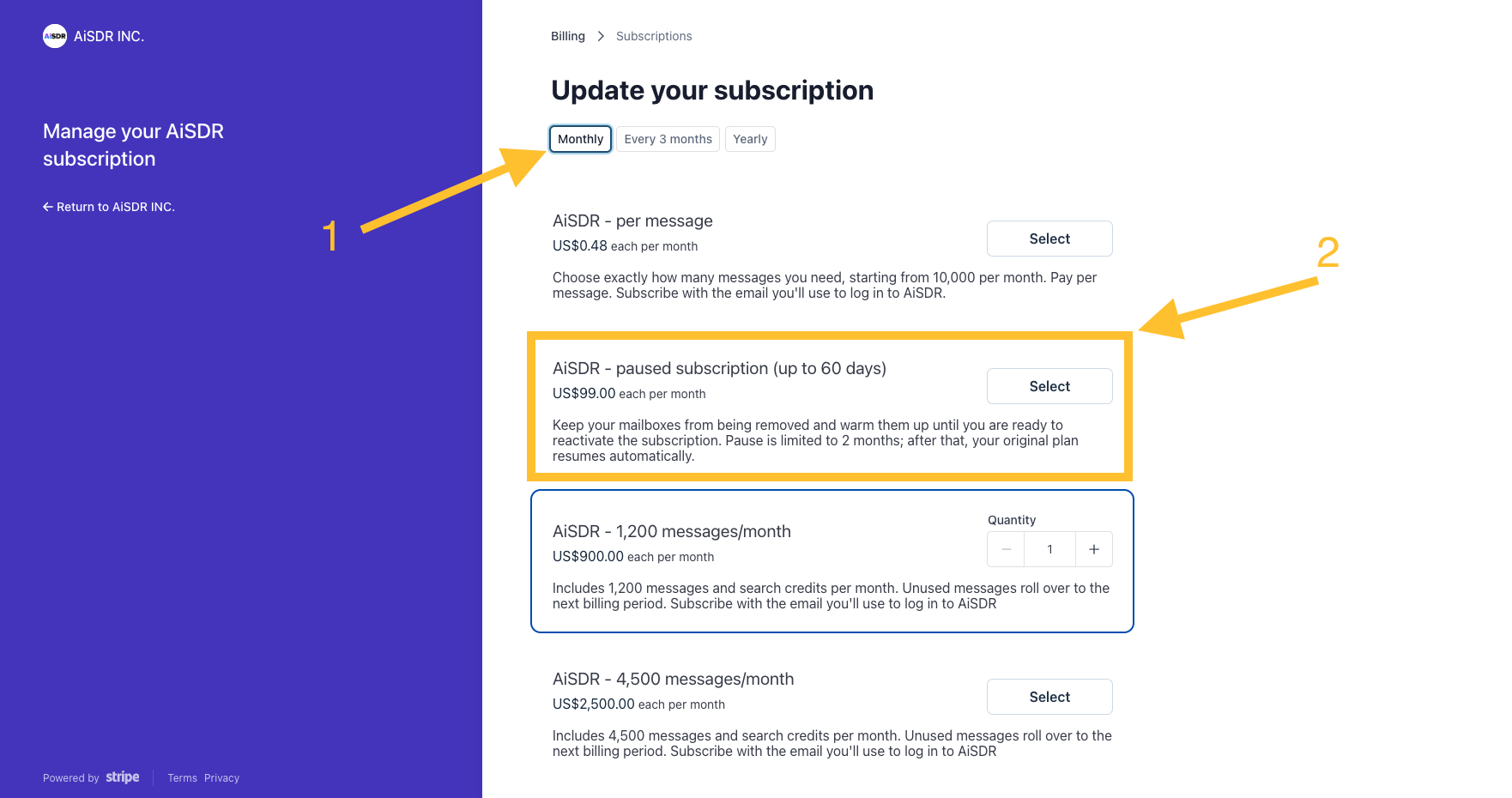
Confirm the changes to complete the pause request.
Your subscription will be paused for up to 60 days while preserving your progress and settings.
How to restart
When you’re ready to resume sending, repeat the same steps and select your preferred sending plan instead of the paused subscription, or just reach out to your dedicated account manager.