How to Get a Copy of Your Invoice and Receipt
Last updated: April 23, 2026
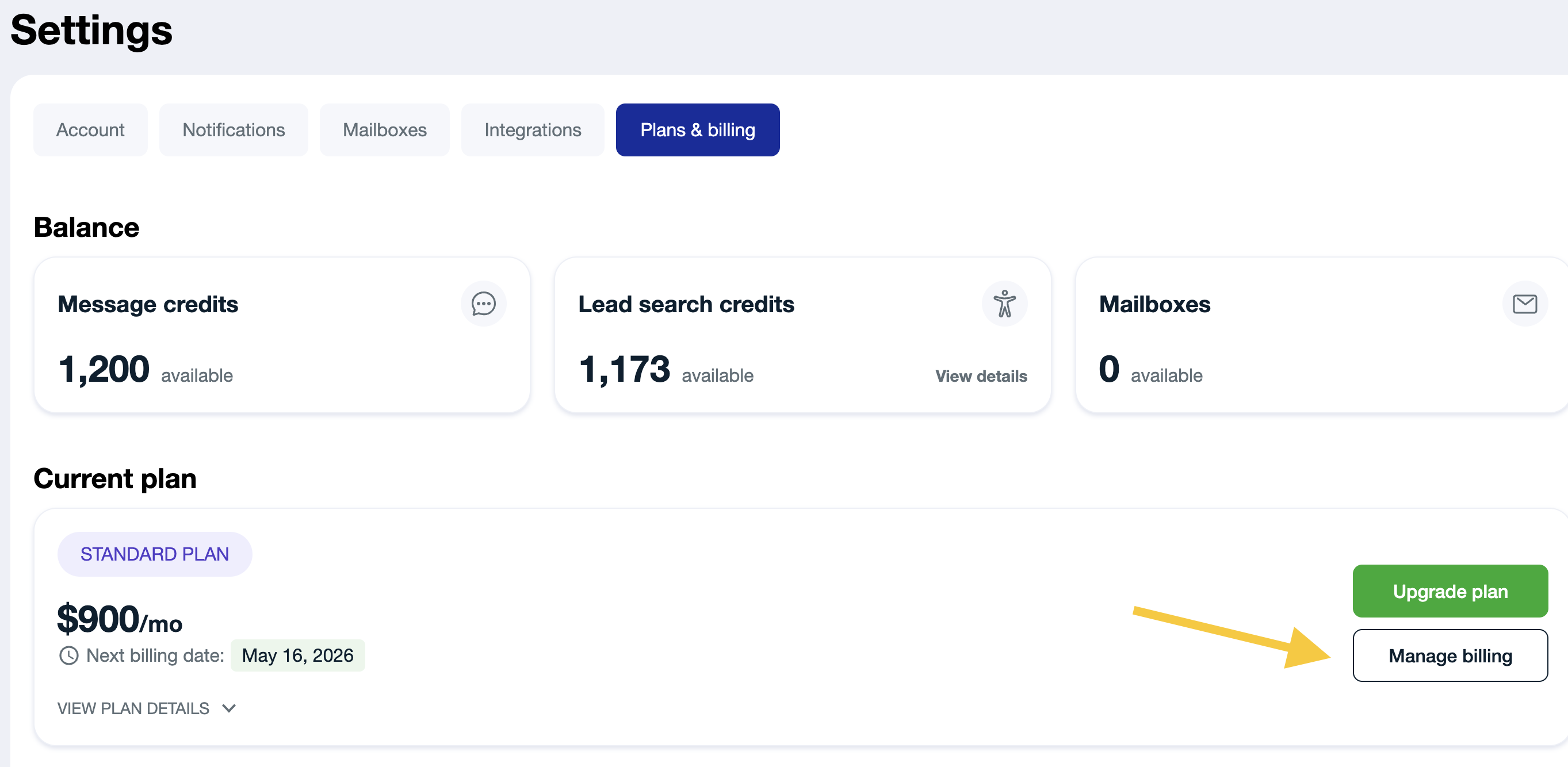
To get a copy of the invoice, navigate to Settings → Plans&Billing.
Click on the Manage billing button
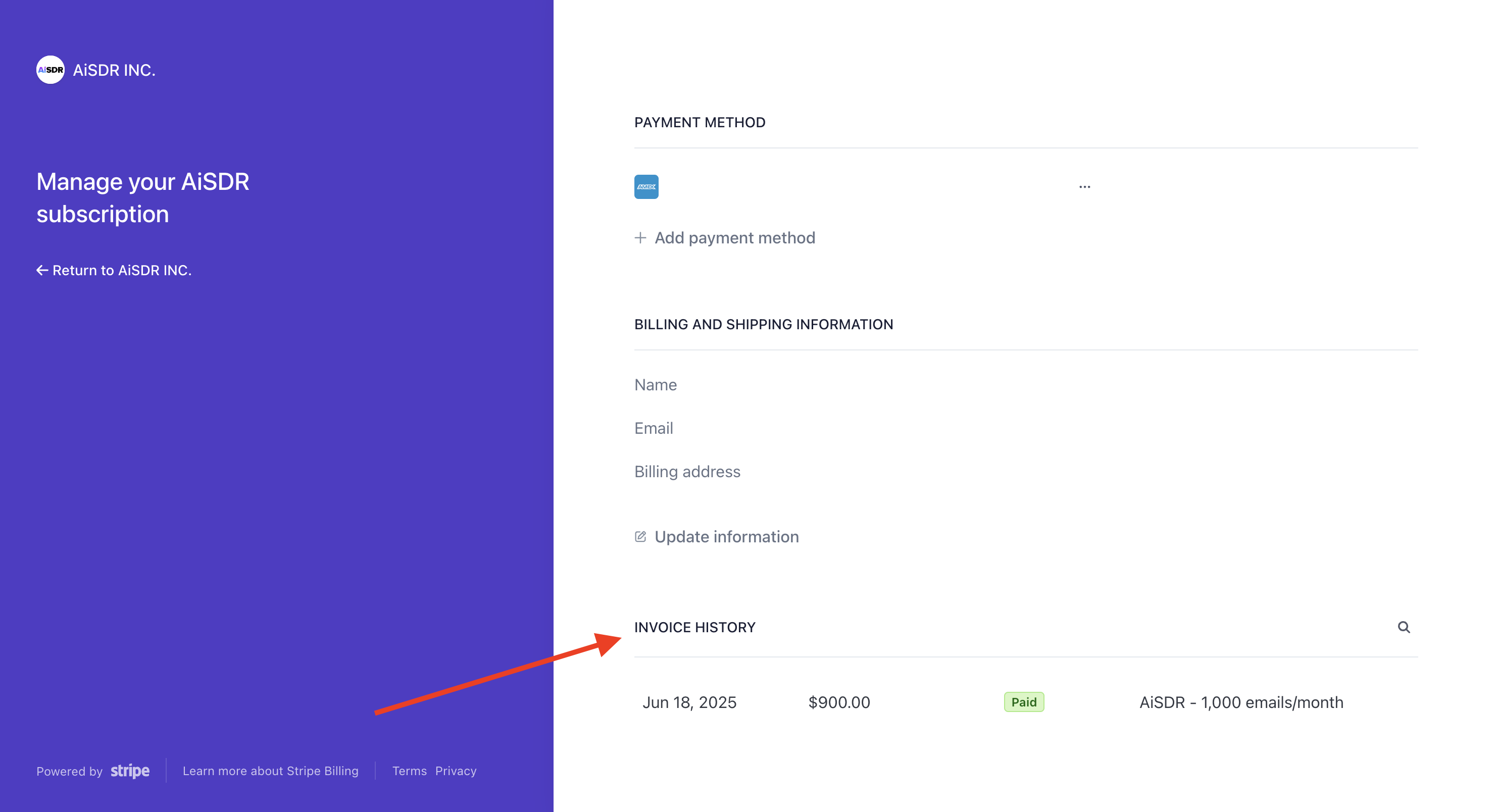
Scroll down to "Invoice history":
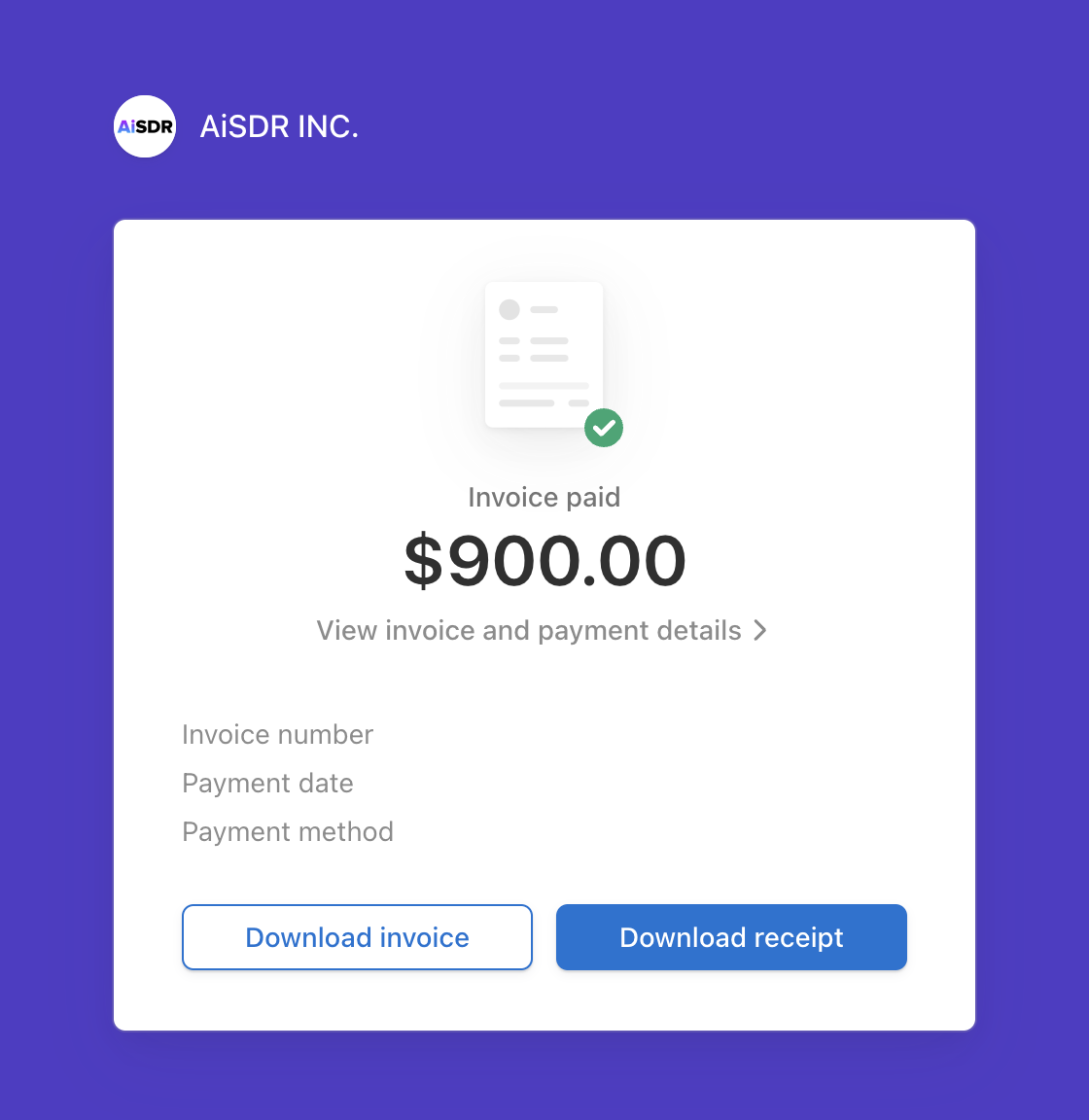
Click on any payment to open it up. You’ll see options to download both the invoice and the receipt:
If you run into any trouble, just email us at help@aisdr.com. We’re always happy to send a copy your way.