AiSDR Subscription Credits: What's Included?
Last updated: September 15, 2026
The credits available in your AiSDR account depend directly on the subscription plan you've chosen.
There are 3 types of credits assigned to your account:
📎 Domains and Mailboxes credits
The setup of new mailboxes is included in each tier of the AiSDR subscription, but it is not unlimited. Generally, for every 1,000 messages sent monthly, we set up 6 mailboxes (on 2 separate domains, so 3 mailboxes per domain).
Important Limitation: Once mailbox and domain setup begins in AiSDR, the domains and mailboxes cannot be changed. This is a permanent decision that affects your entire email infrastructure.
Before submitting your mailbox request:
Double-check all domain names for spelling and branding consistency
Verify mailbox naming conventions align with your team's preferences
Ensure domain choices support your long-term outreach strategy
Additional Mailbox Pricing:
An additional domain (3 mailboxes) for $33/month
More mailboxes by upgrading your subscription tier
📨 Message Credits
Message credits are used each time an email (initial message and follow-up) or a LinkedIn message is sent using AiSDR.
Message credits are not used up when you test the messages using the "Generate Sequence" option in AiSDR.
You can see how many message credits, lead search credits and domains and mailboxes credits you currently have by going to Settings - Plans & billing
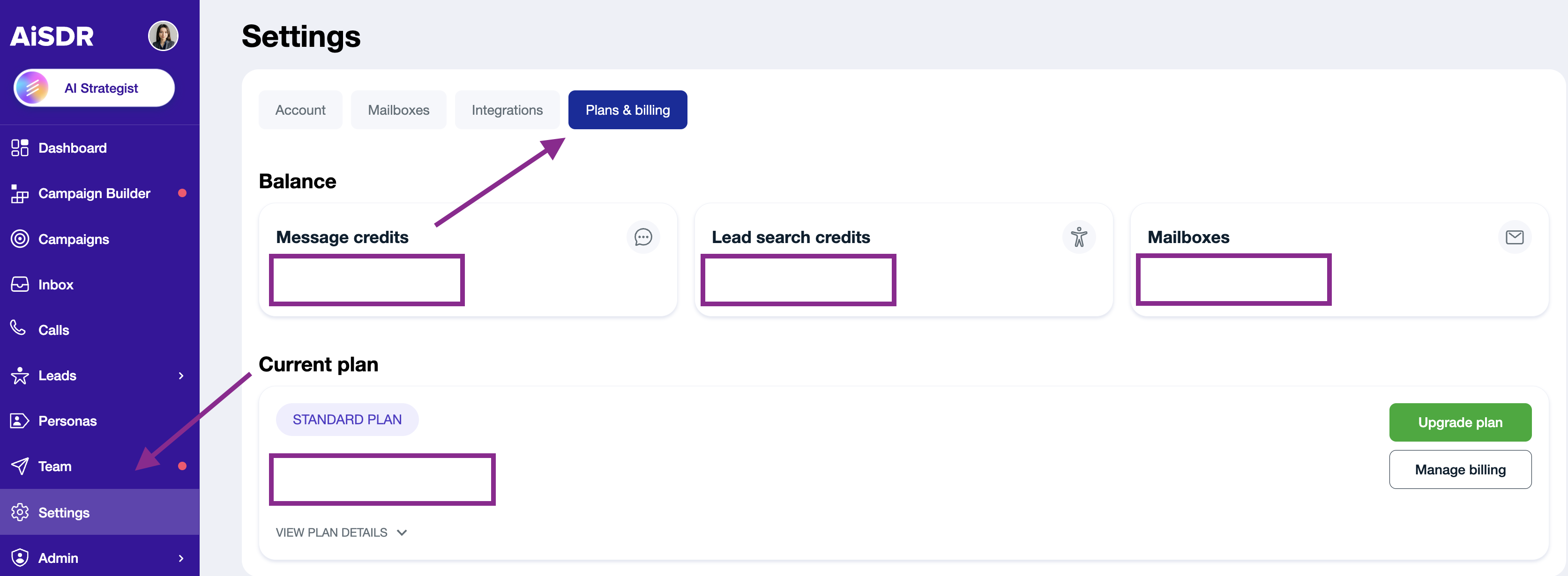
Credits are renewed each month on your billing date.
There are two ways to get more:
Upgrade your subscription - a permanent increase in your monthly credits, best if you run out every month: 📄 How to Upgrade Your AiSDR Subscription
Buy an add-on - a one-time top-up on your current plan, best for a single busy month or a one-off campaign: 📄 Add-ons: top up credits, add mailboxes, and more
🔎 Lead Search Credits
Every time you run a lead search or enrich leads in AiSDR, lead search credits are used. These credits are what you spend to research and enrich your AI-researched contacts. Each plan includes an approximate number of contacts:
Solo — 200 contacts
Explore — 800 contacts
Scale — 2,500 contacts
A note on lead search credits
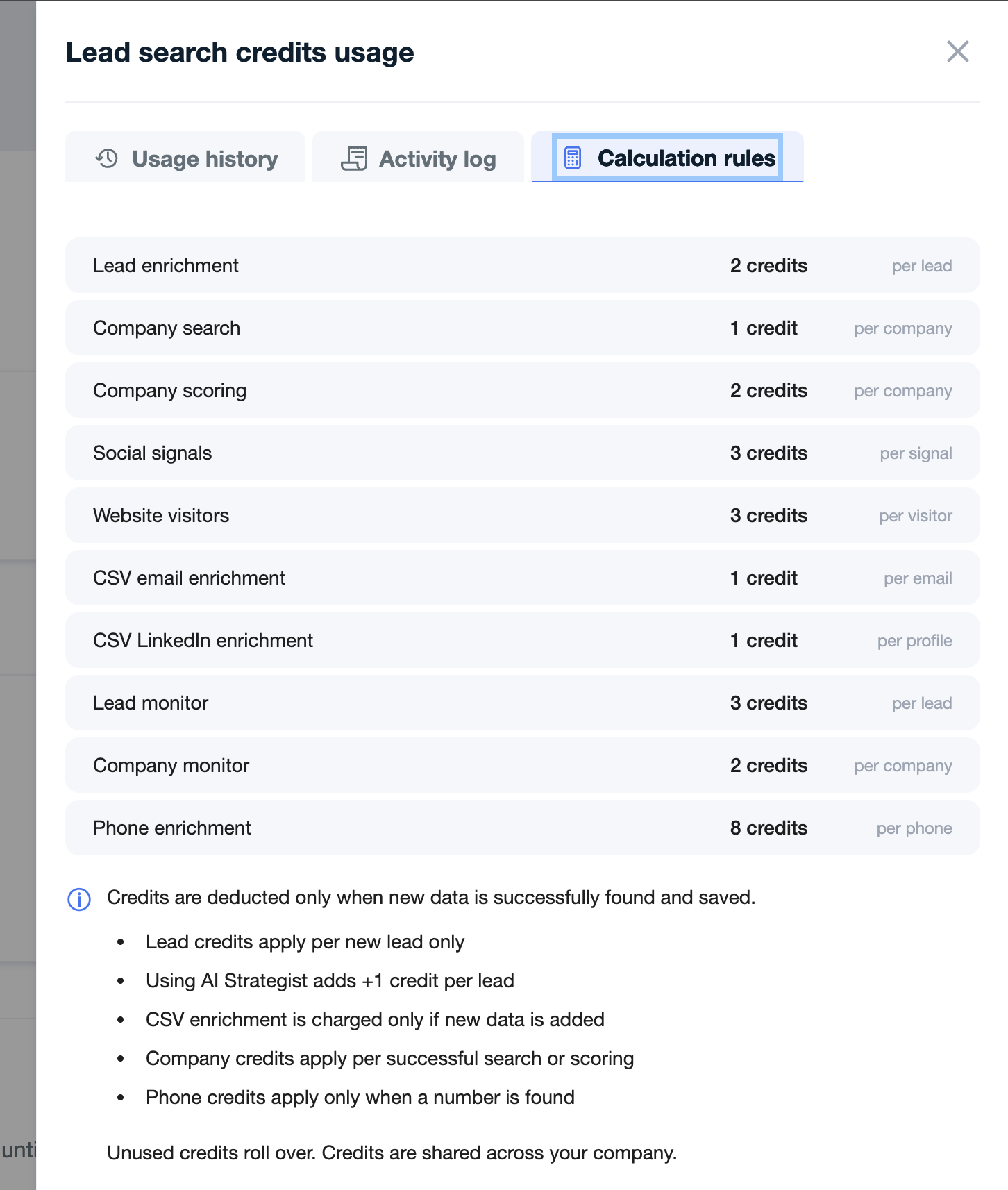
Enriching a single lead costs more than one credit — it takes about 3 lead search credits per contact. That's why the number of search credits on your plan is higher than your contact count: the credits cover the full cost of researching each lead.
Solo — 600 lead search credits → about 200 contacts
Explore — 2,400 lead search credits → about 800 contacts
Scale — 7,500 lead search credits → about 2,500 contacts
How contacts and messages fit together
Your contact credits and message credits are separate, and they're sized to work together. Each contact you research is enough for a full outreach sequence — typically four messages — so your message allowance is roughly four times your contact allowance:
200 contacts → about 800 messages (Solo)
800 contacts → about 3,200 messages (Explore)
2,500 contacts → about 10,000 messages (Scale)
This means you have enough sending capacity to run every researched contact through a complete campaign, with room for initial emails and follow-ups.
As your prospecting needs grow, you can increase your capacity at any time - either by upgrading your subscription for a permanent increase, or by buying additional AI-researched contacts as an add-on at $1.50 per contact if you only need more this month.
❓ How search credits are spent
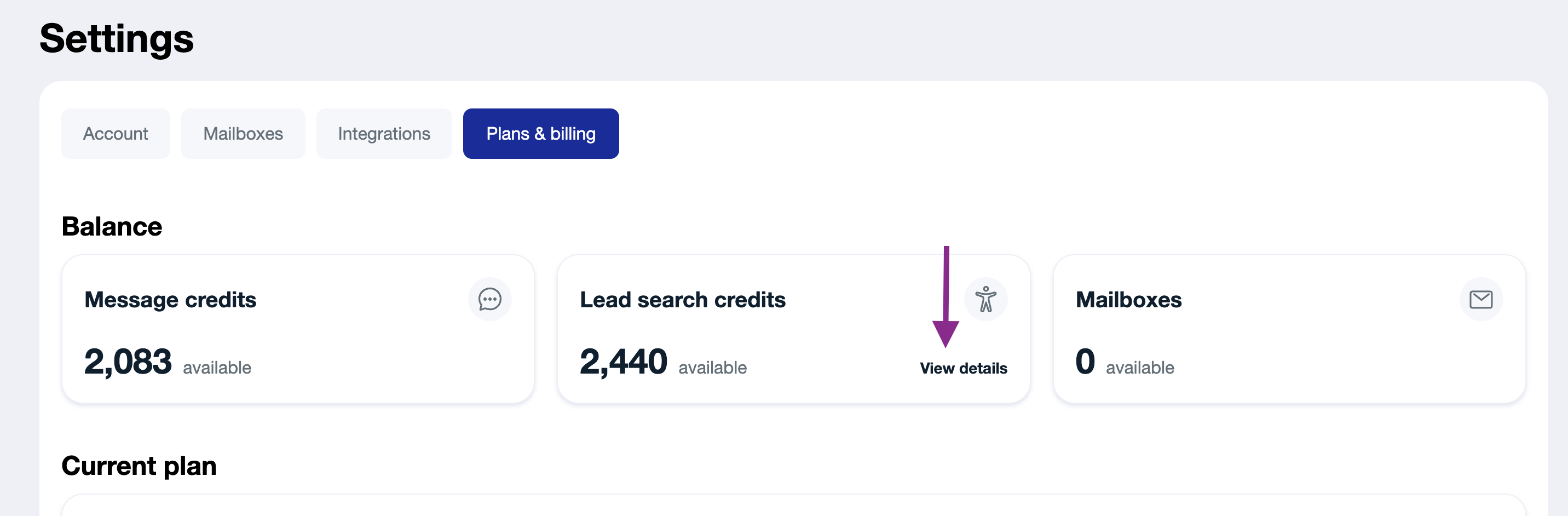
To see how lead search credits are deducted:
Under Lead search credits, click View Details
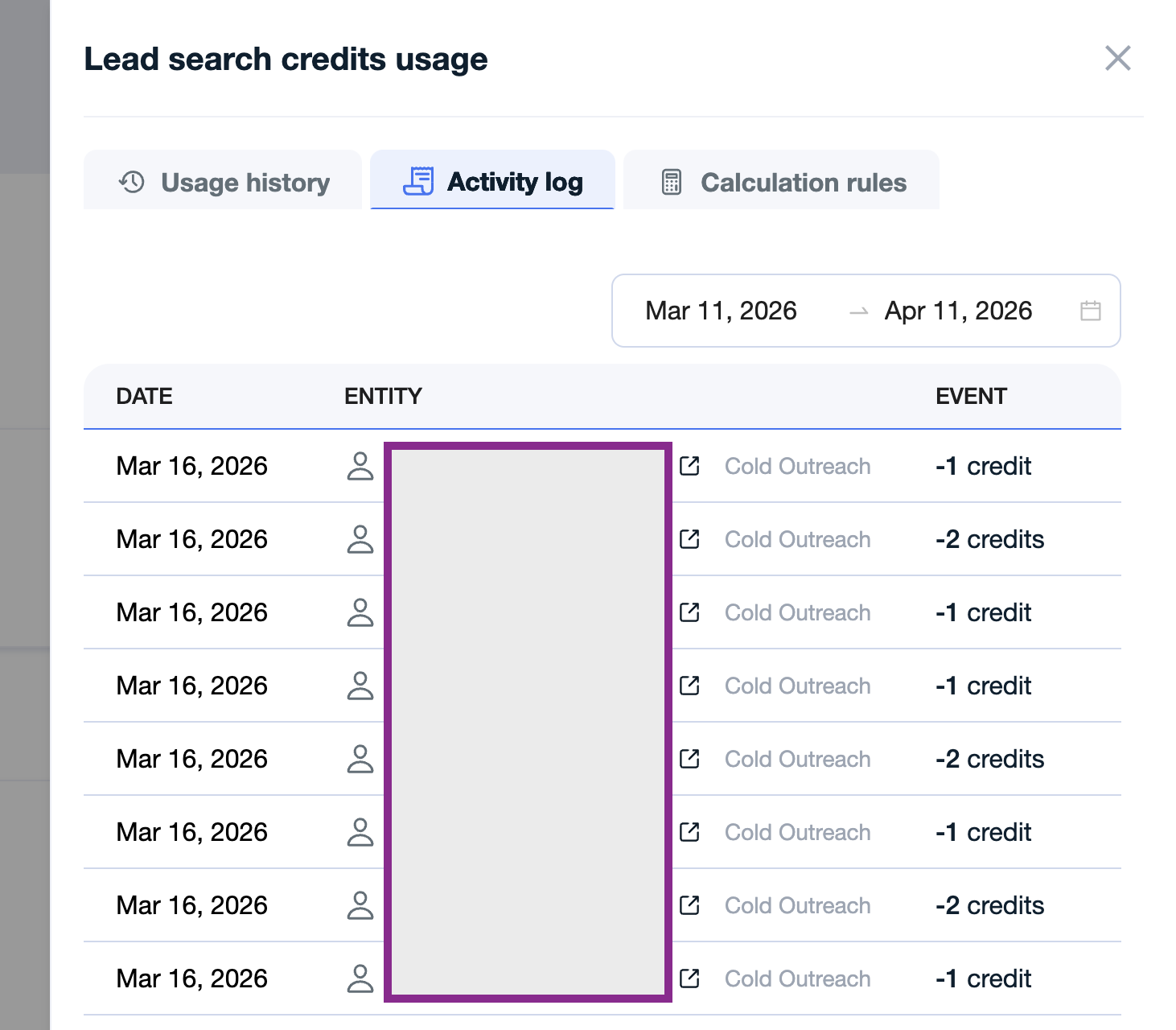
Check your Usage History and Activity Log to see which campaigns and leads used credits
Review the calculation rules for how credits are deducted
🔁 How to Use Lead Search Credits Effectively
1. Start Small
Start with a small test search before scaling up.
For regular searches, begin with around 10 leads
For CSV company imports, start with about 10 leads per company
This helps avoid slow processing times and reduces the risk of spending credits on irrelevant results.
Once a few leads appear, review them to make sure they match what you’re looking for.
2. Adjust filters before scaling
If the results are not relevant:
Update your filters
Refine your search criteria
Run another small test
Repeat this until the results look right.
3. Scale up once you’re confident
After confirming that the test results are relevant, run a larger search.
This approach helps you use credits more efficiently and avoid wasting them on contacts that are not a good fit.
Read more:
📄 Add-ons: top up credits, add mailboxes, and more