AirCall Integration: All You Need to Know
Last updated: April 10, 2026
AiSDR now integrates with Aircall, enabling you to dial prospects at the right time in your sequence with a tailored script! This powerful feature helps you personalize outreach and ultimately improve your conversion rates.
Note: to get started, you'll need Aircall Essentials subscription ($40/user/month, 3-seat minimum), or you can try Aircall free for 7 days here.
🎥 Intro from our CEO about the Aircall Integration:
Step 1: Setting up integration
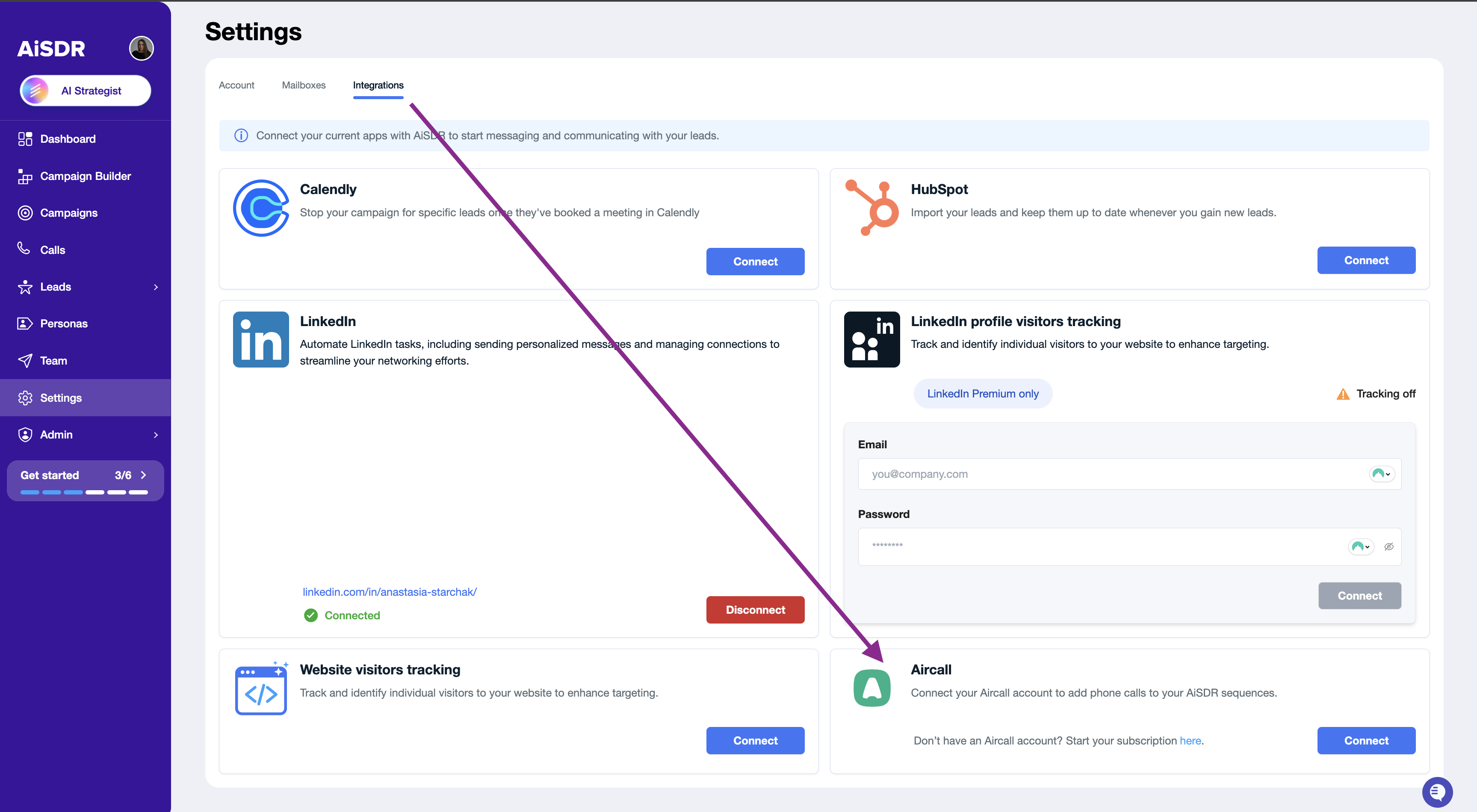
To connect Aircall to AiSDR, navigate to Settings → Integrations → Aircall.
Click Connect.
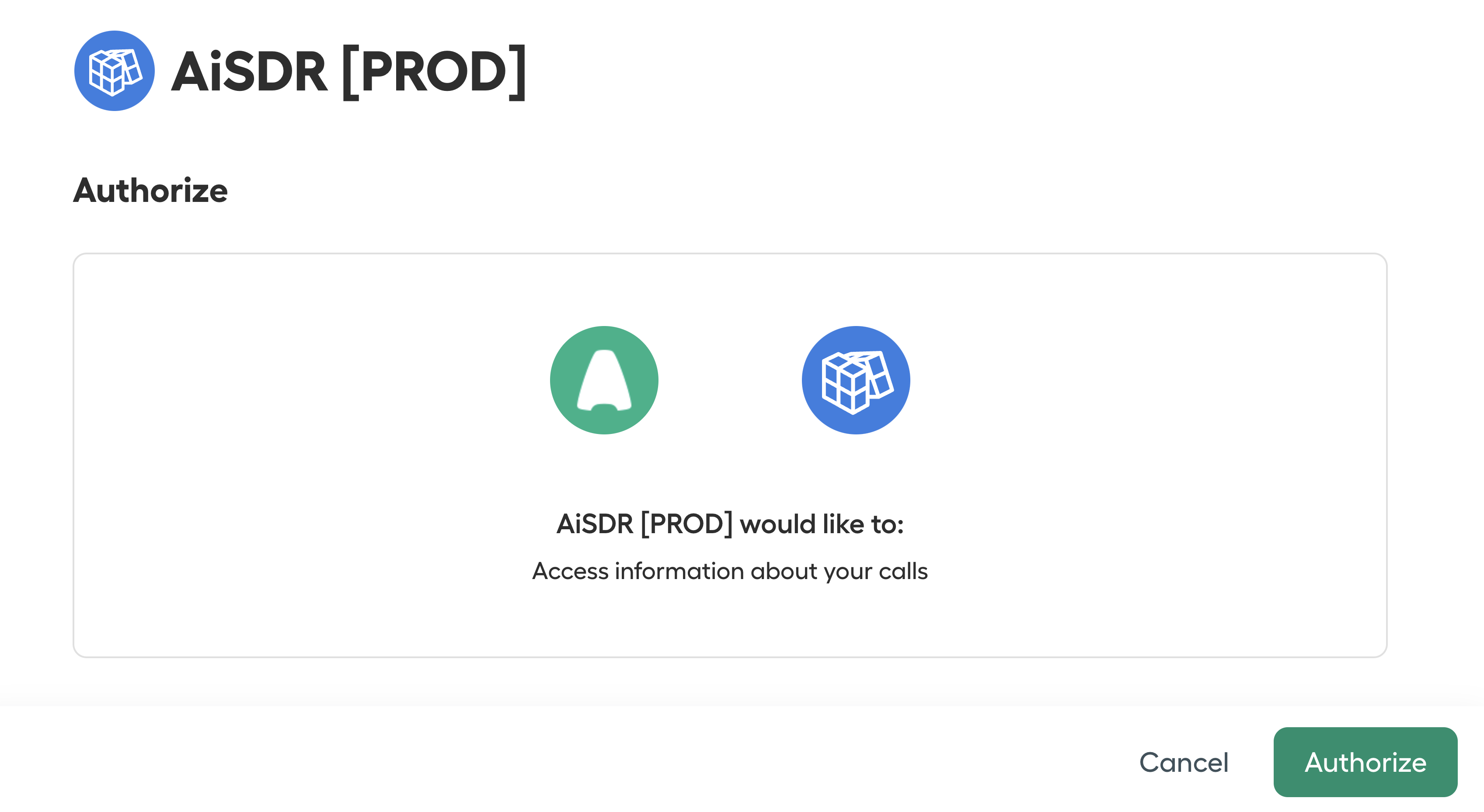
Authorize and connect your mobile number created within your Aircall account.
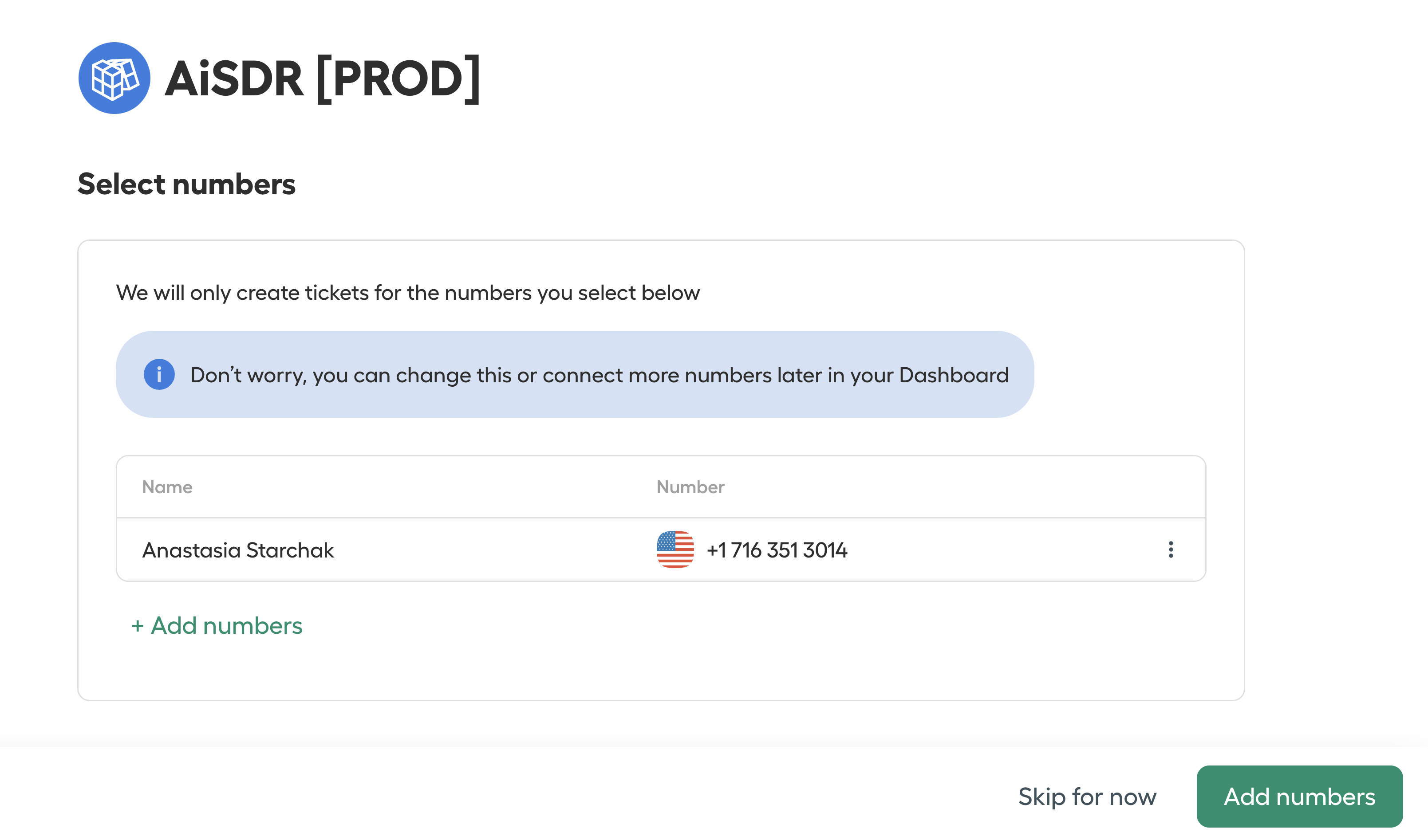
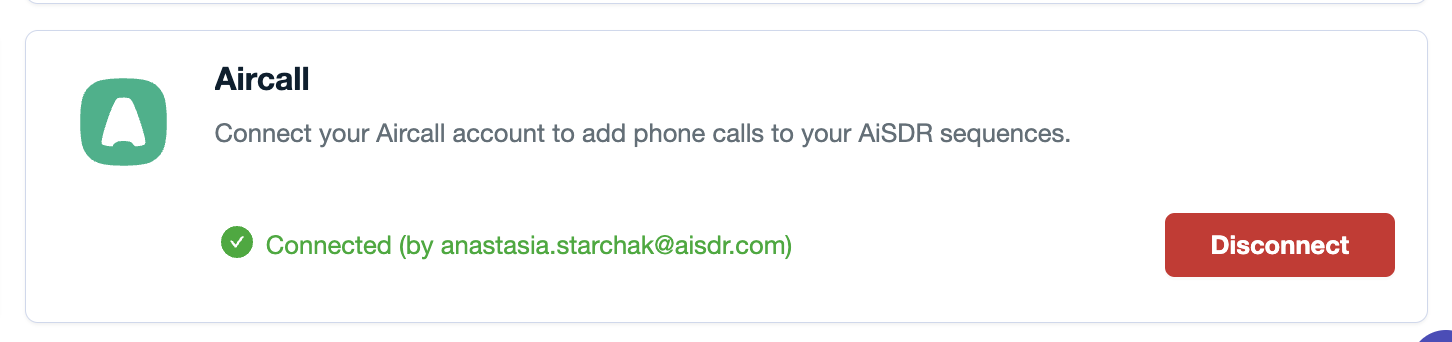
Wait a moment while the connection is established. Once successful, you’re connected and ready to go!
Step 2: Adding Aircall Steps to Your Campaign
When building a campaign in the Sequence Builder, you can now add Phone Call as one of the sequence steps.
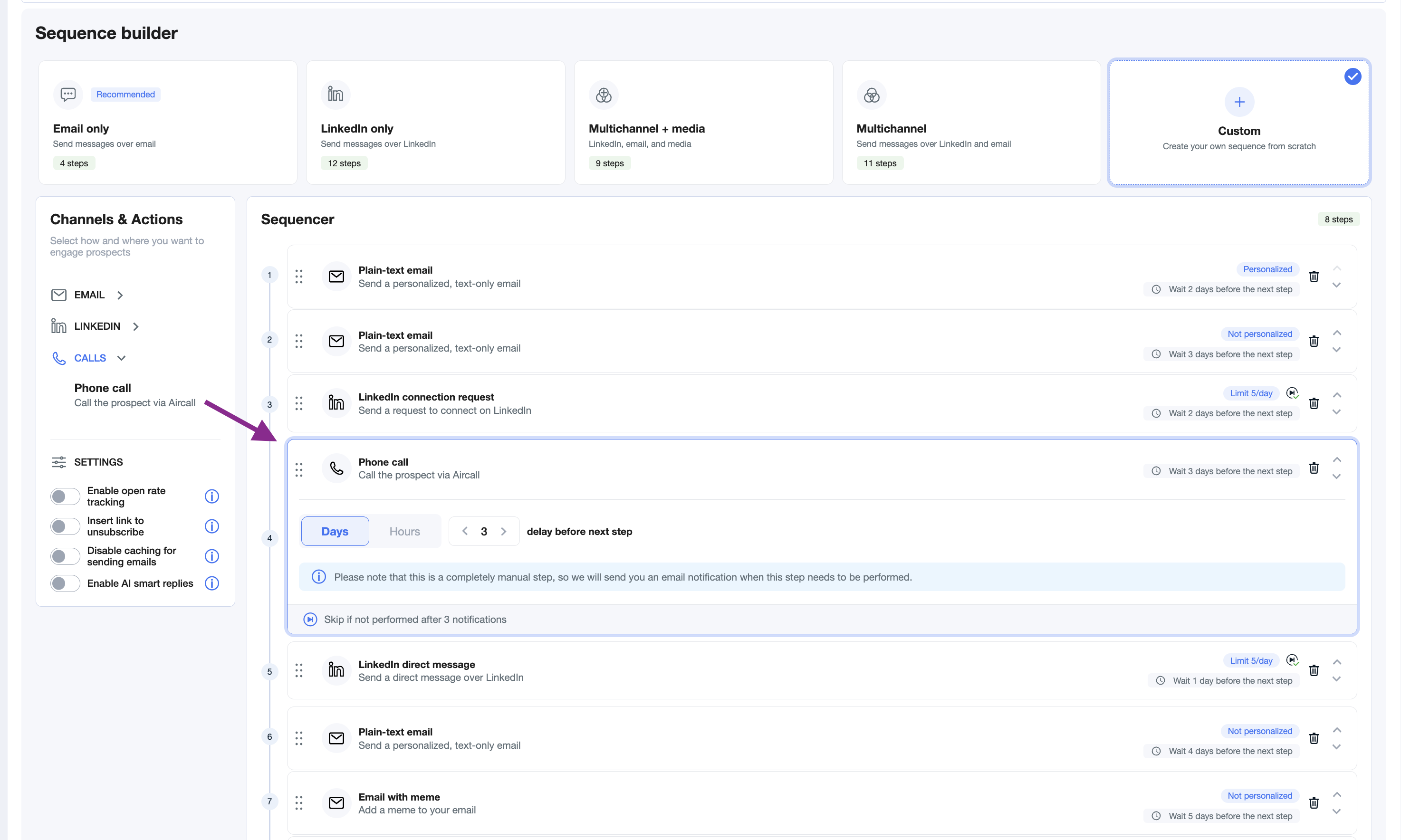
Each completed call step generates a call summary, which AiSDR automatically uses to personalize future communications with that lead.
When are the phone numbers added?
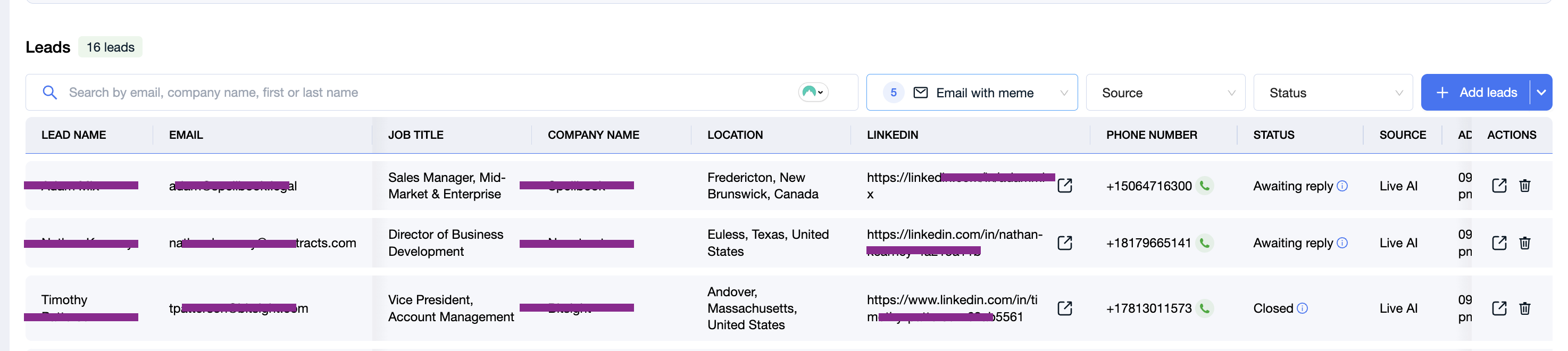
After adding the call steps to the campaign, you'll be able to see the enriched phone numbers. We enrich the phone numbers with a couple of our dedicated providers, and they are shown and tracked under each lead info in your campaign:
Step 3: Conducting a Call
At the execution step of a call, you'll receive a email reminder about it.
To conduct a call:
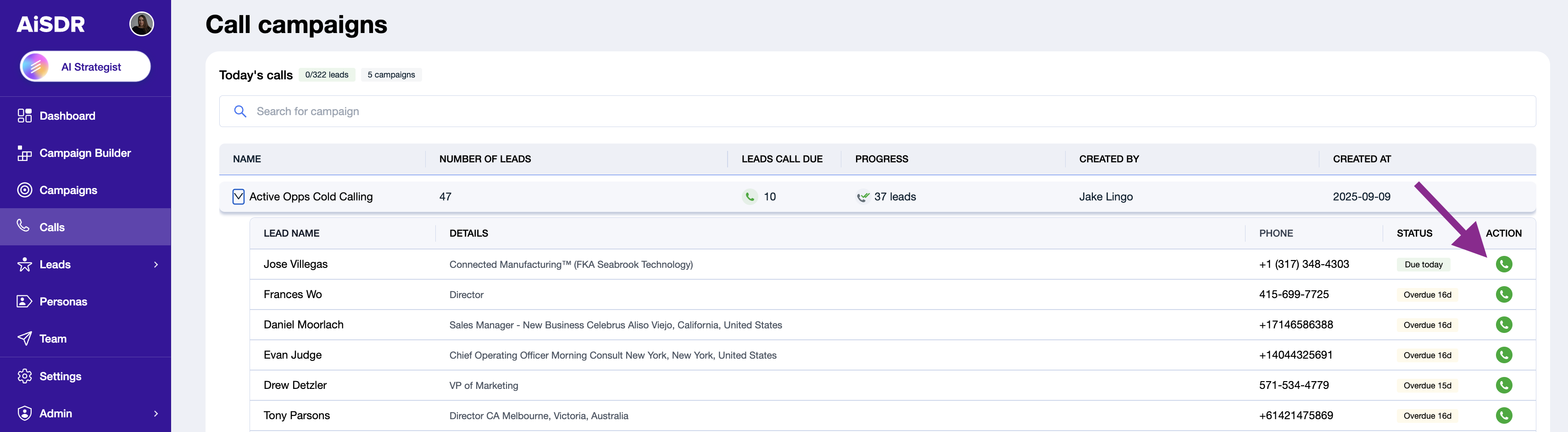
Go to the Calls tab.
Open the campaign where you need to conduct a call.
Select the lead you want to call.
Click on the phone number icon.
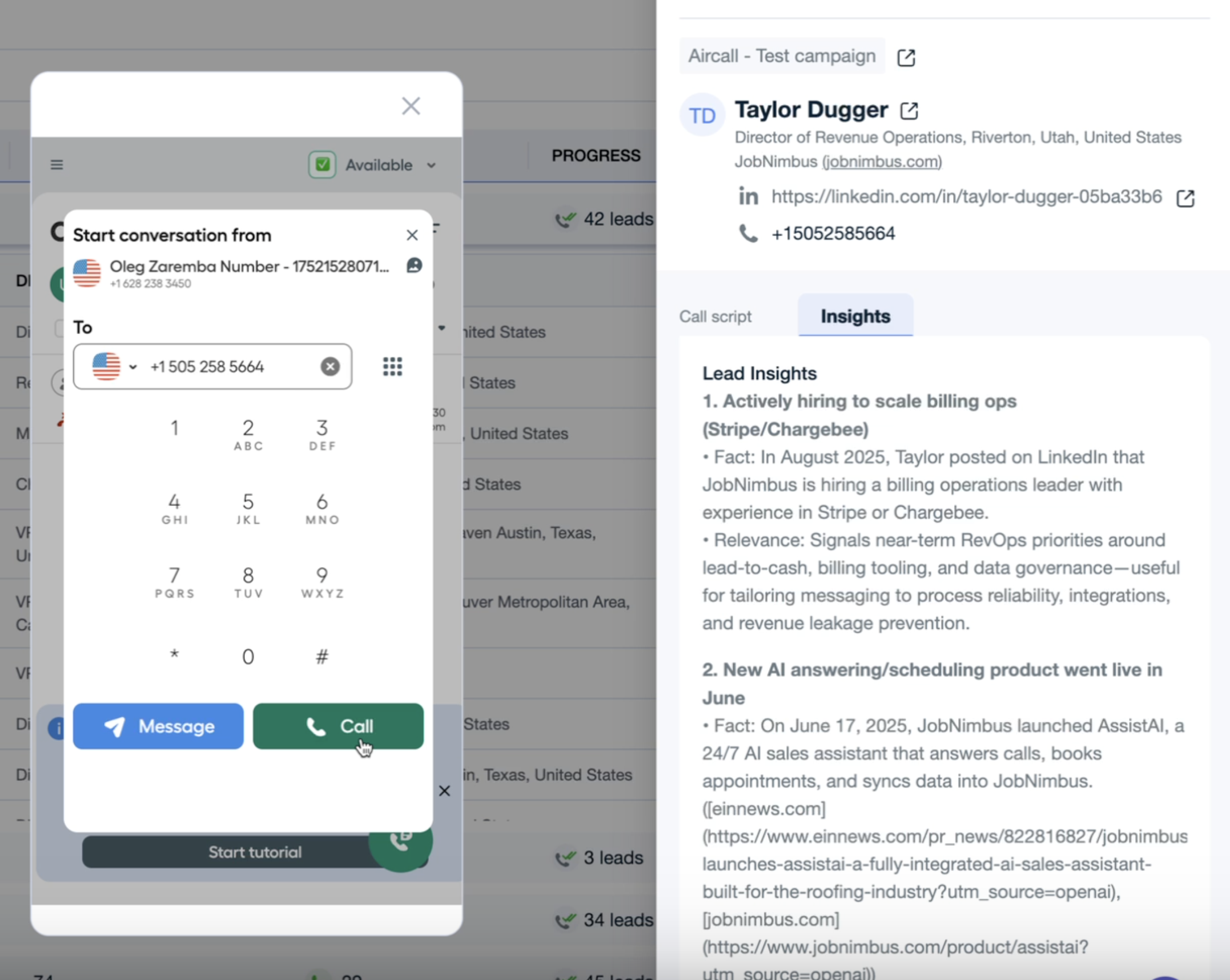
You’ll be redirected to Aircall, and AiSDR will automatically pre-fill the lead's phone number. You’ll also see here:
Company website
LinkedIn profile URL
AI-generated insights that highlight what’s most relevant to your value proposition
For extra support, you can also switch to the Call Script view to follow a structured script with tailored talking points.
Testing & adjusting call scripts:
You can adjust scripts under the Persona rules of the dedicated persona you create for your campaign.
To test call scripts, generate test sequences within the campaign.
📄 How to Test-Generate a Full Sequence
Step 4: After the Call
AiSDR ensures your workflow stays organized:
Automatic call logging: All calls are logged in the lead’s activity history.
Access call scripts and transcripts:
Go to Campaign → Latest Events → Filter by Call Script Generated.
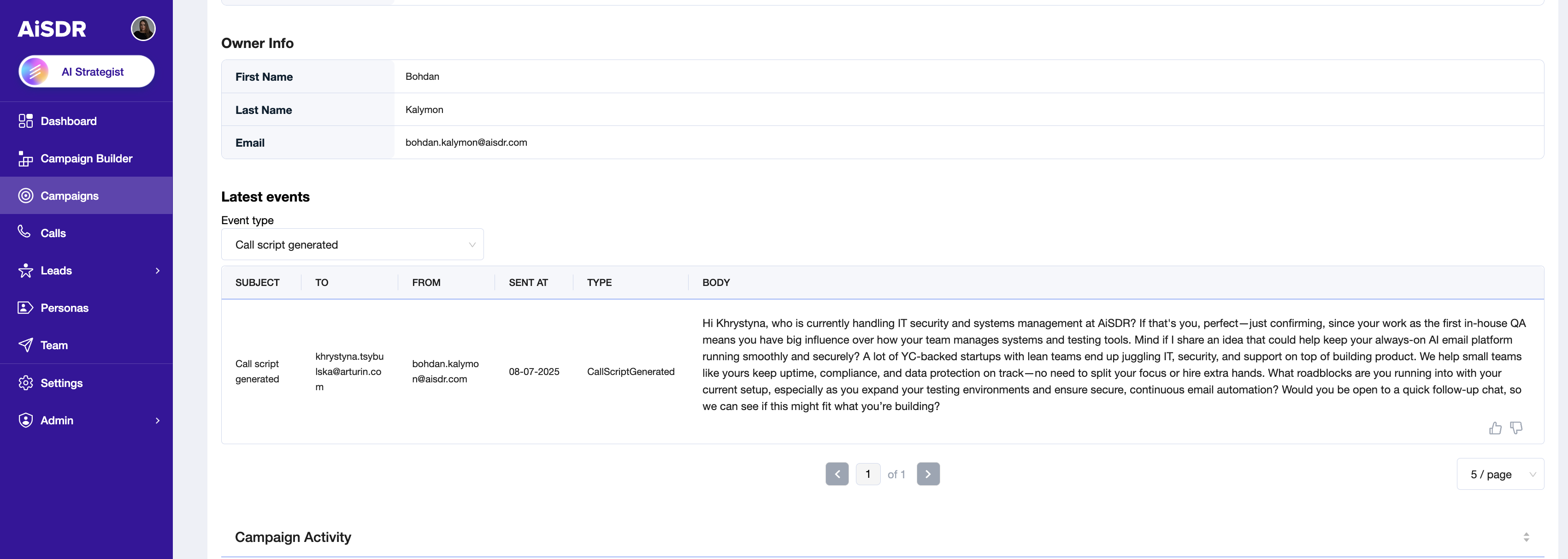
These scripts and transcripts are used for personalization in subsequent campaign steps (if there are any after the call).
FAQ:
Do call steps use AiSDR message credits?
Yes. Every call script generated counts towards your monthly messaging quota.Does AiSDR use lead search credits to find phone numbers for the outreach?
Yes. We consume 8 lead search credits for each mobile phone number found for calling.
Why should I add calls to my sequence?
Teams that include calls in their outreach sequence see 2x higher conversion rates compared to those that rely solely on written communication.