How to use another phone dialer with AiSDR? (Not Aircall)
Last updated: March 18, 2026
AiSDR’s Phone Call feature is designed to help you connect with prospects as part of your outreach sequences. While AiSDR natively integrates with Aircall, you can still make use of the feature with other dialers by following the steps below.
Overview
By default, AiSDR connects to Aircall to:
Launch one-click phone calls from your campaign
Log calls automatically in the lead’s activity history
Generate and store call scripts and transcripts for personalization
If you’re using another dialer (such as RingCentral, Zoom Phone, CloudTalk, virtual phone number, or a mobile device), AiSDR will still generate scripts and reminders for your calls - but the call logging, transcription, and automation will differ slightly.
Manual Dialer Setup (Simple & Fast)
If you want to use your existing dialer without any forwarding or integrations, follow this setup.
Step 1: Add Phone Calls to Your Campaign
Go to Campaigns → Sequence Builder.
Add a Phone Call step where you want the call to occur.
AiSDR will enrich phone numbers for your leads automatically right before the call step needs to be conducted.
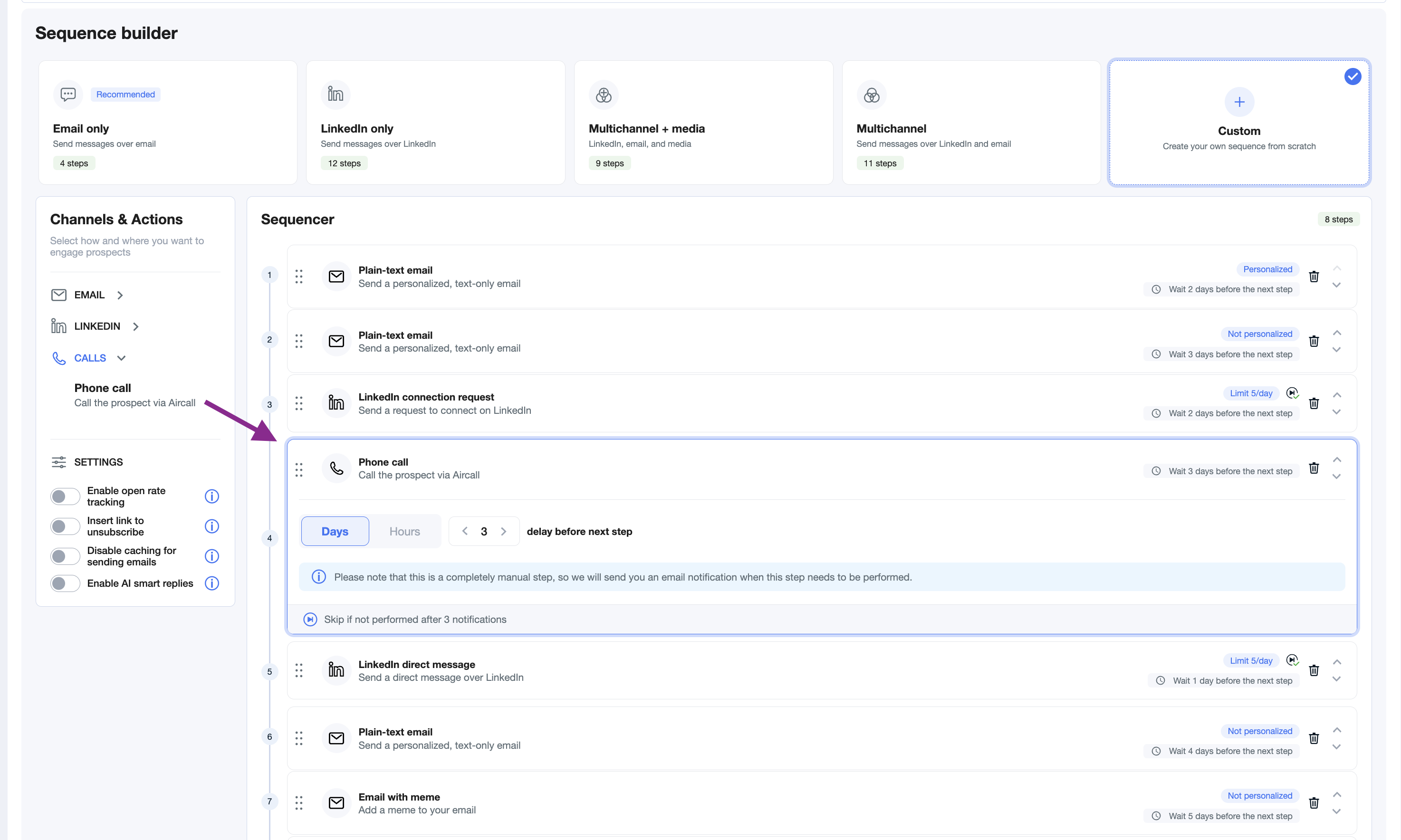
Step 2: Conduct the Call
When the call step becomes active, you’ll receive an email reminder.
Open the Calls tab in AiSDR and navigate to the lead.
Copy the lead’s number and place the call using your preferred dialer (e.g. Zoom Phone, RingCentral).
Use AiSDR’s Call Script view to guide your conversation.
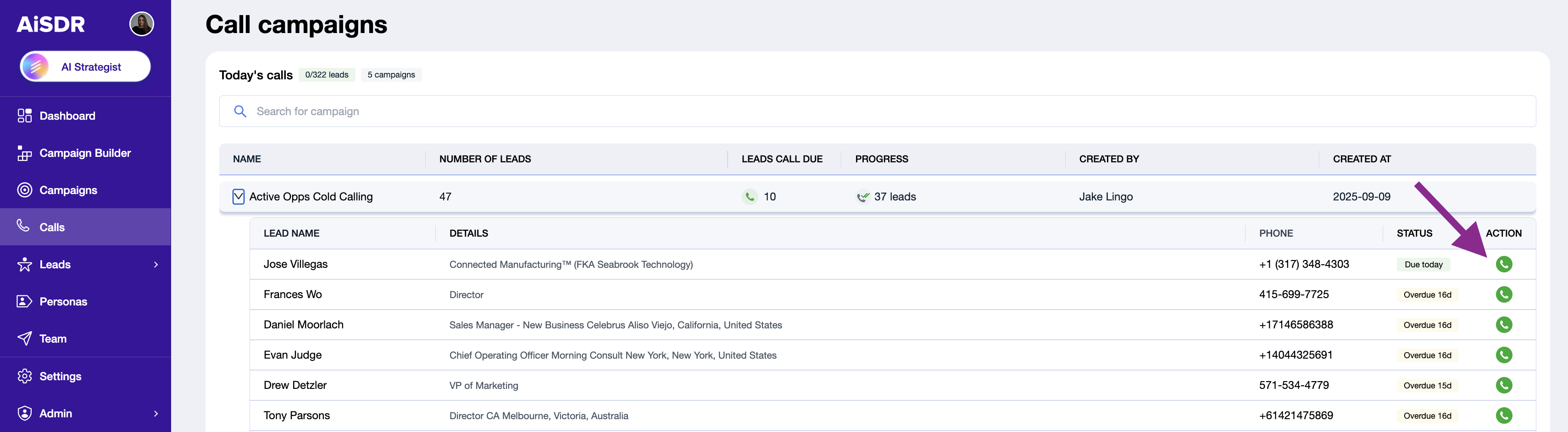
✅ Tip: Even without Aircall, AiSDR will still generate a custom call script for you based on your campaign’s persona and lead data.
Step 3: Log the Outcome
After your call, manually log notes or call outcomes in your CRM (e.g. HubSpot).
You can also tag the step as “completed” inside AiSDR so your sequence continues normally.
FAQ:
Do call steps use AiSDR message credits? Yes. Every call script generated counts towards your monthly messaging quota.
Does AiSDR use lead search credits to find phone numbers for the outreach? Yes. Lead search credits are consumed 1:1 for each mobile phone number found for calling.
Why should I add calls to my sequence? Teams that include calls in their outreach sequence see 2x higher conversion rates compared to those that rely solely on written communication.