What are social signals, and which signal should I use?
Last updated: September 15, 2026
Social signals are real-time LinkedIn actions that show interest or intent: for example, liking a post, visiting a profile, or talking about a relevant topic.
Instead of reaching out completely cold, AiSDR helps you find people who are already showing relevant behavior: engaging with content, viewing your profile, or discussing problems your product solves. That makes your outreach more timely, relevant, and more likely to get a response.
AiSDR supports three signal types:
Post Likes ❤ | Profile Views 👀 | Keywords 🔑 |
people engaging with LinkedIn posts | people who visited your or your team’s LinkedIn profile | people posting or commenting about topics relevant to your business |
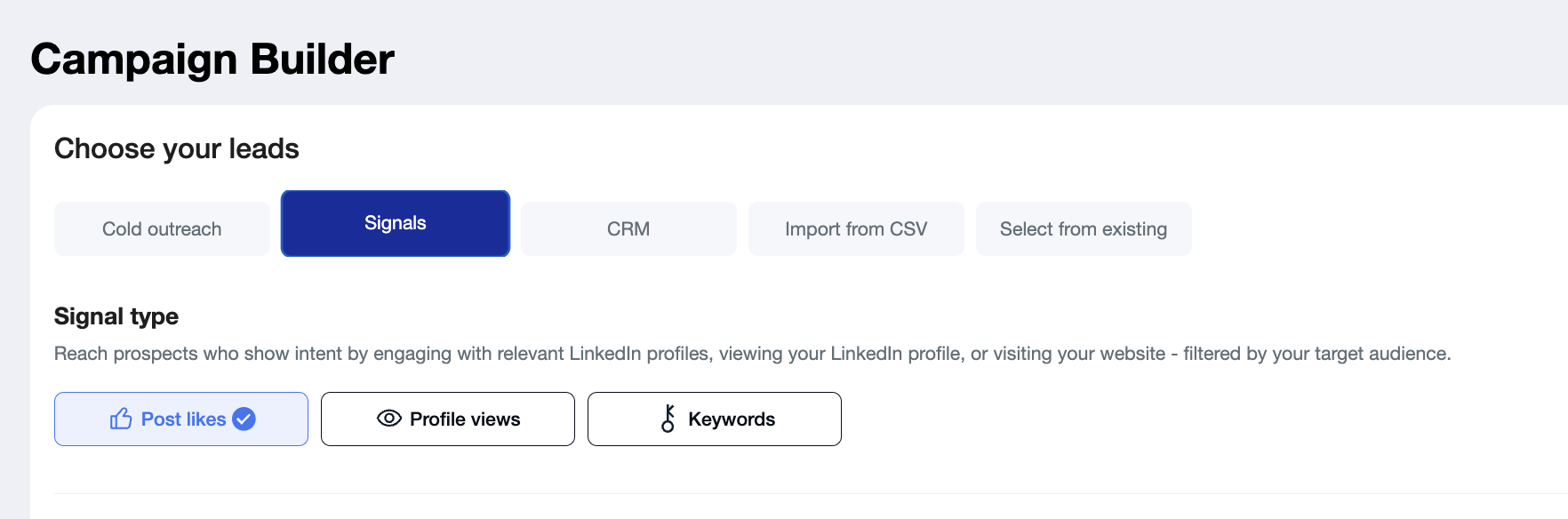
🔎 Explore the three signal types and choose the one that best matches the buying intent you want to capture.
Post Likes
Use Like Post to find people who engaged with posts from selected LinkedIn profiles or company pages. AiSDR tracks engagement on recent posts and then filters those people by your ICP criteria.
AiSDR supports both personal profile links and company page links for this use case.
Best for
Reaching prospects who are already interacting with relevant voices
Targeting people engaging with: your company content, your founders or executives, industry influencers or competitor teams or founders.
Example use cases
“People are engaging with competitor content — I want to reach them first.”
“Our founder posts regularly and gets engagement — I want to turn that attention into pipeline.”
“I want leads who are interacting with thought leaders in my space.”
When to choose this
Choose Like Post when you want to prospect based on engagement with specific people or brands, not just on keywords or profile visits. It works well when the tracked profiles post frequently and get meaningful engagement. AiSDR recommends starting with a small set of active profiles and placing the strongest ones first.
Keywords
Use Keywords to find people who write, comment, or react to LinkedIn posts containing specific keyword phrases.
You can add up to 6 keywords per campaign and refine results using post filters such as profile author, mentions, comment sentiment, company author, and author employer, plus company and lead filters.
Best for
Finding people actively talking about a pain point, category, tool, or trend
Discovering leads discussing competitors, use cases, or relevant market changes
Reaching people based on what they are talking about right now on LinkedIn
Example use cases
“We want to find people actively talking about [pain point] right now.” → Keywords
“I want to find people mentioning [competitor], [problem], or [job to be done].” → Keywords
“I want leads reacting to posts about AI SDRs, outbound, or sales automation.” → Keywords
When to choose this:
Choose Keywords when you care more about topic activity than about engagement with a specific profile. This is the best option when you want to catch demand as it appears in public conversations. AiSDR also notes that adding too many filters narrows results, so it is usually better to start broader and optimize from there.
Profile Visitors
Use Profile Visitors to find people who recently viewed your LinkedIn profile or your teammates’ profiles. These are often warm leads because they have already shown interest in you or your company.
To use this signal, you need a connected personal LinkedIn Premium profile.
Best for
Capturing inbound interest that did not turn into a message
Following up with warm leads who already checked you out
Turning executive or team profile visibility into outreach opportunities
Example use cases
“People are viewing my LinkedIn profile but not reaching out.” → Profile Views
“Our CEO gets profile traffic from prospects, we want to follow up automatically.” → Profile Views
“We want to convert interest from personal LinkedIn visibility into meetings.” → Profile Views
When to choose this
Choose Profile Visitors when you want to act on direct interest in you or your team. Even if no leads are available immediately, AiSDR can keep checking daily and add new leads over time when Add fresh leads daily is enabled and the campaign is active
❓Find answers to common questions about when to use social signals, supported sources, and lead volume.
When can social signals be useful?
Social signals are useful when timing and context matter.
Instead of guessing who might be interested, you can reach out to people who are already showing intent through LinkedIn activity. AiSDR describes the value as better timing, relevance, efficiency, and scalability. This is also why these campaigns often feel warmer than static list-building: your message can reference something the prospect actually did recently.
Can we use a company profile or only a person?
For Post Likes, you can use either:
a personal LinkedIn profile
a LinkedIn company page
For Profile Visitors, you need a personal LinkedIn Premium profile. Company pages are not used for profile-view tracking.
Why am I seeing so few leads scraped?
Do I need LinkedIn Premium for all signal types?
No, only Profile Views requires LinkedIn Premium. Post Likes and Keywords work without it.
How often does AiSDR check for new signals?
AiSDR checks for new leads matching your signal every day.
The number of leads added each day varies depending on your signal type and filters:
Strict or highly specific filters may result in only a few new leads per day
Broader filters will continuously surface a higher volume of new matches
This is expected behavior. Signals campaigns are designed to run long-term and grow your pipeline steadily over time.
Do signals campaigns use credits?
Yes. Each signal check uses 3 search credits per signal.
Signals let you reach prospects at the moment they're already showing relevant behavior — which is why these campaigns consistently outperform standard cold outreach on reply rates and meeting quality. Pick the signal that matches how your best leads find you, and start there.