LinkedIn Steps
Last updated: April 24, 2026
The LinkedIn channel allows you to add a variety of engagement actions into your sequence — all designed to create meaningful, human-like interactions on the platform.
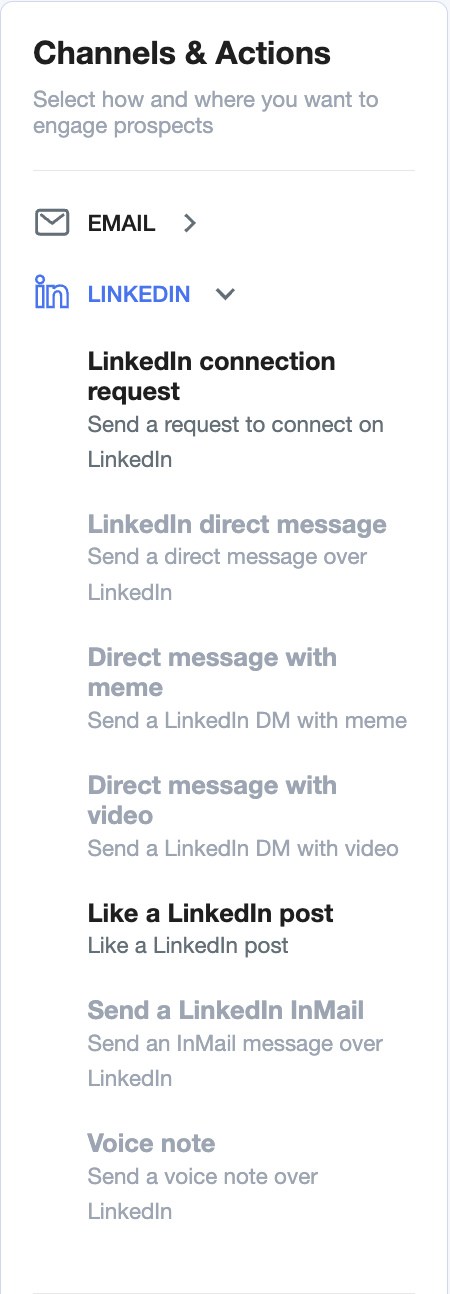
Available LinkedIn actions include:
LinkedIn connection request – Start by connecting with your prospect
LinkedIn direct message – Follow up or engage directly
Direct message with meme – Add a lighter, visual touch to your outreach
Direct message with video – Send personalized video messages
Like a LinkedIn post – A subtle way to show interest and warm up the lead
Send a LinkedIn InMail – Reach out even if you're not connected
Voice note – Stand out with a human voice message
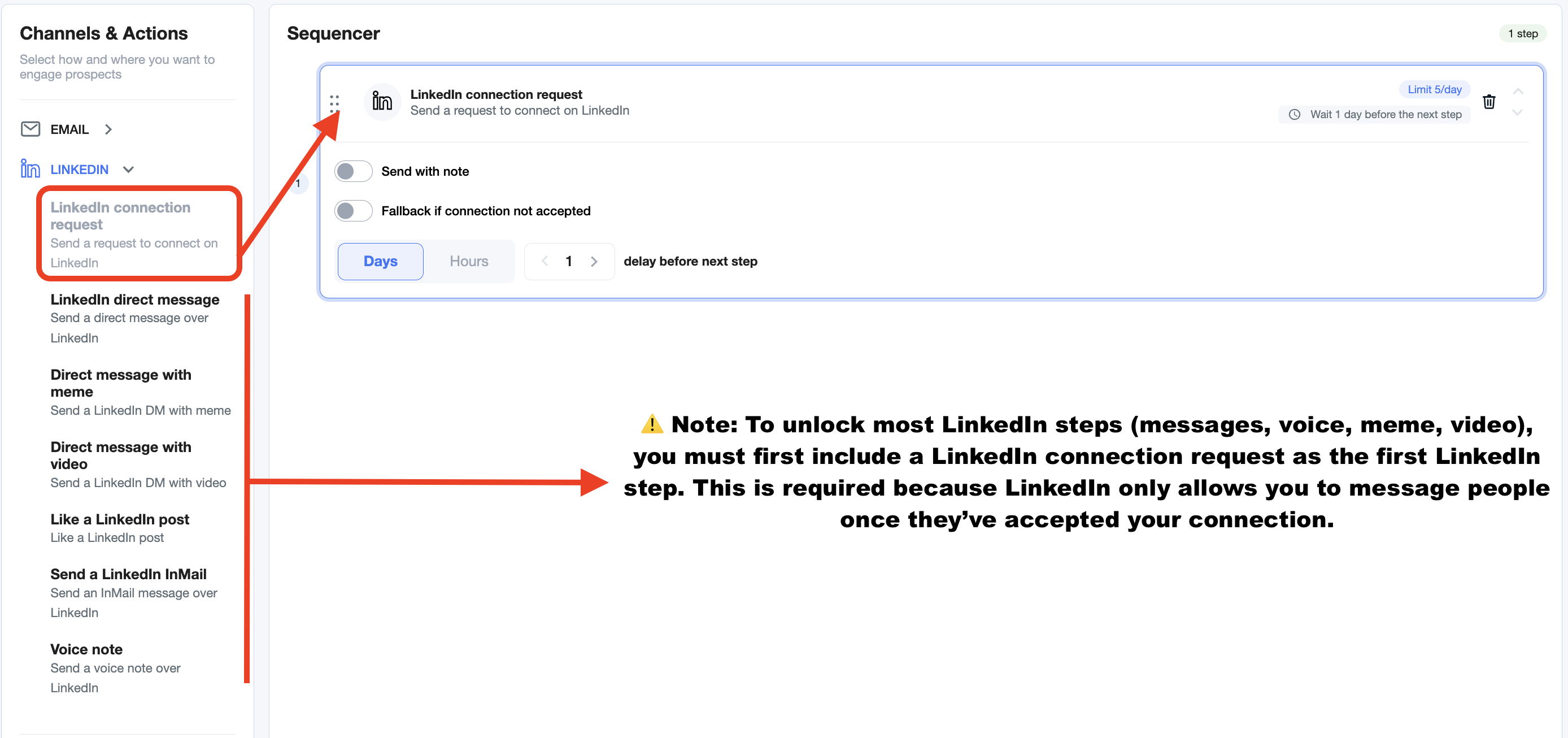
Note: To unlock most LinkedIn steps (messages, voice, meme, video), you must first include a LinkedIn connection request as the first LinkedIn step. This is required because LinkedIn only allows you to message people once they’ve accepted your connection.
Video and voice notes require an AI voice setup. Just reach out to your Customer Success Manager and they’ll help you get it up and running.
LinkedIn Connection Request
The LinkedIn connection request is usually the first step in any LinkedIn-based sequence — and it's required to unlock other actions like DMs, voice notes, memes, or videos.
Within this step, you have the option to:
Send with note – Add a short personalized message with your request (optional)
Please note that with a free LinkedIn account you can send only 5 connection requests with a note per month. After that, this step will be skipped, so please take this into account when adding it to the sequence.
Fallback if connection not accepted – Trigger an alternate action if the prospect doesn’t accept your connection within a set time
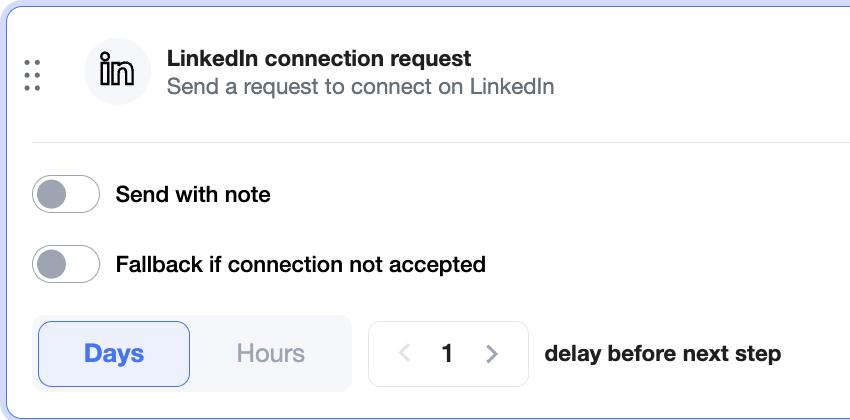
We recommend enabling the fallback option.
Not everyone accepts connection requests — and without acceptance, the sequence could stall. A fallback ensures your outreach continues (e.g., via email or another channel) even if someone doesn’t connect, so you don’t lose momentum or potential leads.
You can also control the delay before the next step, giving prospects enough time to respond before taking further action.
LinkedIn Direct Message:
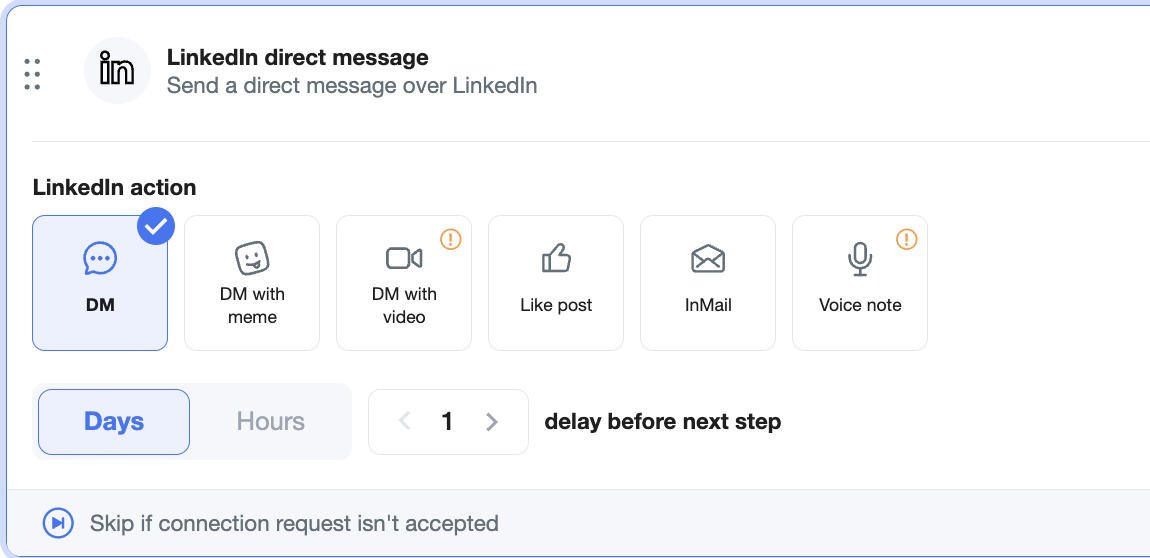
You can fully customize each LinkedIn Direct Message step using the following action types:
💬 DM – Simple, direct message
😄 DM with meme – Add a light touch with humor
🎥 DM with video – Personalize your outreach visually (requires setup and is included in Grow plan only — contact your CS Manager)
👍 Like post – Engage with their content before messaging
✉ InMail – Use InMail to reach out even without a connection
🎙 Voice note – Send a voice message (also requires setup — ask your CS Manager)
You can also:
Set the delay before the next step
You can add LinkedIn steps in two ways: either select them directly from the Channels & Actions menu when building your sequence, or fine-tune the specific action type (like direct message, meme, video, etc.) after the step has been added to the sequencer.
💡 Pro tip: Memes and voice notes help humanize your outreach — and you’ll be surprised how often they spark replies.