Why Did My Campaign Stop Adding New Leads?
Last updated: September 16, 2026
If your campaign is active but the lead count hasn't moved in a while, it's almost always one of four things. The most common mistake is assuming something is broken when the system is actually working as expected.
✨ What keeps leads flowing in
For a campaign to continuously pull in new leads, three things need to be true at the same time:
The "Add fresh leads daily" toggle is enabled
The campaign is in Active status (not Draft or Paused)
There are still matching leads in the database that haven't been added yet
If any one of these is off, new leads stop coming in.
🎛 The four reasons leads stopped — and how to fix each
I forgot to turn on the "Add fresh leads daily" toggle
This toggle is off by default when you create a campaign. If you didn't enable it at launch, the campaign contacts the leads it was given once — and stops.
How to fix it:
Open your campaign
Click Edit
Scroll to the Lead Source section
Enable the "Add fresh leads daily" toggle
Click Save
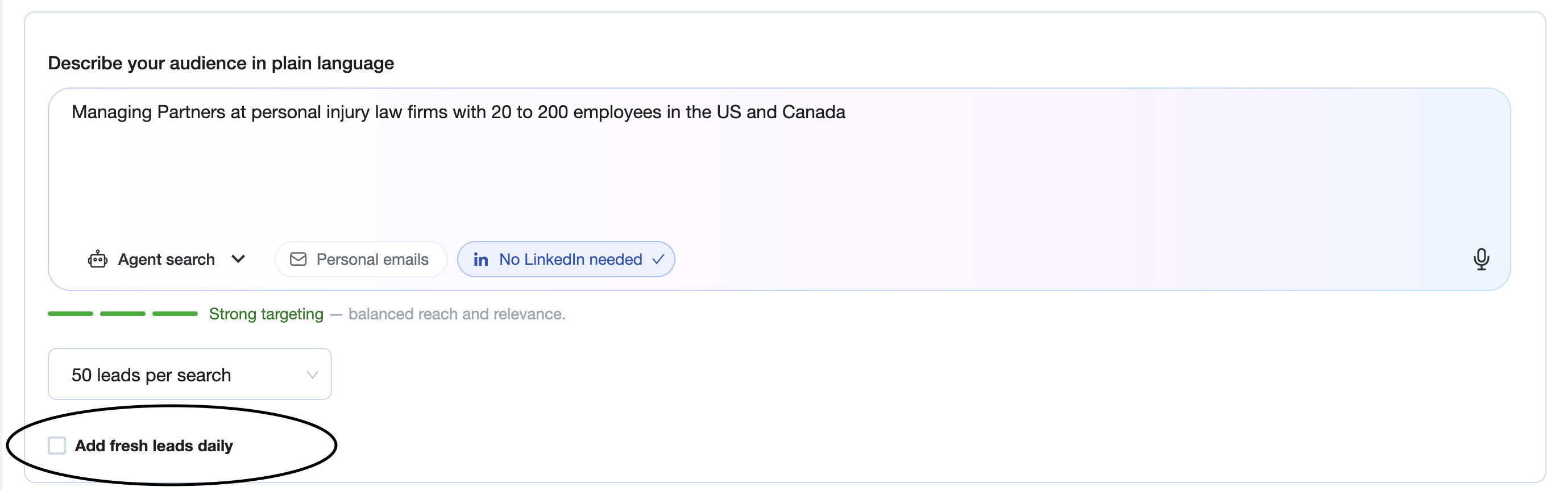
✅ AiSDR will now search for new matching leads on an ongoing basis and add them to your campaign automatically.
💡 Good to know: This toggle only works when the campaign is Active. If your campaign is in Draft, enable the toggle and launch the campaign — new leads will start flowing once it's live.
I see a message saying the search was paused for 3 days
This is expected behavior, not a bug. When AiSDR has searched through the available database and temporarily can't find new leads that match your filters, it shows this notification:
"The continuous search has no new results and will be paused for 3 days. Please update search filters to start a new search sooner."
The search resumes automatically after 3 days. You don't need to do anything — but if you want to restart it sooner:
How to restart the search early (ONLY if it's too narrow and didn't get results after 5 days):
Open your campaign → Add leads
Make a small adjustment to any filter (e.g., add one more job title, slightly expand the geography, or remove one filter)
Search for new leads
Select "Аdd fresh leads daily"
Add new leads to the campaign and update filters.
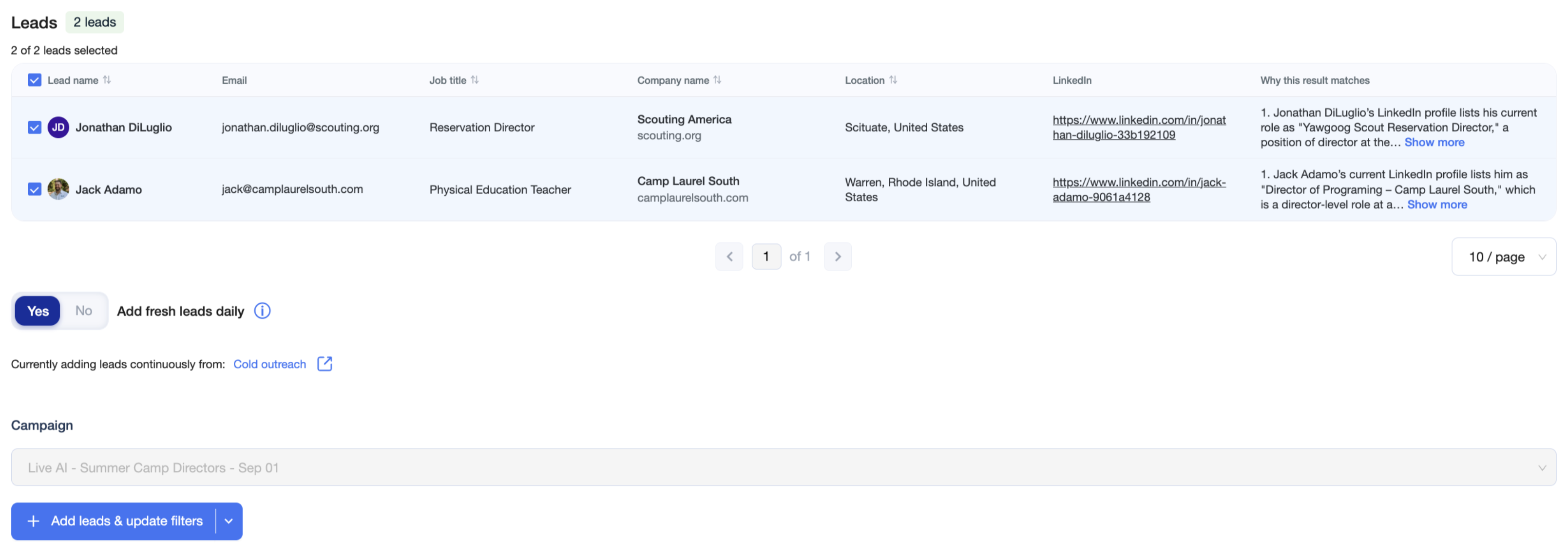
✅ The change signals a fresh search, and AiSDR will start pulling new leads again immediately
My filters are too narrow and there aren't enough leads to find
If your campaign has been running for a while but the lead count is low and growth is slow, the search might be exhausting your audience faster than expected. Very specific filter combinations — like a narrow revenue range, a specific technology stack, and a tight geography — can reduce your addressable pool to a few hundred leads total. For the best search results, use criteria that can be clearly identified and verified through publicly available online information.
How to diagnose it:
Open your campaign
Go to the Query section
Check your search query and identify which filter is most likely limiting your lead search.

How to fix it:
Click "Add leads"
Remove or broaden the filter that is narrowing your search the most.
If you're using a Revenue filter, try removing it — revenue data is often incomplete and cuts out valid prospects
If you're using specific Technology filters, consider whether they're truly required or just nice-to-have
Test new search
Select "Add fresh leads daily"
Add new leads to the campaign.
✨If you used Live AI Search, you’ll see a match rate % next to each filter in the Live AI filters section.
This percentage shows how much each filter narrows your audience. A filter with a 5–20% match rate can significantly limit the number of leads available in your search.

How to fix it:
Click "Add leads"
Remove or broaden the filter with the lowest match rate first
Test new search (check the percentage)
Select "Add fresh leads daily"
Add new leads to the campaign.
✅ Your addressable pool will expand and add fresh leads search will find new leads again.
My campaign is still in Draft — I never launched it
Add fresh leads daily only runs on Active campaigns. If your campaign is in Draft status, it won't add leads regardless of your toggle settings. This is the most common cause for new campaigns.
How to fix it:
Open your campaign
Confirm the campaign settings look correct
Check if you turn on the "Add fresh leads daily" toggle
Click Launch campaign to move it from Draft to Active status
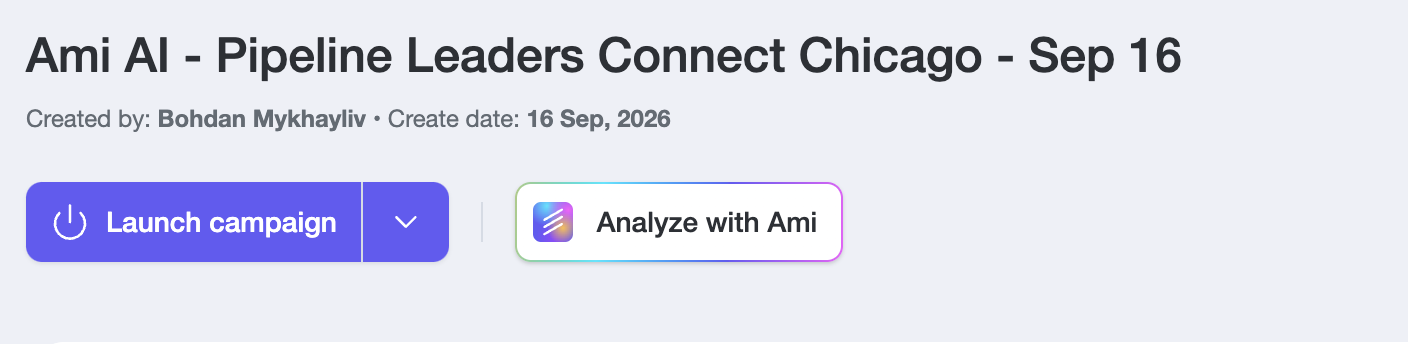
✅ Once the campaign is Active and Add fresh leads daily is enabled, new leads will start being added to your campaign automatically.
💡 Best practices
Check the match rate % on each filter when building your targeting — anything below 20% is a red flag
Don't panic when you see the 3-day pause notification — it's the system working correctly, not breaking
If the search restarts after a small filter tweak, that means the database refreshed; you don't need to keep tweaking on every pause
Leads already in your campaign are automatically excluded from new searches — you won't get duplicates
LinkedIn-only leads (no email found) count toward your lead total but can't receive email steps; if your lead count went up but email activity didn't, check whether leads have valid email addresses
❤ Final note
Most of the time, a campaign that stopped adding leads just needs the toggle turned on or a small filter adjustment — nothing is broken. If you've checked all four causes above and leads still aren't coming in, reach out to CS and we'll take a look together.