How Can I Add Additional Information for AI-Powered Email Personalization?
Last updated: May 21, 2026
AiSDR allows you to enrich email personalization by providing extra context that the AI can use when generating messages. You can do this in two ways, depending on how you manage your data.
Option 1: Using HubSpot
If you’re connected to HubSpot, you can sync custom properties and use them for personalization:
Go to Settings → Integrations → HubSpot → Edit.
Select the HubSpot properties you want to sync with AiSDR.
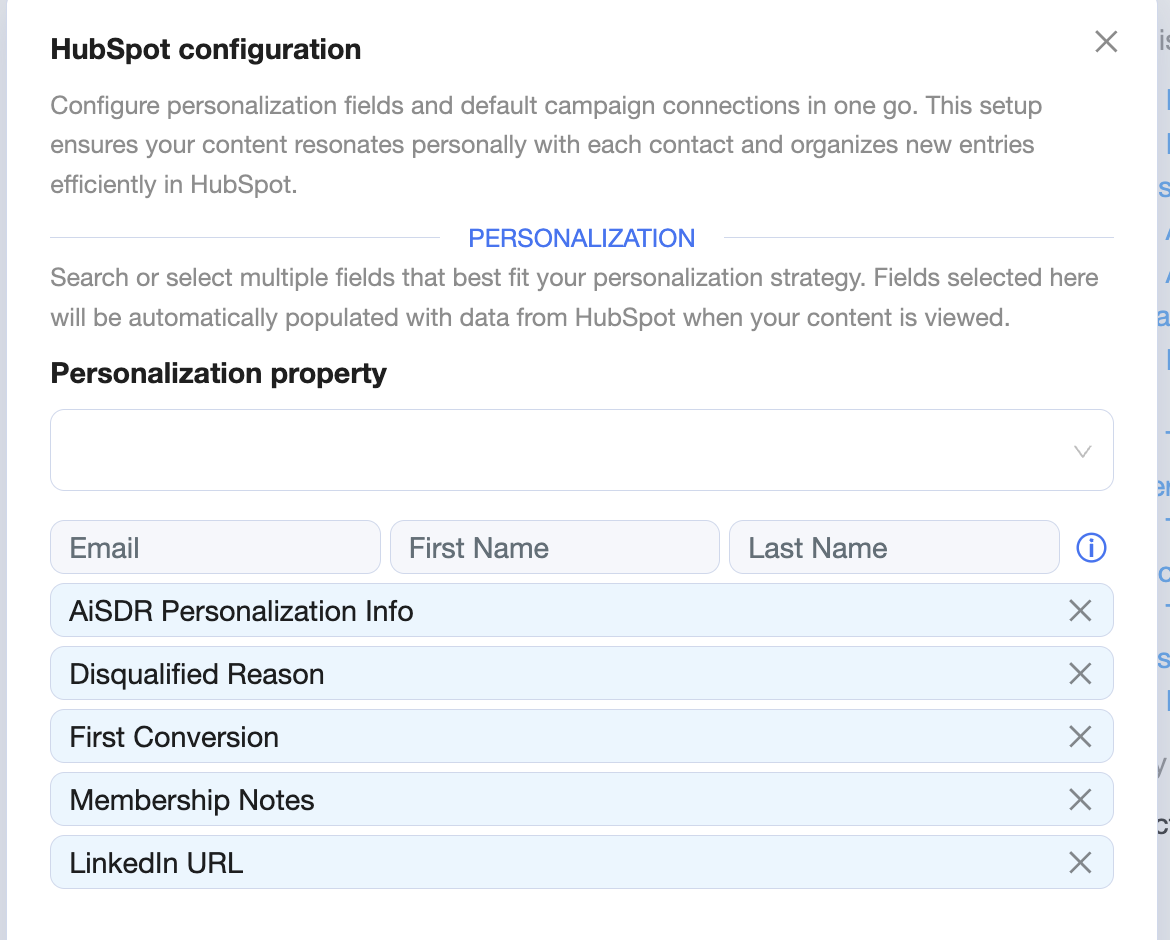
In the Messaging, add instructions explaining how the AI should use these properties in emails
(for advanced or custom use cases, feel free to reach out to your CS Manager).
Example of the general instructions:
Everything inside this instruction is mandatory and must be followed exactly.

--- HUBSPOT PROPERTIES PERSONALIZATION RULEBOOK ---

You must use ONLY the HubSpot properties for personalization (optional).
Do NOT infer, guess, or invent information that is missing or unclear.

When generating emails:
- Reference HubSpot properties naturally and contextually.
- Use them to tailor the opening line, value proposition, or use case.
- If a property is empty or missing, skip it entirely.
- (Custom rules: how AI must use information from properties)

Do not restate properties in a robotic way.
Instead of listing data, weave it into a conversational sentence.

If multiple HubSpot properties are available:
- Prioritize business context first (industry, company size, location).
- Then use role-specific or intent-related properties if present.

Never contradict HubSpot data.
Never assume information beyond what is explicitly provided.
During campaign creation, select the synced properties for personalization and then create an campaign.
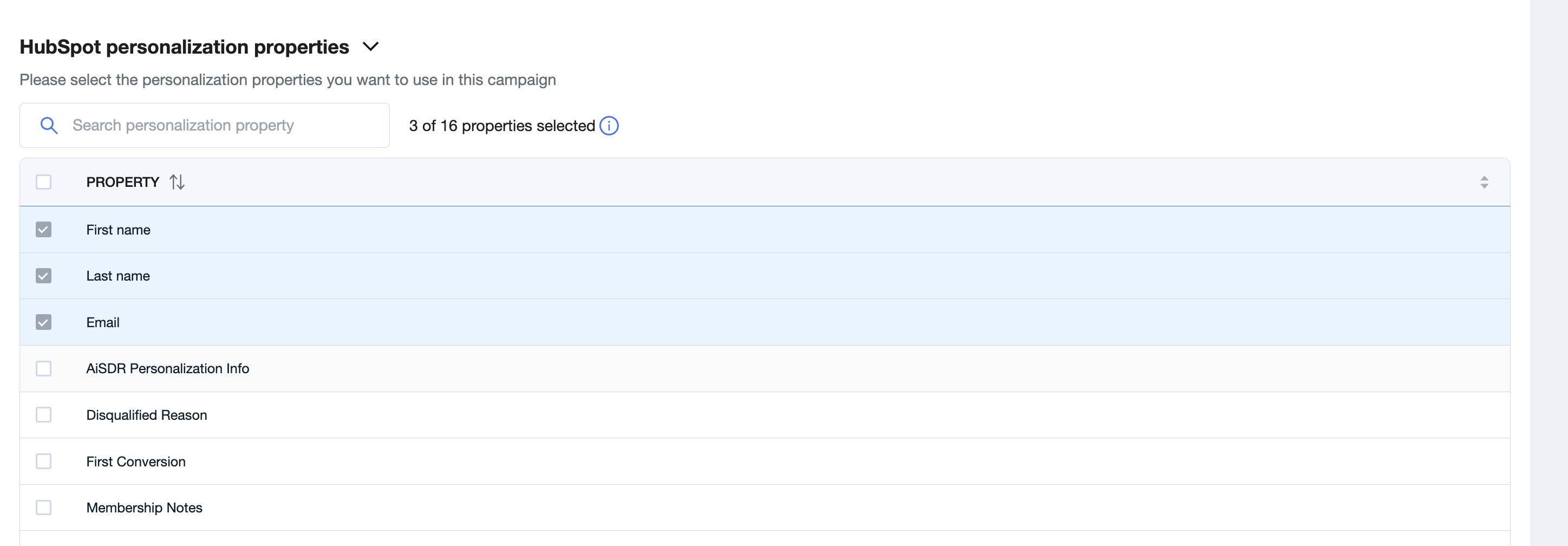
✅ This approach works best if your data already lives in HubSpot and is kept up to date.
Option 2: Using a CSV file
If you’re uploading leads via CSV, you can still provide rich personalization details:
Create a separate column called “Personalization Info”.
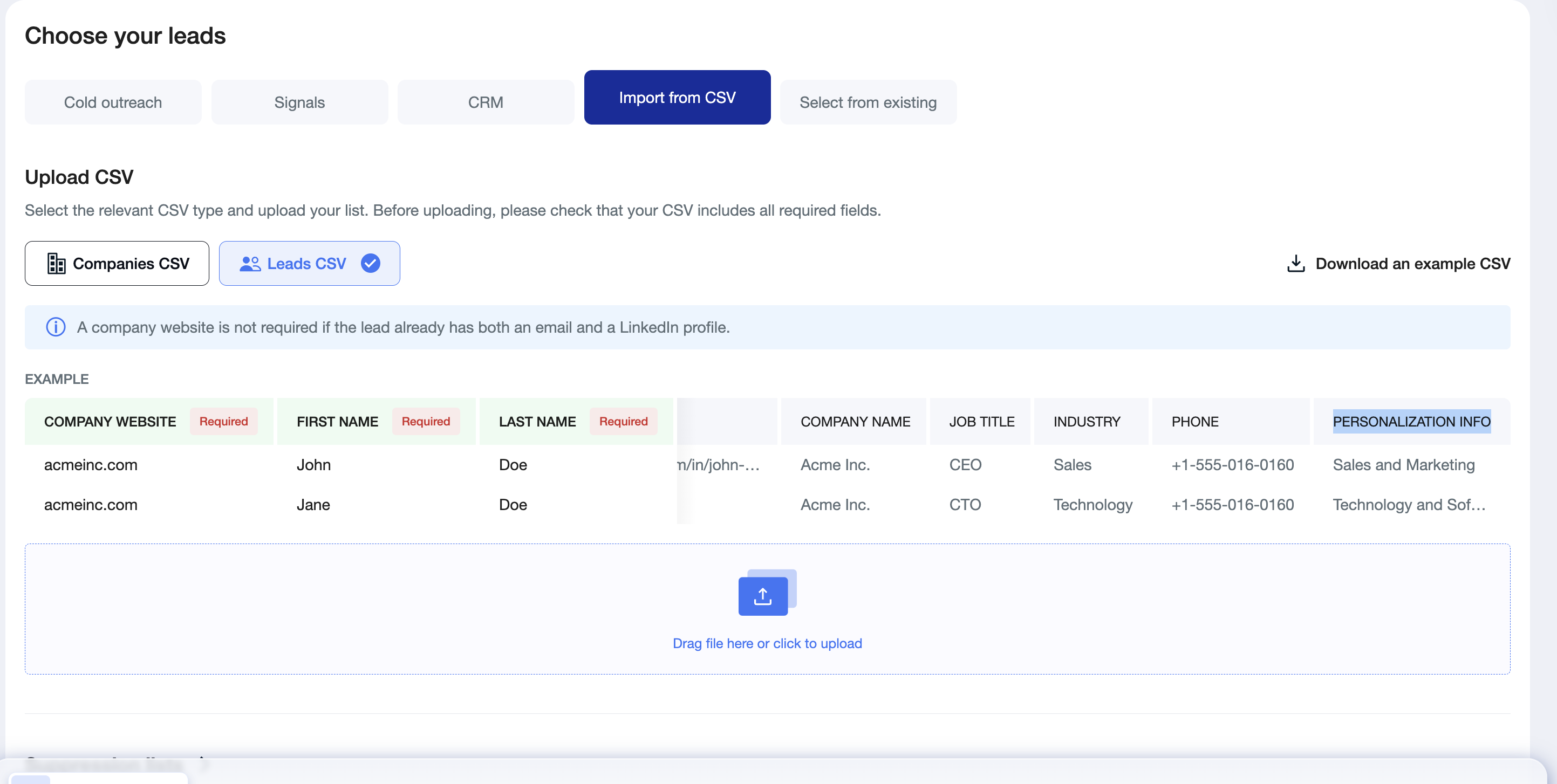
Add all relevant context the AI should use in this column.
Best practice:
If you’re including multiple data points, separate them clearly. For example:
Project name: XXX; Reason for outreach: XXX; Special offer: XXX
In the Persona, add instructions on how the AI should use the information from this column (contact your CS Manager if you need help with custom instructions).
Example of the general instructions:
Everything inside this instruction is the style and logic rulebook and must be followed starting now.

--- PERSONALIZATION INFO INTERPRETATION RULEBOOK ---

The {{Personalization_info}} field is the ONLY source of custom personalization (optional).
You must analyze it carefully and extract relevant details.

{{Personalization_info}} may include multiple data points in free-text format
(e.g., project name, reason for outreach, special offer, location, capacity, context). Customer rules how to use this information for personalization.

Rules:
- Use ONLY information explicitly written in {{Personalization_info}}.
- Do NOT guess, enrich, or hallucinate missing details.
- If a data point is not present, do not reference it.

When multiple data points exist:
- Prioritize relevance to the outreach reason.
- Use the most specific and concrete detail first.

In the email:
- Integrate the extracted information naturally.
- Do not list the information mechanically.
- Do not mention the phrase “Personalization Info” or imply data ingestion.

If {{Personalization_info}} contains location, capacity, or operational details,
they MUST be reflected in the first email where relevant.

If the content is unclear or contradictory,
default to a softer discovery-based phrasing rather than a direct statement.
Create a campaign using the CSV file and review a test message before launching.
Need help?
If you’re unsure how to structure your data or want more advanced personalization logic, your Customer Success Manager is always happy to help 😊