Campaign Performance View
Last updated: November 18, 2025
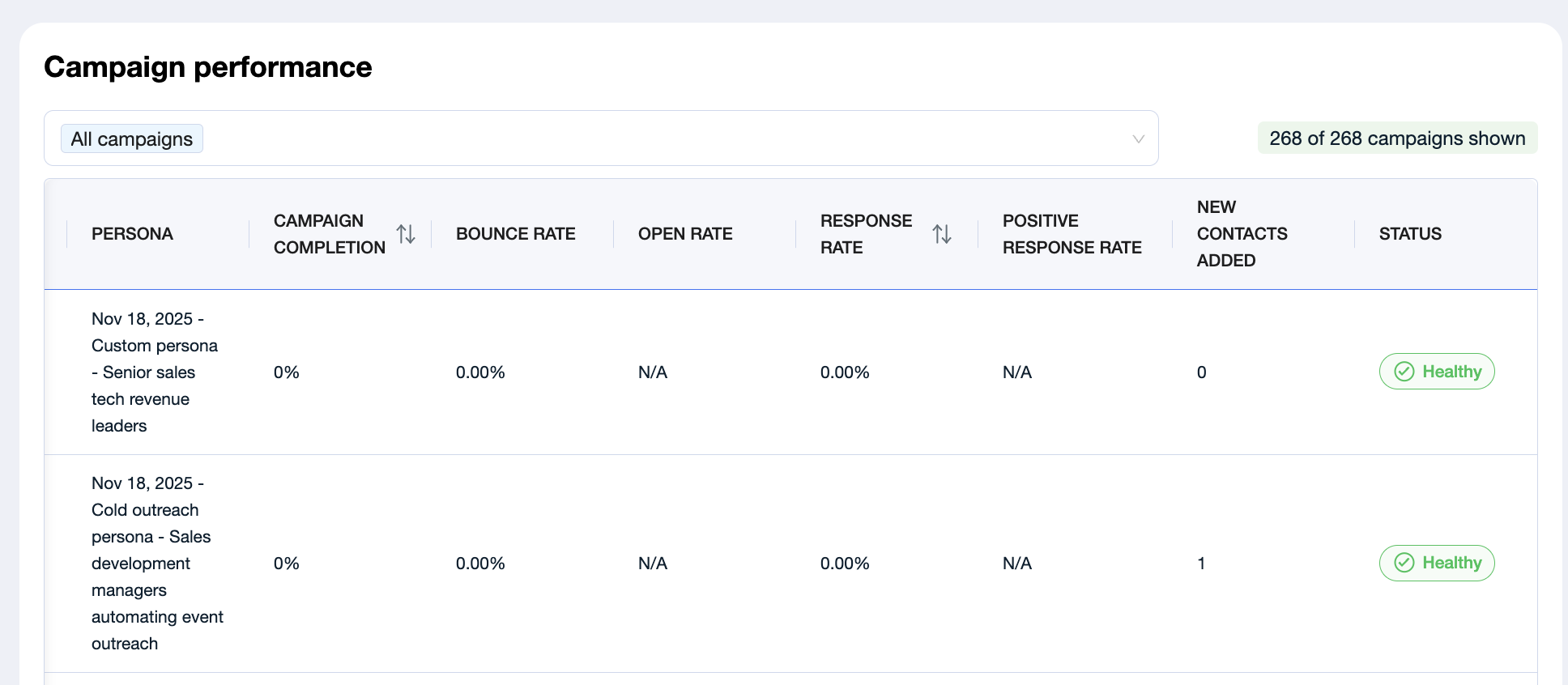
The Top Performing Campaigns section helps you quickly identify which of your active outreach campaigns are delivering the strongest results. It’s a comparative table that surfaces key performance indicators (KPIs) — helping you understand what’s working, what needs refinement, and where to double down.
What This Section Shows
Each row in the table represents one of your campaigns, with the following columns:
Campaign Name
The title of the campaign for easy identification.Persona
The messaging persona used in the campaign — helping you tie performance back to messaging strategy.Campaign Completion
The number of leads that have been actively worked by the campaign (i.e., received at least one message).Bounce Rate
The percentage of emails that failed to deliver. A high bounce rate may indicate poor lead data quality or outdated contact info.Open Rate
The percentage of emails that were openedResponse Rate
The percentage of leads who responded to any message (email or LinkedIn), indicating overall engagement.Positive Response Rate
The portion of responses that expressed clear interest, intent to learn more, or desire to book a meeting.New Contacts Added
How many contacts were recently added to your campaign
Status
How healthy your campaign is
If No Campaigns Are Showing Yet
If the table is empty, it may mean:
No campaigns have been launched yet;
Campaigns haven’t yet engaged any leads;
The dashboard is still syncing with backend campaign data.
A Note on Data Sync & Accuracy
Because of caching mechanisms designed to keep the dashboard fast and responsive, there may occasionally be a slight delay between the data you see here and what’s visible within the individual campaign view.
No worries — the metrics will automatically update and align within 24 hours.
How to Use This Section
Use the Campaign Performance view to:
Benchmark the effectiveness of different personas;
Identify your most (and least) efficient campaigns;
Refine targeting and messaging based on real performance;
Prioritize optimization efforts for underperforming sequences.